


VIN decoder


Thread Starter
Newbie

Joined: Sep 2004
Posts: 109
Likes: 0
From: Lugoff, SC
 VIN decoder
I built a VIN decoder for Nissan and Infinity vehicles. I asked MC if it was ok to post this up on my350Z.com and he said no problem. In fact, he had just got in the VIN for his GT-R. (posting up minus last 6-digits of serial to keep ppl honest!)
JN1AR54F49MXXXXXX
I used that to update the decoder for the GT-R. Thanks Matt.
Note a couple of things from it. The engine type is A (VR38DETT) and the Model is R5 (R35). The Body type is indicated as a ‘4’. Normally for Nissan vehicles that is the code for a 2-door hatchback. I coded it to show as a 2-door Sedan .. until told otherwise. Likewise, the Misc digit is shown as ‘F’ – which I left ‘as is’ until I get more info. The car will be built – ‘M’ - at the Tochigi plant
The decoder is at:
http://www.etraxx.com/350z_vin.php
Note that if you ‘hover’ over the different fields of the form a description of each field will appear.
What I need is people to test it out against a VIN that they know .. and provide feedback to me so I can get this working better. IMO … right now it beats anything else on the net for decoding the VIN on a 350Z and should work pretty well for other Nissan and Infinity vehicles. One of the problems I will be working on is the drop-down section as it is not very ‘smart’ .. meaning it will happily let you enter any engine type with model or year etc. …. Meaning that for example .. if you choose ‘1N6’ from the ‘Manufacturer Identifier (which is for a ‘USA Truck’) it should then restrict the Model drop down to only trucks.
That is the sort of thing I need in the feedback .. beta testers.
P.S. You enter ‘350Z VIN’ in Google and the decoder comes up #1. Now .. THAT .. is sweet!
JN1AR54F49MXXXXXX
I used that to update the decoder for the GT-R. Thanks Matt.
Note a couple of things from it. The engine type is A (VR38DETT) and the Model is R5 (R35). The Body type is indicated as a ‘4’. Normally for Nissan vehicles that is the code for a 2-door hatchback. I coded it to show as a 2-door Sedan .. until told otherwise. Likewise, the Misc digit is shown as ‘F’ – which I left ‘as is’ until I get more info. The car will be built – ‘M’ - at the Tochigi plant
The decoder is at:
http://www.etraxx.com/350z_vin.php
Note that if you ‘hover’ over the different fields of the form a description of each field will appear.
What I need is people to test it out against a VIN that they know .. and provide feedback to me so I can get this working better. IMO … right now it beats anything else on the net for decoding the VIN on a 350Z and should work pretty well for other Nissan and Infinity vehicles. One of the problems I will be working on is the drop-down section as it is not very ‘smart’ .. meaning it will happily let you enter any engine type with model or year etc. …. Meaning that for example .. if you choose ‘1N6’ from the ‘Manufacturer Identifier (which is for a ‘USA Truck’) it should then restrict the Model drop down to only trucks.
That is the sort of thing I need in the feedback .. beta testers.
P.S. You enter ‘350Z VIN’ in Google and the decoder comes up #1. Now .. THAT .. is sweet!
Last edited by eTraxx; May 30, 2008 at 01:26 PM.


Thread Starter
Newbie
Joined: Sep 2004
Posts: 109
Likes: 0
From: Lugoff, SC
Originally Posted by Zstealth
whats a vin decoder and whats the use of this?
Thread Starter
Newbie
Joined: Sep 2004
Posts: 109
Likes: 0
From: Lugoff, SC
Originally Posted by whitebwoy
Yea, punched in my VIN and it looked alright to me.
Whats the purpose? Is it for when you're buying a used car and you want to see what the car left the factory as?
Whats the purpose? Is it for when you're buying a used car and you want to see what the car left the factory as?
Trending Topics


Thread Starter
Newbie
Joined: Sep 2004
Posts: 109
Likes: 0
From: Lugoff, SC
The VIN isn't magic. It tells you the Manufacturer Identifier, Engine Type, Model/Series, Body Type, Misc., Model Year, Plant Code and Serial Number. There is a check digit that goes through some convulsions to validate the VIN as .. well correct and true. That's it. No paint codes etc. That can be found through Nissan's FAST system which is basically a datablase. Nothing magical .. just the VIN.


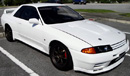


The VIN will tell you where the vbehicle was manufactured, what is equipped with and what features did it have when it left the factory.
The VIN is useful if you buy a used car from a "questionable" (more like sleezy) dealership and you don't know if the car came off the factory with a certain powerplant or certain features... Let's say Dealer X is selling a Grand Touring 350Z and you notice it doesn't come with the Brembo Brake system and has cloth seats instead of leather seats.
The VIN will let you know that the guy is selling you a stripped down Z and you are paying GT pricing on an Enthusiast model. or worst, the vehicle is a wrecker that was fixed up and put some extra parts.
It never hurts to know the full identity of your Z.
BTW, mine's G2G.
The VIN is useful if you buy a used car from a "questionable" (more like sleezy) dealership and you don't know if the car came off the factory with a certain powerplant or certain features... Let's say Dealer X is selling a Grand Touring 350Z and you notice it doesn't come with the Brembo Brake system and has cloth seats instead of leather seats.
The VIN will let you know that the guy is selling you a stripped down Z and you are paying GT pricing on an Enthusiast model. or worst, the vehicle is a wrecker that was fixed up and put some extra parts.
It never hurts to know the full identity of your Z.
BTW, mine's G2G.
Last edited by Sablelieger; Jun 1, 2008 at 02:41 PM.



Thread Starter
Newbie
Joined: Sep 2004
Posts: 109
Likes: 0
From: Lugoff, SC
Originally Posted by Slidewayznizmo
Mine worked too.
I noticed that some of the replys to this thread have people wanting to know what use this decoder is. Not much really I guess .. mostly it's for fun. If you want to know really detailed information on your car then you need to use Nissan's FAST system .. which from my understanding basically links the VIN to a database from Nissan. The link below was pretty interesting to I saw the reference to the "1.5 gig" files size. Ha.
http://www.nissanforums.com/general-...-software.html
..."For those who don't know, Nissan FAST is a parts program used at dealerships etc.. It's also a handy program for decoding VINS etc..."
Last edited by eTraxx; Jun 1, 2008 at 07:58 AM.