


350Z Mediacar skin





Registered User
Joined: Aug 2003
Posts: 302
Likes: 0
From: Coral Springs, FL

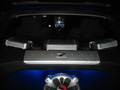
Very professional looking work...nice and clean, particularly the first screen. Might I suggest spreading out the controls on the second screen, though...they seems to be too crowded with lots of free space.
Trending Topics




Registered User
Joined: Sep 2003
Posts: 343
Likes: 0
From: IL
Originally posted by dmazyn
I hope to have it all done by the end of the weekend. I only have a few more graphics to finsh then the hard part comes maping the skin ini to the graphics.
I hope to have it all done by the end of the weekend. I only have a few more graphics to finsh then the hard part comes maping the skin ini to the graphics.
Registered User
Joined: Sep 2003
Posts: 343
Likes: 0
From: IL
Originally posted by CopperZ
Looks Great, this will be the 2nd skin for the Z. But dude Please, PLease!!!!! include the Computer Shutdown button in the home screen. I have the other z skin and you have to exit out of the mediacar and then go to start, etc... to turn of the comp. It would be so much easyer.... So plezzzzzzz!
Looks Great, this will be the 2nd skin for the Z. But dude Please, PLease!!!!! include the Computer Shutdown button in the home screen. I have the other z skin and you have to exit out of the mediacar and then go to start, etc... to turn of the comp. It would be so much easyer.... So plezzzzzzz!
This is the one i have....
http://www.mediaengine.org/skins/25/...ndsmall-md.jpg

CopperZ
This will not work with Media Engine, that's a total different app. As for the shutdown option the exit button brings up a menu to either Exit, Hibernate or shutdown so you should be good.
This will not work with Media Engine, that's a total different app. As for the shutdown option the exit button brings up a menu to either Exit, Hibernate or shutdown so you should be good.