


Pictures My Z


Thread Starter
New Member
Joined: Apr 2003
Posts: 1,732
Likes: 27
From: Greenville, NC
 Pictures My Z
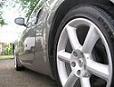
I haven't posted pictures of my Z here before so here goes. Hopefully they will work. These are from a recent show I attended.
[IMG] ; [/IMG]
[IMG] ; [/IMG]
Last edited by ZPirate; May 10, 2005 at 01:22 PM.


Attach from file on computer:
When posting, click on the "Manage Attachments" under the "Additional Options" section right under the "Reply to Thread" field. As soon as you click that, a seperate window should pop-up to allow you to browse for pictures located on your computer. Select the file(s) & click on "Upload". Once the file attaches, it should show up as a file attachment on that window. If it doesn't, it will prompt you with an error at the top of that window. Most cases, it could be the file is too big or you're using the wrong format.
Link pictures on Internet/Hosted:
Copy the "link of the picture" (not the actual site) then press the icon that looks like a yellow box with a mountain . A seperate window should pop-up which will allow you to paste the link of that picture. Press "OK" & that should show up with the proper command on your post field. Please make sure that the picture is not ridiculously HUGE. You can also manually insert the link between the [IMG] command.
Hope this helps !
!
When posting, click on the "Manage Attachments" under the "Additional Options" section right under the "Reply to Thread" field. As soon as you click that, a seperate window should pop-up to allow you to browse for pictures located on your computer. Select the file(s) & click on "Upload". Once the file attaches, it should show up as a file attachment on that window. If it doesn't, it will prompt you with an error at the top of that window. Most cases, it could be the file is too big or you're using the wrong format.
Link pictures on Internet/Hosted:
Copy the "link of the picture" (not the actual site) then press the icon that looks like a yellow box with a mountain
. A seperate window should pop-up which will allow you to paste the link of that picture. Press "OK" & that should show up with the proper command on your post field. Please make sure that the picture is not ridiculously HUGE. You can also manually insert the link between the [IMG] command.Hope this helps
!
Last edited by GTNPU Z; May 10, 2005 at 01:43 PM.

I have a program that I wrote that will handle all of this for you. All that you need to do is tell it where to host them, where they are on your PC and how you would like the vbCode generated. I'll be posting the link soon.
Thread Starter
New Member
Joined: Apr 2003
Posts: 1,732
Likes: 27
From: Greenville, NC
Originally Posted by GTNPU Z
Attach from file on computer:
When posting, click on the "Manage Attachments" under the "Additional Options" section right under the "Reply to Thread" field. As soon as you click that, a seperate window should pop-up to allow you to browse for pictures located on your computer. Select the file(s) & click on "Upload". Once the file attaches, it should show up as a file attachment on that window. If it doesn't, it will prompt you with an error at the top of that window. Most cases, it could be the file is too big or you're using the wrong format.
Link pictures on Internet/Hosted:
Copy the "link of the picture" (not the actual site) then press the icon that looks like a yellow box with a mountain . A seperate window should pop-up which will allow you to paste the link of that picture. Press "OK" & that should show up with the proper command on your post field. Please make sure that the picture is not ridiculously HUGE. You can also manually insert the link between the [IMG] command.
Hope this helps!
When posting, click on the "Manage Attachments" under the "Additional Options" section right under the "Reply to Thread" field. As soon as you click that, a seperate window should pop-up to allow you to browse for pictures located on your computer. Select the file(s) & click on "Upload". Once the file attaches, it should show up as a file attachment on that window. If it doesn't, it will prompt you with an error at the top of that window. Most cases, it could be the file is too big or you're using the wrong format.
Link pictures on Internet/Hosted:
Copy the "link of the picture" (not the actual site) then press the icon that looks like a yellow box with a mountain
. A seperate window should pop-up which will allow you to paste the link of that picture. Press "OK" & that should show up with the proper command on your post field. Please make sure that the picture is not ridiculously HUGE. You can also manually insert the link between the [IMG] command.Hope this helps
!These pictures are attachments to an email a friend sent to me. I tried copying them and pasting them to the thread but I can't get that to work. Any suggestions? Thanks.
Originally Posted by ZPirate
GTNPU Z,
These pictures are attachments to an email a friend sent to me. I tried copying them and pasting them to the thread but I can't get that to work. Any suggestions? Thanks.
These pictures are attachments to an email a friend sent to me. I tried copying them and pasting them to the thread but I can't get that to work. Any suggestions? Thanks.
Save them to your PC and then use the instructions under "Attach from file on computer".
Thread Starter
New Member
Joined: Apr 2003
Posts: 1,732
Likes: 27
From: Greenville, NC
Originally Posted by teh215
Save them to your PC and then use the instructions under "Attach from file on computer".
Trending Topics
Thread Starter
New Member
Joined: Apr 2003
Posts: 1,732
Likes: 27
From: Greenville, NC
Originally Posted by teh215
Forward the email to me and I'll post them. teh215@gmail.com


Originally Posted by ZPirate
GTNPU Z,
These pictures are attachments to an email a friend sent to me. I tried copying them and pasting them to the thread but I can't get that to work. Any suggestions? Thanks.
I downloaded them to my computer and tried to upload them, but I get an error message that they are too big. Any other suggestions?
These pictures are attachments to an email a friend sent to me. I tried copying them and pasting them to the thread but I can't get that to work. Any suggestions? Thanks.
I downloaded them to my computer and tried to upload them, but I get an error message that they are too big. Any other suggestions?
 . Anyways, just so you know...you can make the file size smaller by "resizing" the picture. If you're using MS Photo Editor, go under the "Image" tab at the top & select "resize" once that opens, you can then select how much you want to resize it. You may have to play around with it depending on how big the original file is. After you do that, save it & then try to attach it. Another method is what teh215 did by hosting it on another server/photo sharing site & then linking it by the 2nd method I posted above. Hope this helps you out in the future.
BTW...car looks hawt!!!



Thread Starter
New Member
Joined: Apr 2003
Posts: 1,732
Likes: 27
From: Greenville, NC
Thanks for the compliments and for the help getting the pictures posted. You can even see our new Z club decal on the passenger side of the windsheild. The pictures my friend took are really sharp. I am a proud member of the Emerald City Z Club located in Greenville, NC.

Thread
Thread Starter
Forum
Replies
Last Post
ars88
Zs & Gs For Sale
18
Apr 4, 2016 07:52 AM

