Photochoped Z






Registered User
Joined: Sep 2002
Posts: 642
Likes: 0
From: Issaquah, WA

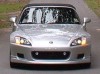
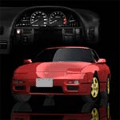
Okay, this one looks GREAT!! I can't put my finger on what's different up front... did you shape it slightly?
The color is amazing, it looks like brushed aluminum. And I definately dig the clear markers... oh wait, you killed the side markers too. NICE!


Registered User
Joined: Sep 2002
Posts: 65
Likes: 0
From: connecticut
I just love your car way too much vqracer. I cant bring myself to waste the time photoshopping any other car. Im trying to do a convertible ps but i need a picture that has the windows down on the car. If you could take a 3/4 medium distnace frontal shot w/ the windows down I would aprreciate it. Thanks
NIck
NIck


Registered User
Joined: Sep 2002
Posts: 283
Likes: 0
From: Noblesville IN
damn you got some skill man.. you using adobe's photoshop if not what are you using... anywhere you can tell me to go to learn more about color editing?,, the copy paste skew stretch deal i can do.. but blending the colors/ changing colors, and stuff i cant do when the color changes over the area i'm editing.. is there a tool to do it with. or is it a all by hand deal?
Joined: Aug 2002
Posts: 295
Likes: 0
From: San Jose CA
For me at least, photoshop isnt about learning off the net, it is experimenting and coming up with your own techniques to get the job done. There are endless possibilities to achieve an end result, you just need to use the techniques you are used to and familiar with to get the desired effects. For me to color that Z I took the original B&W and created a blank layer over it. I then pasted another layer with the blue z that was first posted in this thread, but kept that one invisible. From there I changed the blank layer's blend from normal to overlay and painted over the car as close as possible to the blue car, on this blank layer. Then I took the blue car and resized it up to match the supra layer exactly. I then erased the parts of the blue z layer like the spoiler and the side vent, so the layers underneath would show through. So my end result is layer 1 the original B&W, layer 2 is the overlay of color , and layer 3 is the pic of the blue z with transparent holes in it over the spoiler and side vent. Easy huh?
You can tell that i didnt take my time on this since the blue overlay layer I painted didnt match the blue Z layer. Look near the vent or on the spoiler, the colors arent a perfect match. If you ever need any learning tips tho feel free to PM me.
You can tell that i didnt take my time on this since the blue overlay layer I painted didnt match the blue Z layer. Look near the vent or on the spoiler, the colors arent a perfect match. If you ever need any learning tips tho feel free to PM me.
Last edited by BobbyBoy; Nov 9, 2002 at 10:07 PM.
Registered User
Joined: Sep 2002
Posts: 283
Likes: 0
From: Noblesville IN
thanks for leavin me with that info.. ya i know its all about your own technique.. but i have soo manythings on my hands right now i dont have tiime to experiment and i just wanna know a few basic things.. thanks for the lead i'll see what i can figure out...
thanks man
thanks man


Thread Starter
Registered User
Joined: Oct 2002
Posts: 13
Likes: 0
From: Mississippi
BobbyBoy, why did you go through all that trouble, when I could have posted the picture, that is the one I already had originally, I just made it black and white to be different from the others that I posted.