


RAW Processing w/ Canon's Digital Photo Professional (Maximize your Canon DSLR Pics)


Registered User
Joined: Jul 2007
Posts: 19
Likes: 0
From: Orlando

Originally Posted by push
Photoshop CS2... But who uses that? Lightroom + CS3 is the way to go or for HDR photomatix + cs3 


All of these programs being thrown around. How about a list of ALL the programs you use to edit your photos. Someone start one kind of like a group buy list and each person can add on.

Thread Starter
Registered User
iTrader: (9)
Joined: Dec 2003
Posts: 2,069
Likes: 1
From: Waipahu HI; Phoenix AZ
OK, let me make this clear.
This write-up was not meant for those with ample experience with POST PROCESSING. I know some of you are good and use more powerful software... all the power to you.
This write-up was written because there are alot of new Canon Digital Rebel (XT/XTi/350D/400D) users out there. It is painfully obvious that many out there wasn't getting the most out of their shots. It seems to me that these new DSLR owners are oblivious that DPP is bundled, and that it is powerful software for what it is- bundled, free software.
There are alot of "how-to's" for other image editors written out there, just google it. But alas, we live in an age of laziness. Getting this information out and visually showing Z owners what can be done was my objective. Hopefully, it will encourage and produce better pictures here. Most importantly, I hope it will help some of the new users.
Again, DPP IS FREE!!! IT COMES BUNDLED WITH YOUR CANON DSLR!!! CS3 is $600+. Lightroom and Aperture are $300.
So if you own a Digital Rebel or even the Dxx series and don't have an image editor, there is no reason why you shouldn't install this program and get more from your camera.
One more time: DPP IS FREE!!! IT COMES BUNDLED WITH YOUR CANON DSLR!!!
This write-up was not meant for those with ample experience with POST PROCESSING. I know some of you are good and use more powerful software... all the power to you.
This write-up was written because there are alot of new Canon Digital Rebel (XT/XTi/350D/400D) users out there. It is painfully obvious that many out there wasn't getting the most out of their shots. It seems to me that these new DSLR owners are oblivious that DPP is bundled, and that it is powerful software for what it is- bundled, free software.
There are alot of "how-to's" for other image editors written out there, just google it. But alas, we live in an age of laziness. Getting this information out and visually showing Z owners what can be done was my objective. Hopefully, it will encourage and produce better pictures here. Most importantly, I hope it will help some of the new users.
Again, DPP IS FREE!!! IT COMES BUNDLED WITH YOUR CANON DSLR!!! CS3 is $600+. Lightroom and Aperture are $300.
So if you own a Digital Rebel or even the Dxx series and don't have an image editor, there is no reason why you shouldn't install this program and get more from your camera.
One more time: DPP IS FREE!!! IT COMES BUNDLED WITH YOUR CANON DSLR!!!
Registered User
Joined: Jul 2007
Posts: 19
Likes: 0
From: Orlando
i dont know about you but i didnt pay for CS3 or Lightroom. plus my PP skills are that of a newb, but why not get used to using the best so your more familiar with CS3 than going from DPP to CS3 and being confused. plus im sure you can find CS3/2, Lightroom, and Aperture for free if you looked around.

To those who don't feel DPP is a worthy tool, I suggest you read some reviews on dpreview.com. That site does extensive testing with all of the raw processing software available, and DPP and Adobe Camera Raw seem to yield the best results IMO. This is a "all conditions equal" test, determining how each handles the conversion to JPG or TIFF.
Check it out on the 30D for example to decide for yourself.
Check it out on the 30D for example to decide for yourself.


Also, I think NEWBIES can cut their teeth on a free provided software and then move on to better/more expensive stuff if their needs and skills require it. The image concepts will travel fine to the more expensive software, so they won't loose their time.
And now, newbie questions :
- So, if I shot in RAW, I will have to post process every shot I take, correct? That could get old in a hurry... I don't think every shot I take is a work of art. But, I could them make the best of each shot I guess.
IDEA : Why not provide a super great RAW image for download, and let everybody go at it with their favorite software and post the results? That way we can compare what we like vs don't like, etc. Of course, with your result you have to tell us what you did to the image and what software was used.
And now, newbie questions :
- So, if I shot in RAW, I will have to post process every shot I take, correct? That could get old in a hurry... I don't think every shot I take is a work of art. But, I could them make the best of each shot I guess.
IDEA : Why not provide a super great RAW image for download, and let everybody go at it with their favorite software and post the results? That way we can compare what we like vs don't like, etc. Of course, with your result you have to tell us what you did to the image and what software was used.

Originally Posted by slaponte
Also, I think NEWBIES can cut their teeth on a free provided software and then move on to better/more expensive stuff if their needs and skills require it. The image concepts will travel fine to the more expensive software, so they won't loose their time.
And now, newbie questions :
- So, if I shot in RAW, I will have to post process every shot I take, correct? That could get old in a hurry... I don't think every shot I take is a work of art. But, I could them make the best of each shot I guess.
IDEA : Why not provide a super great RAW image for download, and let everybody go at it with their favorite software and post the results? That way we can compare what we like vs don't like, etc. Of course, with your result you have to tell us what you did to the image and what software was used.
And now, newbie questions :
- So, if I shot in RAW, I will have to post process every shot I take, correct? That could get old in a hurry... I don't think every shot I take is a work of art. But, I could them make the best of each shot I guess.
IDEA : Why not provide a super great RAW image for download, and let everybody go at it with their favorite software and post the results? That way we can compare what we like vs don't like, etc. Of course, with your result you have to tell us what you did to the image and what software was used.
I have a question, it's kind of OT but here goes. Look at this pic:

I used the exif viewer, info comes up as:
# Exposure Time (1 / Shutter Speed) = 4/1 second = 4.00000 second
# Lens F-Number/F-Stop = 8/1 = F8.00
# Exposure Program = n/a (0)
# ISO Speed Ratings = 100
# Exif Version = 0220
# Original Date/Time = 2007:04:19 04:57:15
# Digitization Date/Time = 2007:04:19 04:57:15
# Shutter Speed Value (APEX) = -2/1
Shutter Speed (Exposure Time) = 1/0.25 second
# Aperture Value (APEX) = 6/1
Aperture = F8.00
# Exposure Bias (EV) = 0/1000 = 0.00
# Light Source / White Balance = daylight (1)
# Focal Length = 800/10 mm = 80.00 mm
# Colour Space = 65535
# Image Width = 1280 pixels
# Image Height = 961 pixels
# White Balance = manual (1)
# Image Unique ID = E0580000005400004200A408BB001F35
# Lens F-Number/F-Stop = 8/1 = F8.00
# Exposure Program = n/a (0)
# ISO Speed Ratings = 100
# Exif Version = 0220
# Original Date/Time = 2007:04:19 04:57:15
# Digitization Date/Time = 2007:04:19 04:57:15
# Shutter Speed Value (APEX) = -2/1
Shutter Speed (Exposure Time) = 1/0.25 second
# Aperture Value (APEX) = 6/1
Aperture = F8.00
# Exposure Bias (EV) = 0/1000 = 0.00
# Light Source / White Balance = daylight (1)
# Focal Length = 800/10 mm = 80.00 mm
# Colour Space = 65535
# Image Width = 1280 pixels
# Image Height = 961 pixels
# White Balance = manual (1)
# Image Unique ID = E0580000005400004200A408BB001F35

Registered User
Joined: Apr 2006
Posts: 909
Likes: 0
From: Lancaster, PA
Originally Posted by slaponte
- So, if I shot in RAW, I will have to post process every shot I take, correct? That could get old in a hurry... I don't think every shot I take is a work of art. But, I could them make the best of each shot I guess.
Most advanced users will post process normal jpg images, so PP RAW images is no different. I actually save time when PP RAW since the RAW editors have all of the adjustments in one or two tabs. With Photoshop, making the adjustments that I use require 4-6 different menus.
Registered User
Joined: Jul 2007
Posts: 19
Likes: 0
From: Orlando
Originally Posted by bugsbbunny
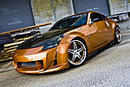
Obviously it was PS'd or altered in some way. The exposure time was 4 seconds. How did they keep the car in focus? Was the car still and the colors were PS'd in later? Was the camera put on a mount? Experts chime in? Pic looks badass.
DPP is a great tool and is easy to use. I still sometimes revert to that before CS2 because its quick and easy to view the pictures as well in gallery form. Very nice write up by the way !!! And for those that don't pay for software that is why its so expensive 
Originally Posted by Photography
i dunno my guess is another car going the same speed, because if it were on a mount it would be sticking so far out. but im not sure how car companies do it, just my guess


Registered User
Joined: Jul 2007
Posts: 19
Likes: 0
From: Orlando
Originally Posted by bugsbbunny
Hmmm...damn trade secrets! Anyone else have an idea?

that entire image looks photoshopped, nothing looks real, even the car looks pretty fake. Its physically impossible to have a 4 second shutter while driving in a car and snapping a picture of another car, you'd have to be going 80+mph, the vibration from the road alone would cause camera shake. Anything under 60/1000 shutter you can get alot of blur.
-GP-
-GP-
Originally Posted by gdup35sedan
that entire image looks photoshopped, nothing looks real, even the car looks pretty fake. Its physically impossible to have a 4 second shutter while driving in a car and snapping a picture of another car, you'd have to be going 80+mph, the vibration from the road alone would cause camera shake. Anything under 60/1000 shutter you can get alot of blur.
-GP-
-GP-
There could be some rig there that's been choped out, either a mount on the car or possibly some kart to move the camera along with the car.

I've always just jumped straight to CS3. The only advantages I see to using DPP is the presets such as white balancing.
I still have yet to try Lightroom although Ive heard some great things about it.
I'll have to pick it up and check it out.
Nice writeup! Thanks for taking the time to help the other photographers on my350z out!
I still have yet to try Lightroom although Ive heard some great things about it.
I'll have to pick it up and check it out.
Nice writeup! Thanks for taking the time to help the other photographers on my350z out!
Registered User
Joined: Apr 2006
Posts: 909
Likes: 0
From: Lancaster, PA
Originally Posted by bugsbbunny
Obviously it was PS'd or altered in some way. The exposure time was 4 seconds. How did they keep the car in focus? Was the car still and the colors were PS'd in later? Was the camera put on a mount? Experts chime in? Pic looks badass.
Registered User
Joined: Jul 2007
Posts: 19
Likes: 0
From: Orlando
Originally Posted by gr?
The rig is attached to the car and then later the poles and reflections are removed in photoshop. The car is moving at speed then the engine is shut off and the car is in neutral at speed to eliminate engine vibrations. The car isn't going much faster than 5-10 mph.
