


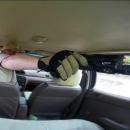
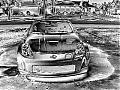
Installed my Avic(pics)







Trending Topics

Thread Starter
Registered User
Joined: Jan 2008
Posts: 33
Likes: 0
From: Orlando

Originally Posted by Robert_K
Sweet! That's the unit I plan on buying shortly. Did you do the install? If so, how easy/hard with it? Thanks!

Registered User
Joined: Dec 2003
Posts: 25
Likes: 0
From: THe City
How did they wire it so the sound was on max? I got mine done the other day and looks great but when I crank it to 40 it just isn't that loud. Did they put a amp on it? Did you have the bose system? Let me know.
Thread Starter
Registered User
Joined: Jan 2008
Posts: 33
Likes: 0
From: Orlando
I noticed the loss of max sound too, I have the base Z so no Bose, I meant to take it back to the installer to see how it could be easily fixed. However I was planning on hooking my car up with a JL audio system with the Government refund check so it might not be worth worrying about.
Thread Starter
Registered User
Joined: Jan 2008
Posts: 33
Likes: 0
From: Orlando
My dad actually did it for me, he knew I was getting an avic installed(He has one in his F-150) so he thought he send a pic my way. I can call him in the morning and find out how exactly he did it. Will let you know


Registered User
Joined: Dec 2003
Posts: 25
Likes: 0
From: THe City
Yeah its the one thats used in the AVIC D3 install guide. He said he didn't like that kit though. I think he altered it in some ways. Just had the OEM adapter put in and a world of difference. LOSE the 7551 guys its a waste of time.
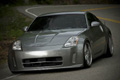
Looks great! I love my D3. The navigation seems to be paying itself off over and over again. Install on this head unit was a little harder than a single din simply for the fact of tucking the wires for my cubby screen into the double din space and getting the stock brackets to fit was a pain as well.
First, make sure the pictures are 500W x 240H (not sure if that will affect loading, but it will look best) and you HAVE to save them as either baseline standard or baseline optimized JPG files. It will not work if they are a progressive JPG.
Second, you have to save all your images in a single folder on the CD titled "PICTURES". It works best if you burn straight to disk from a Windows folder instead of going through a program such as Nero or Roxio.
Also, check Avic411.com if you have anymore questions. Good source for anything AVIC related.
Originally Posted by Z MANIA
I'm assuming that you placed that picture on a disk and then into your avic. What program did you use to burn it. Mine won't except anything burned by XP.
Second, you have to save all your images in a single folder on the CD titled "PICTURES". It works best if you burn straight to disk from a Windows folder instead of going through a program such as Nero or Roxio.
Also, check Avic411.com if you have anymore questions. Good source for anything AVIC related.

Thread
Thread Starter
Forum
Replies
Last Post
350Z_Al
Exterior & Interior
133
Oct 29, 2020 07:44 PM