Kenwood DVD double DIN installed pic


As far as the screen it sits out approximately 3/4 cm from the trim plate. I asked them if it could be fitted deeper but they said no, this was when it was touching the push button on shift **** when out. I am no expert on this but it seems that if front of screen was flush with trim plate, there might be an issue when the screen folds out with the bottom hitting the trim plate.
They said it didn't fit right. As far as trim plate, that was the only abs plastic they had. To be honest, i would prefer a flat black trim so i'll either do that. One suggestion was to add some vinyl on top of it. Also wondering how something like the brushed aluminum would look. For me, the trim plate is a secondary issue that can be easily addressed depending on how much time to put into it.
Registered User
Joined: Sep 2003
Posts: 161
Likes: 0
From: Sacramento, CA
Do you have it? I wonder if it could be made to fit. I don't have any experience making those kinds of trim plates, I would not know where to start. So that is why it's kind of a big deal to me.
Yes, I still have the piece. I tried to push it in myself after the head unit was in. Seemed too tight. As far as if it can be modified, i'm not sure. Anyone with advice on this?
I'm really not that thrilled with the fit and look of the unit....very small control *****. I do want a hard drive with storage for a large library of music, so I think I'll go with an Alpine video system with a connection for a 40GB IPOD.....see link below.
http://www.vwvortex.com/artman/publi...icle_650.shtml
.
http://www.vwvortex.com/artman/publi...icle_650.shtml
.

shaun
yes, does come with plate but doesn't fit well at least not for me.
This is my 1st DVD system so anything is pretty good. I would have to take a look at the alpine d900 1st to give you a better idea.
Anyone add a TV tuner before?
yes, does come with plate but doesn't fit well at least not for me.
This is my 1st DVD system so anything is pretty good. I would have to take a look at the alpine d900 1st to give you a better idea.
Anyone add a TV tuner before?

Registered User
Joined: Dec 2003
Posts: 85
Likes: 0
From: Carlsbad, CA
Originally posted by adidaskobe
shaun
yes, does come with plate but doesn't fit well at least not for me.
This is my 1st DVD system so anything is pretty good. I would have to take a look at the alpine d900 1st to give you a better idea.
Anyone add a TV tuner before?
shaun
yes, does come with plate but doesn't fit well at least not for me.
This is my 1st DVD system so anything is pretty good. I would have to take a look at the alpine d900 1st to give you a better idea.
Anyone add a TV tuner before?
Got the music keg installed on Sat. Went with the 910 or 20 gig.
I've spent all yesterday copying my CDs. Tested it out briefly today. The way the system works with the DVD double din is: main menu with tuner, video, cd changer, etc. You push Cd changer which gives you option of selecting CD changer or MP3 player. What comes next is a series of folders which i organized into music genres. Then I have the next set of folders organized into artists, then their CDs.
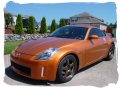
I must say i'm brand new to downloading music and even burning cds so bear with me or if you have any suggestions. I put the music keg velcroed down in the compartment behind passenger seat in the 350z roadster, takes up 1/2 of the space. So far so good, loads up pretty fast, displays album, track name, artist on the screen. Haven't really tried using the remote for this yet so i'll let you know how that goes. Overall, it's so much more convenient than taking my cds with me.
I've spent all yesterday copying my CDs. Tested it out briefly today. The way the system works with the DVD double din is: main menu with tuner, video, cd changer, etc. You push Cd changer which gives you option of selecting CD changer or MP3 player. What comes next is a series of folders which i organized into music genres. Then I have the next set of folders organized into artists, then their CDs.
I must say i'm brand new to downloading music and even burning cds so bear with me or if you have any suggestions. I put the music keg velcroed down in the compartment behind passenger seat in the 350z roadster, takes up 1/2 of the space. So far so good, loads up pretty fast, displays album, track name, artist on the screen. Haven't really tried using the remote for this yet so i'll let you know how that goes. Overall, it's so much more convenient than taking my cds with me.


Thanks for the update. When you have a chance, can you please take a photo of the menu/display for the keg. I am curious because I have a keg as well. I hope Kenwood is taking advantage of the extra screen space. Also, does the display display the names fully? Thanks again.
Originally posted by adidaskobe
Got the music keg installed on Sat. Went with the 910 or 20 gig.
I've spent all yesterday copying my CDs. Tested it out briefly today. The way the system works with the DVD double din is: main menu with tuner, video, cd changer, etc. You push Cd changer which gives you option of selecting CD changer or MP3 player. What comes next is a series of folders which i organized into music genres. Then I have the next set of folders organized into artists, then their CDs.
I must say i'm brand new to downloading music and even burning cds so bear with me or if you have any suggestions. I put the music keg velcroed down in the compartment behind passenger seat in the 350z roadster, takes up 1/2 of the space. So far so good, loads up pretty fast, displays album, track name, artist on the screen. Haven't really tried using the remote for this yet so i'll let you know how that goes. Overall, it's so much more convenient than taking my cds with me.
Got the music keg installed on Sat. Went with the 910 or 20 gig.
I've spent all yesterday copying my CDs. Tested it out briefly today. The way the system works with the DVD double din is: main menu with tuner, video, cd changer, etc. You push Cd changer which gives you option of selecting CD changer or MP3 player. What comes next is a series of folders which i organized into music genres. Then I have the next set of folders organized into artists, then their CDs.
I must say i'm brand new to downloading music and even burning cds so bear with me or if you have any suggestions. I put the music keg velcroed down in the compartment behind passenger seat in the 350z roadster, takes up 1/2 of the space. So far so good, loads up pretty fast, displays album, track name, artist on the screen. Haven't really tried using the remote for this yet so i'll let you know how that goes. Overall, it's so much more convenient than taking my cds with me.
I'll take some pics soon but for now, screen is organized by long folders which take up about 1/2 of the screen on the right with the folder name. On the left half of the screen there is up/down arrow key to scroll through folders. Also 2 buttons which displays subdirectories and back out within each folder. Best way to describe it is your folder system on your computer.
Originally posted by adidaskobe
I'll take some pics soon but for now, screen is organized by long folders which take up about 1/2 of the screen on the right with the folder name. On the left half of the screen there is up/down arrow key to scroll through folders. Also 2 buttons which displays subdirectories and back out within each folder. Best way to describe it is your folder system on your computer.
I'll take some pics soon but for now, screen is organized by long folders which take up about 1/2 of the screen on the right with the folder name. On the left half of the screen there is up/down arrow key to scroll through folders. Also 2 buttons which displays subdirectories and back out within each folder. Best way to describe it is your folder system on your computer.