Photo editing


 Photo editing
I bought myself a Rebel XTi for christmas, and I'm new to the DSLR world. First of all, the camera takes amazing pictures, but what I want to know is what type of editing is involved in making these picture look like magazine covers.
In other words, how can I get the pictures I take to look as great as these.


Any info would be greatly appreciated.
In other words, how can I get the pictures I take to look as great as these.
Any info would be greatly appreciated.

http://stuckincustoms.com/?p=548
That is how to do some HDR...you can look around on that site for some help.
That is how to do some HDR...you can look around on that site for some help.


Took some braketed shots and tried Photomatix program to make the High Dynamic Range photo. Making an HDR seems to have better results from bracketed shots, rather than artificially creating them from RAW, although it does make old photos "pop."
I need to explore this more.
Middle exposure of bracketed shots (+2/0/-2):

HDR'd:

Old image taken from single RAW:

HDR'd:

Of course, the quality of the HDR starts from taking a quality shot... although this technique does save alot of photos it seems.
I need to explore this more.
Middle exposure of bracketed shots (+2/0/-2):
HDR'd:
Old image taken from single RAW:
HDR'd:
Of course, the quality of the HDR starts from taking a quality shot... although this technique does save alot of photos it seems.
Trending Topics
...more testing... I think I need to buy the software. Pics given by AHero4Eternity. The pictures speak for themselves. Looks artificial, but damn!!! Sorry for my watermarks Calvin.
Original:

HDR (obviously):


Original:
HDR (obviously):


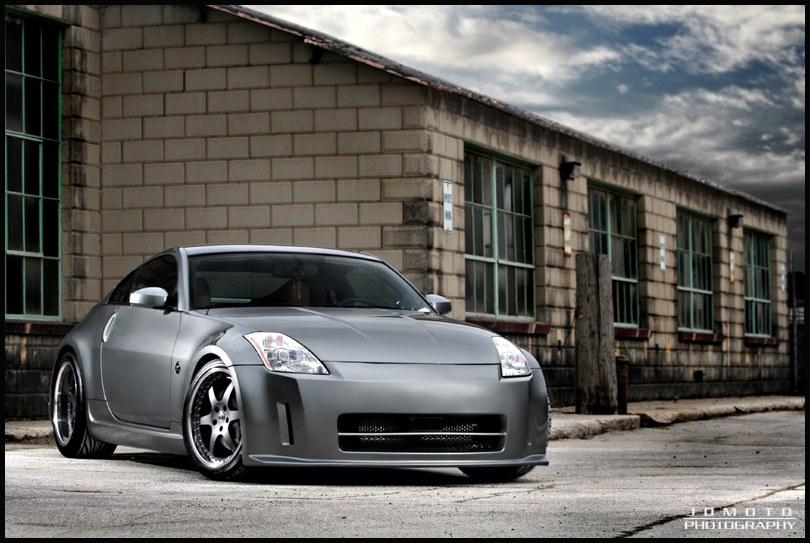
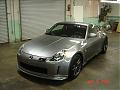
heres one i shot of my car the other night:
all it is , is camera settings, and then post processing in photoshop...
for that shot i used a 6 second shutter/ f4 if i remember correctly..

then what i did was made a duplicate layer, took all the non silver colors off my car, and off the little shed looking thing to give it more of a correct white balance appearance. then i played with the levels and contrast a little bit and minor color corrections.
all it is , is camera settings, and then post processing in photoshop...
for that shot i used a 6 second shutter/ f4 if i remember correctly..
then what i did was made a duplicate layer, took all the non silver colors off my car, and off the little shed looking thing to give it more of a correct white balance appearance. then i played with the levels and contrast a little bit and minor color corrections.



Registered User
Joined: Apr 2007
Posts: 221
Likes: 0
From: Ontario, Canada
Originally Posted by ctwentytwo
Old image taken from single RAW:
HDR'd:
Of course, the quality of the HDR starts from taking a quality shot... although this technique does save alot of photos it seems.
HDR'd:
Of course, the quality of the HDR starts from taking a quality shot... although this technique does save alot of photos it seems.
Damn, you can do some wild stuff... This HDR stuff is amazing. You guys gotta give it a try. It's easy.

I'll definitely pony up for the program now.
A less wild version:

I'll definitely pony up for the program now.
A less wild version:
Last edited by ctwentytwo; May 12, 2007 at 08:22 PM.