


Photo editing


HDR is definitely not for the photo purist. From my testing of the software, you can do a subtle effect, or a really artificial looking rendition... more in the range of art. But we musn't forget, photography is art. HDR is more of an art style for photography, like Impressionism and Baroque are styles for art. The way one post-processes is just the rendition of an image that the end-user wanted... if it's intended- whether realistic or not. I learned early on in from an art teacher that there is no wrong or right in art.
Again, although HDR can be taken to an extreme, I've found that it is a great technique for properly adjusting hightlights, without losing contrast... and keeping the picture reasonably realistic. Obviously, there are other techniques to do this in photoshop, but doing an HDR on a pic can be much simpler. I personally like the slight artificial look given to a pic.
Example (no halos or weird whites/grays):


Again, although HDR can be taken to an extreme, I've found that it is a great technique for properly adjusting hightlights, without losing contrast... and keeping the picture reasonably realistic. Obviously, there are other techniques to do this in photoshop, but doing an HDR on a pic can be much simpler. I personally like the slight artificial look given to a pic.
Example (no halos or weird whites/grays):

i think ps can merge two or three shots together to make an HDR file. You just need a +/- 2-3 apeture shots.. 3 total. Example, if you took a shot to get good exposure at 7, take one at 5 and one at 9. Then merge into HDR. Ive been doing it..its no fun tho, i like regular shots :-D

Registered User
Joined: Apr 2007
Posts: 221
Likes: 0
From: Ontario, Canada
Originally Posted by ctwentytwo
HDR is definitely not for the photo purist. From my testing of the software, you can do a subtle effect, or a really artificial looking rendition... more in the range of art. But we musn't forget, photography is art. HDR is more of an art style for photography, like Impressionism and Baroque are styles for art. The way one post-processes is just the rendition of an image that the end-user wanted... if it's intended- whether realistic or not. I learned early on in from an art teacher that there is no wrong or right in art.
Again, although HDR can be taken to an extreme, I've found that it is a great technique for properly adjusting hightlights, without losing contrast... and keeping the picture reasonably realistic. Obviously, there are other techniques to do this in photoshop, but doing an HDR on a pic can be much simpler. I personally like the slight artificial look given to a pic.
Again, although HDR can be taken to an extreme, I've found that it is a great technique for properly adjusting hightlights, without losing contrast... and keeping the picture reasonably realistic. Obviously, there are other techniques to do this in photoshop, but doing an HDR on a pic can be much simpler. I personally like the slight artificial look given to a pic.
Originally Posted by ctwentytwo
HDR is definitely not for the photo purist. From my testing of the software, you can do a subtle effect, or a really artificial looking rendition... more in the range of art. But we musn't forget, photography is art. HDR is more of an art style for photography, like Impressionism and Baroque are styles for art. The way one post-processes is just the rendition of an image that the end-user wanted... if it's intended- whether realistic or not. I learned early on in from an art teacher that there is no wrong or right in art.
Again, although HDR can be taken to an extreme, I've found that it is a great technique for properly adjusting hightlights, without losing contrast... and keeping the picture reasonably realistic. Obviously, there are other techniques to do this in photoshop, but doing an HDR on a pic can be much simpler. I personally like the slight artificial look given to a pic.
Example (no halos or weird whites/grays):
Again, although HDR can be taken to an extreme, I've found that it is a great technique for properly adjusting hightlights, without losing contrast... and keeping the picture reasonably realistic. Obviously, there are other techniques to do this in photoshop, but doing an HDR on a pic can be much simpler. I personally like the slight artificial look given to a pic.
Example (no halos or weird whites/grays):
i can make that pic loook soo much better in photoshop. a real HDR pic is using a tripod and shooting the same pic over and over again at different shutter speeds. using one pic to create an HDR image will come out terrible.
EDIT: See.... quick 5 mins job

Last edited by Anthony C; May 14, 2007 at 01:54 PM.
Originally Posted by Anthony C
i can make that pic loook soo much better in photoshop. a real HDR pic is using a tripod and shooting the same pic over and over again at different shutter speeds. using one pic to create an HDR image will come out terrible.
EDIT: See.... quick 5 mins job
EDIT: See.... quick 5 mins job
BTW, impressive work in PS, but the trick is trying to preserve the highlights in the tires and wheel wellls where it's not all blacked out. And I see you resized it to get rid of some noise.
Again, as a photo guru, you probably know that it's tricky to properly expose for the sky (clouds get blown out), and for the main subject. Usually, you just take 2 photos on a tripod, and cut the sky out and paste on the other photo. I just think HDR can compensate for this common problem easily.
I don't want this to become a regular photo editing vs. HDR thing... I understand the POVs given.
Originally Posted by ctwentytwo
Yes, making a proper HDR using different shutter speeds (+2/-2/0) is a true way to make an HDR. But I was just explaining that some old photo's could also be enhanced using HDR. That's why I first tried using some RAW's and adjusting exposure, and produce the 3 differently exposed photos.
BTW, impressive work in PS, but the trick is trying to preserve the highlights in the tires and wheel wellls where it's not all blacked out. And I see you resized it to get rid of some noise.
Again, as a photo guru, you probably know that it's tricky to properly expose for the sky (clouds get blown out), and for the main subject. Usually, you just take 2 photos on a tripod, and cut the sky out and paste on the other photo. I just think HDR can compensate for this common problem easily.
I don't want this to become a regular photo editing vs. HDR thing... I understand the POVs given.
BTW, impressive work in PS, but the trick is trying to preserve the highlights in the tires and wheel wellls where it's not all blacked out. And I see you resized it to get rid of some noise.
Again, as a photo guru, you probably know that it's tricky to properly expose for the sky (clouds get blown out), and for the main subject. Usually, you just take 2 photos on a tripod, and cut the sky out and paste on the other photo. I just think HDR can compensate for this common problem easily.
I don't want this to become a regular photo editing vs. HDR thing... I understand the POVs given.




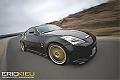

Here's pictures of my brother's stock Evo VIII in Arizona during my visit/vacation with various levels of HDR. I have yet to combine HDR with conventional Photoshop techniques like an unsharp mask as my computer was left behind in Phoenix in lieu of bringing back car parts... doh! Obviously and ultimately, it's up to the viewer which one of the following pics look best.
Original unedited pic:


Original unedited pic:

Thread
Thread Starter
Forum
Replies
Last Post
ars88
Zs & Gs For Sale
18
Apr 4, 2016 07:52 AM
