


2K6 Redline GT Photoshoot: LED Work + Painted Headlights


Thread Starter
Registered User
iTrader: (4)
Joined: Aug 2005
Posts: 4,046
Likes: 1
From: Mile High City
 2K6 Redline GT Photoshoot: LED Work + Painted Headlights
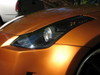
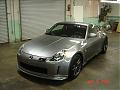
After a year of owning the Z, I finally got around to doing an "official" photoshoot. Painted my headlights dark metallic gray last week as well as did some custom LED work while I had the lights apart for painting. One pic below will show a close-up of my design and where the LEDs have been drilled into.
I also replaced my clear-corners with a new set (thanks West Covina Nissan!) which I smoked (from behind the reflector, not above) and also installed super-bright, wide-angle LEDs in them (15 on each side). I had bought a pre-made set from a fellow member last year who had done an excellent job, but I decided to upgrade to something brighter so learned the nuances of LED work online and had a go at it!
Now the shoot. 16 photos in all out of over 200 taken.
EDIT: Pics updated/replaced. Grain is gone or reduced.


I also replaced my clear-corners with a new set (thanks West Covina Nissan!) which I smoked (from behind the reflector, not above) and also installed super-bright, wide-angle LEDs in them (15 on each side). I had bought a pre-made set from a fellow member last year who had done an excellent job, but I decided to upgrade to something brighter so learned the nuances of LED work online and had a go at it!
Now the shoot. 16 photos in all out of over 200 taken.
EDIT: Pics updated/replaced. Grain is gone or reduced.
Last edited by usmanasif; Jun 7, 2007 at 07:47 PM.



Thread Starter
Registered User
iTrader: (4)
Joined: Aug 2005
Posts: 4,046
Likes: 1
From: Mile High City

Originally Posted by SS728
Very nice.
Set your ISO a little lower (60-200) for less grainy pictures.
Set your ISO a little lower (60-200) for less grainy pictures.

Last edited by usmanasif; Jun 4, 2007 at 06:19 AM.
Trending Topics
Thread Starter
Registered User
iTrader: (4)
Joined: Aug 2005
Posts: 4,046
Likes: 1
From: Mile High City
Originally Posted by gr?
gotta work on using layers if you're going to desaturate (or increase saturation) that much. you can see the shadow areas on the car changing colors drastically.
Last edited by usmanasif; Jun 4, 2007 at 06:13 AM.
Thread Starter
Registered User
iTrader: (4)
Joined: Aug 2005
Posts: 4,046
Likes: 1
From: Mile High City
Originally Posted by vaughn1576
I just realized how unique the LED work you've done is! First time I looked I missed it. Outstanding work my friend! What paint did you use on your headlights?
), it worked out as planned!I used MetalCast ('Smoke' shade) for the lights. It gives an annodized look on chrome and that's what gives the metallic effect.
Last edited by usmanasif; Jun 4, 2007 at 07:05 AM.
Originally Posted by usmanasif
Thank you. In-headlight LEDs were never the plan. It's just that I was waiting for LEDs to arrive for my CCs and the headlights were still apart when I noticed the silver plastic shroud on the headlights and that it can be completely removed from the assembly. There was plenty of clearance behind it (once assembled) and the LEDs could be wired to the existing 4 amber LEDs in the headlights (no need to run wires out and risk moisture leakage) so I thought to give it a shot. With luck (and a new 5mm drill bit ), it worked out as planned!
I used MetalCast ('Smoke' shade) for the lights. It gives an annodized look on chrome and that's what gives the metallic effect.
), it worked out as planned!I used MetalCast ('Smoke' shade) for the lights. It gives an annodized look on chrome and that's what gives the metallic effect.
 Love it! Very different. The color adds much more depth to the surface than the satin black that I used. I might have to redo mine.



Thread Starter
Registered User
iTrader: (4)
Joined: Aug 2005
Posts: 4,046
Likes: 1
From: Mile High City
Originally Posted by vaughn1576
Love it! Very different. The color adds much more depth to the surface than the satin black that I used. I might have to redo mine.
Originally Posted by Robert_K
Awesome!!! Where did you take these pics???

 Thanks. You know yours is a helluva lot cooler.
