How to post pics?

 How to post pics?

Registered User
Joined: Sep 2002
Posts: 4,084
Likes: 0
From: Dallas, TX

To load the pic directly to the site, click on the browse button below the response space, select the file, make sure it's in an acceptable format and small emough (not 100% on the file size), and enter the post as you normally would.
To link it use the tags and link the image from another server.
To link it use the tags and link the image from another server.


Thread Starter
Registered User
Joined: Jan 2003
Posts: 148
Likes: 0
From: AR
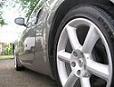
THey are IForged Evolutions 20' 3 pc. Got them form www.wheelsboutique.com Call on phone, much better prices. Nothing but praise for them. <M>

Trending Topics

 Re: How to post pics?
Originally posted by chattermark
Just wondering how yo post pics on this site. Thanks <M>
Just wondering how yo post pics on this site. Thanks <M>
Originally posted by fdao
How do you guys post your pix without it just showing the links?
I tried the Tag "IMG" method, and all it shows is the link which you have to click on to see the pix .
.
How do you guys post your pix without it just showing the links?
I tried the Tag "IMG" method, and all it shows is the link which you have to click on to see the pix
.

Registered User
Joined: Sep 2002
Posts: 1,628
Likes: 1
From: Hawaii
Originally posted by yobri
If it's in the IMG tags, it should show the pic, unless the extension is something other than .JPG or .GIF, etc. Others like .BMP make you download the image (via clicking the link).
If it's in the IMG tags, it should show the pic, unless the extension is something other than .JPG or .GIF, etc. Others like .BMP make you download the image (via clicking the link).


Damn, doesnt work for me either and you can tell i have been trying, just look at my sig. IF anyone can please clarify this procedure to me it would be GREATLY appreciated.
Saad
Saad