


Photoshop Editing What Do You Think

Thread Starter

Joined: Nov 2008
Posts: 695
Likes: 1
From: Dallas (Colleyville), Texas
 Photoshop Editing What Do You Think
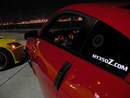
Over the past couple weeks I have been messing around with photshop and trying learn my way around the program. Here is a before and after of my most recent attempts. What do you guys think?
Before:

After:

Before:
After:

I think you need to wax your car 
I would not have removed the parking spot lines if you weren't going to remove the reflection in the door; the parking lines don't really detract from the picture, and now the reflection looks odd. Otherewise you did a good job on the drop and the little changes (reflectors, door handles, shaved emblem). As for the blacked-out center section on the front end, remember that in a photograph "black" isn't really black because it will be reflecting different colors. Look at most any picture of a black car for example; your eyes recognize it as being a black car, but the actual tonal properties of the image are actually a multitude of blues because it's reflecting off the sky. So that being said, a believable black is not achieved by just desaturating the color, you will need to start by playing with the hue and then fiddling with other properties to get a desired realistic effect.
Admittedly that's being picky, but just making the point to help you on your photoshop practice. The trick with photoshop is creating an image that no one questions as having been modified at all
I would not have removed the parking spot lines if you weren't going to remove the reflection in the door; the parking lines don't really detract from the picture, and now the reflection looks odd. Otherewise you did a good job on the drop and the little changes (reflectors, door handles, shaved emblem). As for the blacked-out center section on the front end, remember that in a photograph "black" isn't really black because it will be reflecting different colors. Look at most any picture of a black car for example; your eyes recognize it as being a black car, but the actual tonal properties of the image are actually a multitude of blues because it's reflecting off the sky. So that being said, a believable black is not achieved by just desaturating the color, you will need to start by playing with the hue and then fiddling with other properties to get a desired realistic effect.
Admittedly that's being picky, but just making the point to help you on your photoshop practice. The trick with photoshop is creating an image that no one questions as having been modified at all
Thread Starter
Joined: Nov 2008
Posts: 695
Likes: 1
From: Dallas (Colleyville), Texas
^Thanks for the constuctive critisism. I'm assuming that when you said I needed to wax my car it was a joke  . Anyways here is my first attempt at a HDR (simulated) image.
HDR:

. Anyways here is my first attempt at a HDR (simulated) image.HDR:
Last edited by Gibbs; Sep 7, 2009 at 10:29 PM. Reason: Spelling

Registered User
Joined: Jun 2009
Posts: 50
Likes: 0
From: California
last one looks nice. But isn't that just command based, just check an option and scroll for intensity? There is no labor to it right? First is excellent, first i thought u just recolor'd the lip, but i see you have fix'd the red on the body and made it much less pale. great job

Thread Starter
Joined: Nov 2008
Posts: 695
Likes: 1
From: Dallas (Colleyville), Texas
last one looks nice. But isn't that just command based, just check an option and scroll for intensity? There is no labor to it right? First is excellent, first i thought u just recolor'd the lip, but i see you have fix'd the red on the body and made it much less pale. great job
Registered User
Joined: Jun 2009
Posts: 50
Likes: 0
From: California
(your work does not look quite like this, i just wondered if it related)
Trending Topics


Registered User
iTrader: (4)
Joined: Mar 2007
Posts: 5,563
Likes: 0
From: Finally moved to the Couv!!!!
It's a good start and it's deff hard to master it. I'm still learning and decided to take a stab at it. I love using lens correction because it draws the eye towards your intended target IE: the Z.

Another good easy tip to bring out the color of the Z more and not touch up the rest of the pic is to ctrl+u or go to images>adjusments>hue/saturation and then at the top where it says "master" choose "reds" and adjust the levels accordingly that way it touches up the color on the Z and not the rest of the pic You can see the changes you made in the first pic you edited from the windshield discoloration.
Another good easy tip to bring out the color of the Z more and not touch up the rest of the pic is to ctrl+u or go to images>adjusments>hue/saturation and then at the top where it says "master" choose "reds" and adjust the levels accordingly that way it touches up the color on the Z and not the rest of the pic
You can see the changes you made in the first pic you edited from the windshield discoloration.

Thread
Thread Starter
Forum
Replies
Last Post
ars88
Zs & Gs For Sale
18
Apr 4, 2016 07:52 AM
VQA33
Wheels Tires
8
Sep 8, 2015 08:30 PM