


Alpine CDA-9820XM XM radio and KCA-420i iPod interface in 2003 Nissan 350Z

Thread Starter
Registered User
Joined: Mar 2003
Posts: 114
Likes: 0
From: Pasadena, CA
 Alpine CDA-9820XM XM radio and KCA-420i iPod interface in 2003 Nissan 350Z
(Note: This is a duplicate of my post on the same installation from www.xm411.com. Since I'm guessing the audiences don't overlap much, I hope it's OK to post both places.)
This last Saturday, I had an Alpine CDA-9820XM installed in my 2003 Nissan 350Z Track with factory navigation, and now that I've used it long enough to get familiar, I thought I'd post about my install and my impressions of the system.
The Alpine CDA-9820XM is a head unit with an integrated XM receiver, requiring only an external antenna, for which I chose the Terk XMicro2. The 9820XM controls a KCA-420i iPod interface. I'm using the internal amp to drive the factory speakers at the moment, and an external amp and third-party speakers will be my next upgrade if I ever find the desire. I'm not sure at this point that it will be necessary though. At the moment, I do not have a subwoofer installed either.
I put a good deal of thought into antenna placement, and though there are a lot of people who have had satisfactory results placing the antenna either in the vicinity of the strut bar under the hatchback or at the rear edge of the roof, I elected to have the antenna installed as specified, six inches forward from the edge of the roof. My choice to do this was motivated by reading some of the technical literature that led to the manufacturer's recommendation to place the antenna in that fashion. I've described why I chose this in more detail in this XM411 thread:
Antenna placement
For the install itself, I went to New Age Audio and Alarm in Fullerton, California, run by a fellow named Mylo Kim. My experience with him and his installers was as professional and positive as any I've ever had with this kind of work, from beginning to end, and he was very careful to ask all the right questions up front about what exactly I wanted done, so that we knew exactly where we were going before they started doing the work.
Mr. Kim selected the particular 350Z kit, and I'm afraid I can't say who manufactured it, but the fit is very good. It's a double-DIN kit with a pocket below the stereo, in which the installer made a small hole, through which the iPod dock cable was threaded. This allows me to connect my iPod and place it in the pocket, while controlling it from the head unit.
Unfortunately, as with all aftermarket stereo installs with the factory navigation unit, voice guidance is an issue, because it's designed to play back through the factory stereo. I chose not to attempt the mute circuit modification that some people on my350z.com have undertaken, since I've had voice guidance disabled since about the moment I figured out how to turn it off.
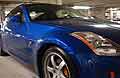
Here are some pictures that show the installed antenna. The antenna's somewhat lost in the reflection in the first picture, but it shows the scale of the antenna against that of the vehicle pretty well.


Here's the interior arrangement:

After using the unit a few days, here are some thoughts:
First, reception is very robust. To test the unit under demanding conditions, I drove from Claremont, California, north to Mount Baldy Village, across Glendora Ridge Road to Glendora Mountain Road, then to Highway 39 into Azusa. I've marked the route in blue on this map:

Much of this route hugs the north side of the ridge above the San Gabriel Valley, so interference from trees and mountain to the south was an issue, and it's out of range of terrestrial repeaters. To my surprise I rarely experienced dropouts more than a few seconds long, even on the north side of the ridge. Farther north I'd probably have more issues with this, but I was pleased.
I have not been entirely pleased with the user interface of the unit itself, though it does the job. Tuning XM channels by number is not that difficult, but it took me a while to get the hang of tuning by category, and the way it works is not that intuitive.
Displaying time, channel number, song title, and artist for either XM or the iPod requires repeatedly pressing the "Disp/Title" button. I've gotten into the habit of doing this pretty quickly, so it doesn't take too much of my attention while driving if I'm curious to what I'm listening, but it's a little awkward.
The interface for the KCA-420i iPod adapter is VERY strange -- it presents itself to the head unit as a three-disk MP3 CD changer, and "folder search" mode is used to search by song, while "file search" mode searches by playlist, artist, or album depending on whether Disc 1, Disc 2, or Disc 3 is selected. Make sense? Didn't think so.
It can play lists of songs that are longer than 255 songs, but they screw up the display due to memory limitations in the head unit. Same thing with numbers of playlists, artists, or albums over 511.
My way of dealing with this is that I've memorized the controls necessary to pick a playlist, and I just make a playlist before I get into the car.
Anyway, the good news is that it sounds great reception is excellent for both XM and regular radio, and I'm very happy to have made the leap.
Hope all that info helps out for someone else considering a similar installation.
-- Mark
This last Saturday, I had an Alpine CDA-9820XM installed in my 2003 Nissan 350Z Track with factory navigation, and now that I've used it long enough to get familiar, I thought I'd post about my install and my impressions of the system.
The Alpine CDA-9820XM is a head unit with an integrated XM receiver, requiring only an external antenna, for which I chose the Terk XMicro2. The 9820XM controls a KCA-420i iPod interface. I'm using the internal amp to drive the factory speakers at the moment, and an external amp and third-party speakers will be my next upgrade if I ever find the desire. I'm not sure at this point that it will be necessary though. At the moment, I do not have a subwoofer installed either.
I put a good deal of thought into antenna placement, and though there are a lot of people who have had satisfactory results placing the antenna either in the vicinity of the strut bar under the hatchback or at the rear edge of the roof, I elected to have the antenna installed as specified, six inches forward from the edge of the roof. My choice to do this was motivated by reading some of the technical literature that led to the manufacturer's recommendation to place the antenna in that fashion. I've described why I chose this in more detail in this XM411 thread:
Antenna placement
For the install itself, I went to New Age Audio and Alarm in Fullerton, California, run by a fellow named Mylo Kim. My experience with him and his installers was as professional and positive as any I've ever had with this kind of work, from beginning to end, and he was very careful to ask all the right questions up front about what exactly I wanted done, so that we knew exactly where we were going before they started doing the work.
Mr. Kim selected the particular 350Z kit, and I'm afraid I can't say who manufactured it, but the fit is very good. It's a double-DIN kit with a pocket below the stereo, in which the installer made a small hole, through which the iPod dock cable was threaded. This allows me to connect my iPod and place it in the pocket, while controlling it from the head unit.
Unfortunately, as with all aftermarket stereo installs with the factory navigation unit, voice guidance is an issue, because it's designed to play back through the factory stereo. I chose not to attempt the mute circuit modification that some people on my350z.com have undertaken, since I've had voice guidance disabled since about the moment I figured out how to turn it off.
Here are some pictures that show the installed antenna. The antenna's somewhat lost in the reflection in the first picture, but it shows the scale of the antenna against that of the vehicle pretty well.
Here's the interior arrangement:
After using the unit a few days, here are some thoughts:
First, reception is very robust. To test the unit under demanding conditions, I drove from Claremont, California, north to Mount Baldy Village, across Glendora Ridge Road to Glendora Mountain Road, then to Highway 39 into Azusa. I've marked the route in blue on this map:
Much of this route hugs the north side of the ridge above the San Gabriel Valley, so interference from trees and mountain to the south was an issue, and it's out of range of terrestrial repeaters. To my surprise I rarely experienced dropouts more than a few seconds long, even on the north side of the ridge. Farther north I'd probably have more issues with this, but I was pleased.
I have not been entirely pleased with the user interface of the unit itself, though it does the job. Tuning XM channels by number is not that difficult, but it took me a while to get the hang of tuning by category, and the way it works is not that intuitive.
Displaying time, channel number, song title, and artist for either XM or the iPod requires repeatedly pressing the "Disp/Title" button. I've gotten into the habit of doing this pretty quickly, so it doesn't take too much of my attention while driving if I'm curious to what I'm listening, but it's a little awkward.
The interface for the KCA-420i iPod adapter is VERY strange -- it presents itself to the head unit as a three-disk MP3 CD changer, and "folder search" mode is used to search by song, while "file search" mode searches by playlist, artist, or album depending on whether Disc 1, Disc 2, or Disc 3 is selected. Make sense? Didn't think so.
It can play lists of songs that are longer than 255 songs, but they screw up the display due to memory limitations in the head unit. Same thing with numbers of playlists, artists, or albums over 511.
My way of dealing with this is that I've memorized the controls necessary to pick a playlist, and I just make a playlist before I get into the car.
Anyway, the good news is that it sounds great reception is excellent for both XM and regular radio, and I'm very happy to have made the leap.
Hope all that info helps out for someone else considering a similar installation.
-- Mark

Thread Starter
Registered User
Joined: Mar 2003
Posts: 114
Likes: 0
From: Pasadena, CA
Yeah. The article I posted on antenna placement describes that.
The short version is that those antennas are designed to work best if they're in the center of a one meter wide, circular piece of grounded sheet metal. As they get to the edge, they lose performance in certain directions but not others. This means that when you're driving toward a marginal signal (like when there are trees in the way) you might get more dropouts than when you're driving away.
So, the manufacturers of those antennas recommend placing the antenna at least six inches away from the edge of the roof. Six inches is far enough to get some of the benefits of centering the antenna without going all the way.
Note that not all antennas are the same design, and not all require a ground plane like this. That's why you'll sometimes see factory antennas (for example on recent Mercedes-Benz cars) that are right at the trailing edge of the roof. However, antennas designed to work without a ground plane are usually larger.
All that has an important caveat: depending on angle to the satellite, nature of any satellite obstructions, which way you're driving, etc. you may or may not notice any of these effects at all. Particularly in Southern California, the satellites are high in the sky and there are plenty of repeaters, so people get great results no matter what place they throw their antenna. However, if you're going to drive to Canada, where the satellites are lower than 20 degrees above the horizon, sticking to those recommendations will make more of a difference more often.
-- Mark
The short version is that those antennas are designed to work best if they're in the center of a one meter wide, circular piece of grounded sheet metal. As they get to the edge, they lose performance in certain directions but not others. This means that when you're driving toward a marginal signal (like when there are trees in the way) you might get more dropouts than when you're driving away.
So, the manufacturers of those antennas recommend placing the antenna at least six inches away from the edge of the roof. Six inches is far enough to get some of the benefits of centering the antenna without going all the way.
Note that not all antennas are the same design, and not all require a ground plane like this. That's why you'll sometimes see factory antennas (for example on recent Mercedes-Benz cars) that are right at the trailing edge of the roof. However, antennas designed to work without a ground plane are usually larger.
All that has an important caveat: depending on angle to the satellite, nature of any satellite obstructions, which way you're driving, etc. you may or may not notice any of these effects at all. Particularly in Southern California, the satellites are high in the sky and there are plenty of repeaters, so people get great results no matter what place they throw their antenna. However, if you're going to drive to Canada, where the satellites are lower than 20 degrees above the horizon, sticking to those recommendations will make more of a difference more often.
-- Mark

Registered User
Joined: Jan 2006
Posts: 11
Likes: 0
From: Ohio
Mark - do you think your installer can find out if the same equip you installed can be installed on an '06 roadster? Crutchfield does not have info to state that it can be done for '06, but they did say somebody might have the experience to say yes or no. Their suspicion was that there is some difference from '05 to '06 that prevents it.
Also, do you think the same antenna can be installed just above the windshield on a roadster?
Love to find out.
How does your Alpine drive the 7 speakers (are you using the factory Bose 7 speaker package that includes a sub)?
Also, do you think the same antenna can be installed just above the windshield on a roadster?
Love to find out.
How does your Alpine drive the 7 speakers (are you using the factory Bose 7 speaker package that includes a sub)?
Thread Starter
Registered User
Joined: Mar 2003
Posts: 114
Likes: 0
From: Pasadena, CA
My car's non-Bose. I believe there's a different harness for the Bose system but it's more complicated.
No idea about the 06 Roadster, but I'm sure the equipment can be installed one way or another. Probably requires a different kit because the dash is different.
I'm pretty sure that putting the antenna just above the windshield on the Roadster will work well. The important thing is that there's not a metal roof in the way.
-- Mark
No idea about the 06 Roadster, but I'm sure the equipment can be installed one way or another. Probably requires a different kit because the dash is different.
I'm pretty sure that putting the antenna just above the windshield on the Roadster will work well. The important thing is that there's not a metal roof in the way.
-- Mark

Thread
Thread Starter
Forum
Replies
Last Post
hardkicks
Zs & Gs For Sale
0
Sep 20, 2015 12:28 PM
EnjukuRacing
Engine
0
Sep 11, 2015 08:30 AM
