


Laptop Car PC




Registered User
Joined: Jun 2002
Posts: 708
Likes: 0
From: Mount Laurel, NJ

you can get a very cheap laptop from ebay that comes without a screen (you would use your small screen...such as xenarc). This can cost you less than $200 (it cost me $140 for a PII 350mhz). So if you buy touch-screen xenarc for $500, the laptop for say $150 and cables and connectors, you can get your own in car pc for less than $800 (mine cost me less than $900). Good luck!

Thread Starter
Registered User
Joined: Dec 2002
Posts: 2,700
Likes: 0
From: Maryland
Well, I ask because I have a Toshiba M15S405 that would be more than enough for an in car pc. I also have my homebuilt desktop so I really would not be out of computer anywhere by using the laptop in the car.
What exactly would I need to do this? The screen (non touchscreen I think), I would get the roll up keyboard I think, I just need a mouse that is good for a car and the cables (what cables?). Also, would I want to use a FM transmitter for the audio? Anyone have any recommendations on the best one? What do I need to do this right??
What exactly would I need to do this? The screen (non touchscreen I think), I would get the roll up keyboard I think, I just need a mouse that is good for a car and the cables (what cables?). Also, would I want to use a FM transmitter for the audio? Anyone have any recommendations on the best one? What do I need to do this right??
New Member
Joined: Jun 2003
Posts: 94
Likes: 0
From: LI, New York
Mr. Potato Head,
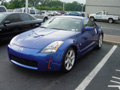
I'm currently working on putting my laptop in my Z (if I ever friggin get it back from the dealer...hehe). I had a Dell PIII laptop just sitting around in my house doing nothing, so I grabbed a docking station from work, bought a Xenarc 700TS (touchscreen) off of ebay, a Coleman 400W inverter from ebay, a stereo to RCA 12' cable from Circuit City and a couple other things.
What I'm doing is this:
4ga power cable (amp wiring kit (blue like my Z, of course)) from the battery to a 4 way fused StreetWires distribution block. 8ga cable from the distribution block to the inverter and amps. The 400W inverter has 2 plugs...one will be for the laptop power cord, the other may be for the Xenarc power (if I don't use the HU's power instead). The touchscreen Xenarc (to be installed in NAV area) is a good choice because you don't need a mouse, and can use the Windows native on-screen keyboard (or download other full-screen keyboard programs). There are many posts on the Xenarc installation, but unfortunately, you will need to remove the Xenarc's case which voids the warranty, so make sure it's fully functional before removing it.
I am going to be replacing the crappy factory HU (which is why I'm using the stero to RCA cable instead of an FM Modulator (which sux in my opinion)...and I hooked it up in my 91TT 300ZX...works great. If you are keeping the factory radio or don't have AUX RCA inputs on your HU, you will need the FM Modulator.
Anyway, hope this helps. Let me know if you have any questions and keep me posted on your progress. Feel free to PM me. Good luck.
I'm currently working on putting my laptop in my Z (if I ever friggin get it back from the dealer...hehe). I had a Dell PIII laptop just sitting around in my house doing nothing, so I grabbed a docking station from work, bought a Xenarc 700TS (touchscreen) off of ebay, a Coleman 400W inverter from ebay, a stereo to RCA 12' cable from Circuit City and a couple other things.
What I'm doing is this:
4ga power cable (amp wiring kit (blue like my Z, of course)) from the battery to a 4 way fused StreetWires distribution block. 8ga cable from the distribution block to the inverter and amps. The 400W inverter has 2 plugs...one will be for the laptop power cord, the other may be for the Xenarc power (if I don't use the HU's power instead). The touchscreen Xenarc (to be installed in NAV area) is a good choice because you don't need a mouse, and can use the Windows native on-screen keyboard (or download other full-screen keyboard programs). There are many posts on the Xenarc installation, but unfortunately, you will need to remove the Xenarc's case which voids the warranty, so make sure it's fully functional before removing it.
I am going to be replacing the crappy factory HU (which is why I'm using the stero to RCA cable instead of an FM Modulator (which sux in my opinion)...and I hooked it up in my 91TT 300ZX...works great. If you are keeping the factory radio or don't have AUX RCA inputs on your HU, you will need the FM Modulator.
Anyway, hope this helps. Let me know if you have any questions and keep me posted on your progress. Feel free to PM me. Good luck.
Thread Starter
Registered User
Joined: Dec 2002
Posts: 2,700
Likes: 0
From: Maryland
This does help some. Unfortunatley I have the Bose system and don't want to allocate performance funds to replacing the entire stereo system. I may wait a while to install this until I replace the Bose system with aftermarket. That really depends on if Bose ever comes out with an improvement for their system. However, I will PM you should I run into any snags. Thanks!
Trending Topics
New Member
Joined: Jun 2003
Posts: 94
Likes: 0
From: LI, New York
Dude, trust me when I tell you Bose sucks!! Rip that crap out and burn it. This is my 3rd Z...(first w/o Bose). Bose was always a nightmare in the Z's. It's worth the extra $400 to replace the speakers and HU. Anyway, let me know when/if you need help. Good luck!
Mike
Mike

No highs, no lows, must be Bose!
I haven't heard the bose int he Z, but I've never heard a Bose systems that sounds better than a $200 head unit and $50 speakers when I was seling stuff. Maybe they've gotten better, but...
I haven't heard the bose int he Z, but I've never heard a Bose systems that sounds better than a $200 head unit and $50 speakers when I was seling stuff. Maybe they've gotten better, but...
 Daaaaaamn!!
New Member
Joined: Jun 2003
Posts: 94
Likes: 0
From: LI, New York
Re: Daaaaaamn!!
Originally posted by ChrisMCagle
Your 3rd really???? What happened to the first 2?
Your 3rd really???? What happened to the first 2?

Registered User
Joined: Aug 2003
Posts: 1,612
Likes: 0
From: Massillon, OH
Re: Re: Daaaaaamn!!
Originally posted by ZManInNY
The first one was a 1990 red 2+2...
The first one was a 1990 red 2+2...
 . It makes sense now.
-Chris

Thread
Thread Starter
Forum
Replies
Last Post
etkms
Engine & Drivetrain
29
Jun 19, 2022 06:30 PM
StreetStandard
Videos
2
Feb 4, 2016 09:44 AM
BobC-Z
Upcoming Events
1
Sep 18, 2015 01:57 PM


