


DDX812 custom startup screen


 DDX812 custom startup screen
I must be an idiot, I'm trying to set a custom startup picture for my DDX812 which is exactly the same as the DNX8120 except for no navi, which I already added on. It says step 1) To enter setup Mode, Press and hold FNC & EJECT keys, then press RESET Key. Now I see the FNC button but is the eject button the one on the far right which makes the cd tray avialable?
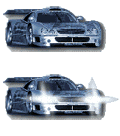

Here's the how-to that I figured out last year. If you need the "convert" file, let me know and I can send you a link.
https://my350z.com/forum/6428964-post319.html
...and YES. The eject is the button that you use to insert a CD.
https://my350z.com/forum/6428964-post319.html
...and YES. The eject is the button that you use to insert a CD.
I believe I have the convert file but if you could link or msg it to me I would appreciate it.
I don't see any reset button is it next to the cd drive when the screen is down?
I don't see any reset button is it next to the cd drive when the screen is down?
Last edited by seank426; Apr 24, 2009 at 08:56 PM.
The reset is actually a pinhole at the lower left corner. I use a paper clip to push it in. Word of advice. If you have changed the settings on you audio, make sure and use the memory function to save them before you do this reset. You'll lose all of them.
I'll PM you the links.
I'll PM you the links.

Registered User
Joined: Oct 2010
Posts: 2
Likes: 0
From: spokane
can someone please help me too!!
i get to the point of switchin the images but it wont let me save it?
like it never takes time to save it on to the headunit...
its so confusing... im having the worst time haha
i get to the point of switchin the images but it wont let me save it?
like it never takes time to save it on to the headunit...
its so confusing... im having the worst time haha

Thread
Thread Starter
Forum
Replies
Last Post
350Z_Al
Exterior & Interior
133
Oct 29, 2020 07:44 PM
Tochigi_236
Feedback & Suggestions for Our Forum
8
Sep 27, 2015 03:40 PM
