Notices
Media Share Z Related Photos and Video

Do-Luck 350Z motion shots

Thread Tools
 
Search this Thread
 
Old Aug 9, 2005 | 08:52 AM
  #1  
HighTachPres's Avatar
HighTachPres
Thread Starter
Registered User
 
Joined: May 2003
Posts: 35
Likes: 0
From: Spartanburg, SC
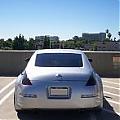
Default Do-Luck 350Z motion shots

Been practicing with this shot, and got ahold of the hot Do-Luck 350Z.
Just thought I'd share!!


Reply
Old Aug 9, 2005 | 09:04 AM
  #2  
NA&CH's Avatar
NA&CH
General & Tech Senior Moderator
MY350Z.COM
Premier Member
iTrader: (74)
 
Joined: Jan 2004
Posts: 7,175
Likes: 132
From: Florida
Default

Did you buy the car? I saw it on Ebay ???

Very nice shots.
Reply
Old Aug 9, 2005 | 09:09 AM
  #3  
HighTachPres's Avatar
HighTachPres
Thread Starter
Registered User
 
Joined: May 2003
Posts: 35
Likes: 0
From: Spartanburg, SC
Default

www.desmondperformance.com snagged the car. They say they're vamping it up some more!
Reply
Old Aug 9, 2005 | 09:15 AM
  #4  
atar350's Avatar
atar350
Registered User
 
Joined: Jan 2005
Posts: 2,331
Likes: 0
From: Sactown, California
Default

They need some shiny wheels to help bring out that color!! Where is the lip!! lol


That thing is sweet!
Reply
Old Aug 9, 2005 | 10:41 AM
  #5  
Wicked4u2c's Avatar
Wicked4u2c
Registered User
iTrader: (6)
 
Joined: Dec 2002
Posts: 1,212
Likes: 0
From: La Mirada
Default

I think what he is saying is that he photochopped the motion blur on a still picture to make it look like its going fast.
Reply
Old Aug 9, 2005 | 10:43 AM
  #6  
HighTachPres's Avatar
HighTachPres
Thread Starter
Registered User
 
Joined: May 2003
Posts: 35
Likes: 0
From: Spartanburg, SC
Default

Originally Posted by Wicked4u2c
I think what he is saying is that he photochopped the motion blur on a still picture to make it look like its going fast.
yep, photoshop owns
Reply
Old Aug 9, 2005 | 10:45 AM
  #7  
Wicked4u2c's Avatar
Wicked4u2c
Registered User
iTrader: (6)
 
Joined: Dec 2002
Posts: 1,212
Likes: 0
From: La Mirada
Default

Originally Posted by HighTachPres
yep, photoshop owns
Yup, specially filters
Reply
Old Aug 9, 2005 | 11:03 AM
  #8  
2004z's Avatar
2004z
Sleeps in 350Z
Premier Member
iTrader: (3)
 
Joined: Aug 2003
Posts: 2,995
Likes: 0
From: Bay Area, CA
Default

Anyone know how much the car sold for on Ebay?
Reply
Old Aug 10, 2005 | 08:48 AM
  #9  
DL-Z33's Avatar
DL-Z33
Registered User
 
Joined: Jun 2004
Posts: 29
Likes: 0
From: Evergreen
Default

Are going to post of hi-res version of those pictures for my wall paper...) They look great.
Reply
Old Aug 10, 2005 | 05:18 PM
  #10  
Landbarger's Avatar
Landbarger
Registered User
iTrader: (2)
 
Joined: Feb 2003
Posts: 682
Likes: 0
From: VPI
Default

Great looking shots...Congrats
Reply
Old Aug 15, 2005 | 12:00 PM
  #11  
Jun's Avatar
Jun
350Z-holic
Premier Member
iTrader: (45)
 
Joined: Jun 2003
Posts: 5,327
Likes: 0
From: Miami/Kendall, Florida
Default

so it's a still shot that he motion-chopped? if that's the case, that's an amazing job! how did he do the wheels so perfect?
Reply
Old Aug 15, 2005 | 12:01 PM
  #12  
Landbarger's Avatar
Landbarger
Registered User
iTrader: (2)
 
Joined: Feb 2003
Posts: 682
Likes: 0
From: VPI
Default

I want to know how he exposed the whole front caliper without the wheel moving...
Reply
Old Aug 15, 2005 | 12:35 PM
  #13  
Wicked4u2c's Avatar
Wicked4u2c
Registered User
iTrader: (6)
 
Joined: Dec 2002
Posts: 1,212
Likes: 0
From: La Mirada
Default

This is a very easy thing to do and requires minimal practice in photoshop. I will write up a tutorial on this so people can learn how to do it. Its simple but very effective and will give your pictures that "money shot" look.
Reply
Old Aug 15, 2005 | 12:38 PM
  #14  
Wicked4u2c's Avatar
Wicked4u2c
Registered User
iTrader: (6)
 
Joined: Dec 2002
Posts: 1,212
Likes: 0
From: La Mirada
Default

Originally Posted by Landbarger
I want to know how he exposed the whole front caliper without the wheel moving...
That's easy, he just create a new layer, highlight only the stuff you want "blurred" i.e. background wheels etc... You can create motion blurs, motion blasts, etc.. Once you have done that with your new layer you can grab the eraser brush and erase parts you want to expose I.E. caliper and erase the "blur" out of it. You can mess with different opacity's so that it has that soft look. Again, I will make a VIDEO tutorial so its easier to understand.
Reply
Old Aug 15, 2005 | 12:40 PM
  #15  
Landbarger's Avatar
Landbarger
Registered User
iTrader: (2)
 
Joined: Feb 2003
Posts: 682
Likes: 0
From: VPI
Default

I was wondering how you'd get a shot with the whole caliper exposed if the wheel wasn't moving, seems like one spoke or another would obstruct your view.

Reply
Old Aug 17, 2005 | 10:21 AM
  #16  
Cali BlackTrack's Avatar
Cali BlackTrack
Registered User
 
Joined: Mar 2005
Posts: 218
Likes: 0
From: So Cali
Default

great shots and ya i saw it on ebay too and da last i saw it it was at $40,000 if im not mistaken
Reply
Old Aug 17, 2005 | 10:42 AM
  #17  
ANXIOUZ's Avatar
ANXIOUZ
New Member
iTrader: (13)
 
Joined: Nov 2004
Posts: 3,775
Likes: 0
From: Orange County, CA
Default

Great shots!
Reply
Related Topics
Thread
Thread Starter
Forum
Replies
Last Post
liqalu04
Engine & Drivetrain
31
Jan 2, 2022 12:58 PM
issyz
2003-2009 Nissan 350Z
6
Jul 2, 2017 03:04 PM
wanderingstuden
Maintenance & Repair
6
Jan 28, 2016 07:03 PM
350Z Project X
Suspension
9
Oct 10, 2015 09:23 AM
nanotech
Exhaust
6
Oct 2, 2015 05:02 AM


All times are GMT -8. The time now is 04:52 AM.