


New Camera Pics



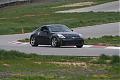


Lookin good bro. That Nikon D50 is pretty clean. The only reason I didn't get the D50 as opposed to the rebel is the megapixels. Doesn't look like it's much of a difference though. Ease up on the sharpening but other wise, great work!
Originally Posted by cyberz350
Lookin good bro. That Nikon D50 is pretty clean. The only reason I didn't get the D50 as opposed to the rebel is the megapixels. Doesn't look like it's much of a difference though. Ease up on the sharpening but other wise, great work!
Trending Topics
Originally Posted by GTNPU Z
Am I missing something? How can you tell it's a D50 when he hasn't specified it anywhere?
He took this shot at f/3.8, 20mm, and 1/320 sec exposure.

Or I might've just saved the picture to my desktop, opened it in Microsoft office picture manager, and checked the camera properties


Thread Starter
Registered User
Joined: Dec 2004
Posts: 425
Likes: 0
From: dallas, texas
Cyber,
You were really freakin' me out with knowing the camera.....hahaha
I was looking for feedback from the experts so I appreciate it. This was my first shoot with the D50....
You were really freakin' me out with knowing the camera.....hahaha
I was looking for feedback from the experts so I appreciate it. This was my first shoot with the D50....
Haha, yea I like doing that to people. It's kinda funny. I mostly do it when I see a shot that looks nice. I like to see what kind of camera they used. It helps out a bit in the beginning because you can check out people's settings for a certain shot and then try it out. Not too sure of the technicalities of it. I believe they call it .exif data.
You might not be able to do it on some shots. Don't know why, but oh well. Something cool to try out.
You might not be able to do it on some shots. Don't know why, but oh well. Something cool to try out.


Registered User
Joined: Apr 2006
Posts: 909
Likes: 0
From: Lancaster, PA
Originally Posted by cyberz350
Haha, yea I like doing that to people. It's kinda funny. I mostly do it when I see a shot that looks nice. I like to see what kind of camera they used. It helps out a bit in the beginning because you can check out people's settings for a certain shot and then try it out. Not too sure of the technicalities of it. I believe they call it .exif data.
You might not be able to do it on some shots. Don't know why, but oh well. Something cool to try out.
You might not be able to do it on some shots. Don't know why, but oh well. Something cool to try out.
Here's a shot from Opera:

There are a few reasons when EXIF data doesn't show - 1) Save For Web in Photoshop will strip the EXIF data, 2) some uploaders will remove the EXIF data, 3) cut or copy/paste from the original photo and opening another window in a graphic program then pasting the re-crop will remove the EXIF data. There are probably a few more but these are the most common.


Registered User
Joined: Apr 2006
Posts: 909
Likes: 0
From: Lancaster, PA
Originally Posted by zmotion
Feedback is welcome!!

The shutter speed to use will vary depending on the speed of the vehicle and if you are moving along at the same speed or if you have to do a pan. For rolling shots when you move at the same speed as the other car, shutter speeds of ~ 1/30 or faster make for a nice blur. So if you're looking to keep the shutter speed and aperture at a constant, the only setting you can adjust for a proper exposure is the ISO. With some practice, you'll be able to determine what ISO to shoot at depending on your available lighting to maintain the proper shutter speed and aperture that you want.
Here's a sample shot of a handheld pan at a local autocross (Canon 10D, 70-200 f/2.8L IS, 1/60, f/14, ISO 100, circular polarizer, custom white balance off a grey card, AI servo focus) to sort of show what I'm explaining (good background blur for better sense of speed and motion):

 (though I'd frame it different but still a nice shot).
