


how to take hi-res pictures??


Thread Starter
Registered User
Joined: Feb 2006
Posts: 4,134
Likes: 0
From: Atlanta, Georgia
 how to take hi-res pictures??
so ya, that's the basic main question!
i have Canon XTI and a 18-55mm kit lens. (i am not planning on upgrading the lens).
I have the aperture 2 program and the cs4 program for postprocessing the digital negative.
So my pet peeve is the noise and right now i am trying to achieve a hi-res quality picture like those on wallpapers and magazine.
is there something that i should be aware of that maybe in the menu functions of my XTI can be able to have some setting.
i have been reading the manuals and nets. but maybe im not quite getting something.
i'd appreciate if any experts would chime and give me some advice.
Thank you so much for your time!
i have Canon XTI and a 18-55mm kit lens. (i am not planning on upgrading the lens).
I have the aperture 2 program and the cs4 program for postprocessing the digital negative.
So my pet peeve is the noise and right now i am trying to achieve a hi-res quality picture like those on wallpapers and magazine.
is there something that i should be aware of that maybe in the menu functions of my XTI can be able to have some setting.
i have been reading the manuals and nets. but maybe im not quite getting something.
i'd appreciate if any experts would chime and give me some advice.
Thank you so much for your time!

so ya, that's the basic main question!
i have Canon XTI and a 18-55mm kit lens. (i am not planning on upgrading the lens).
I have the aperture 2 program and the cs4 program for postprocessing the digital negative.
So my pet peeve is the noise and right now i am trying to achieve a hi-res quality picture like those on wallpapers and magazine.
is there something that i should be aware of that maybe in the menu functions of my XTI can be able to have some setting.
i have been reading the manuals and nets. but maybe im not quite getting something.
i'd appreciate if any experts would chime and give me some advice.
Thank you so much for your time!
i have Canon XTI and a 18-55mm kit lens. (i am not planning on upgrading the lens).
I have the aperture 2 program and the cs4 program for postprocessing the digital negative.
So my pet peeve is the noise and right now i am trying to achieve a hi-res quality picture like those on wallpapers and magazine.
is there something that i should be aware of that maybe in the menu functions of my XTI can be able to have some setting.
i have been reading the manuals and nets. but maybe im not quite getting something.
i'd appreciate if any experts would chime and give me some advice.
Thank you so much for your time!
Dude! I have the same camera and lens and I have the same fricking problem! I took this photo but looks nothing like it should

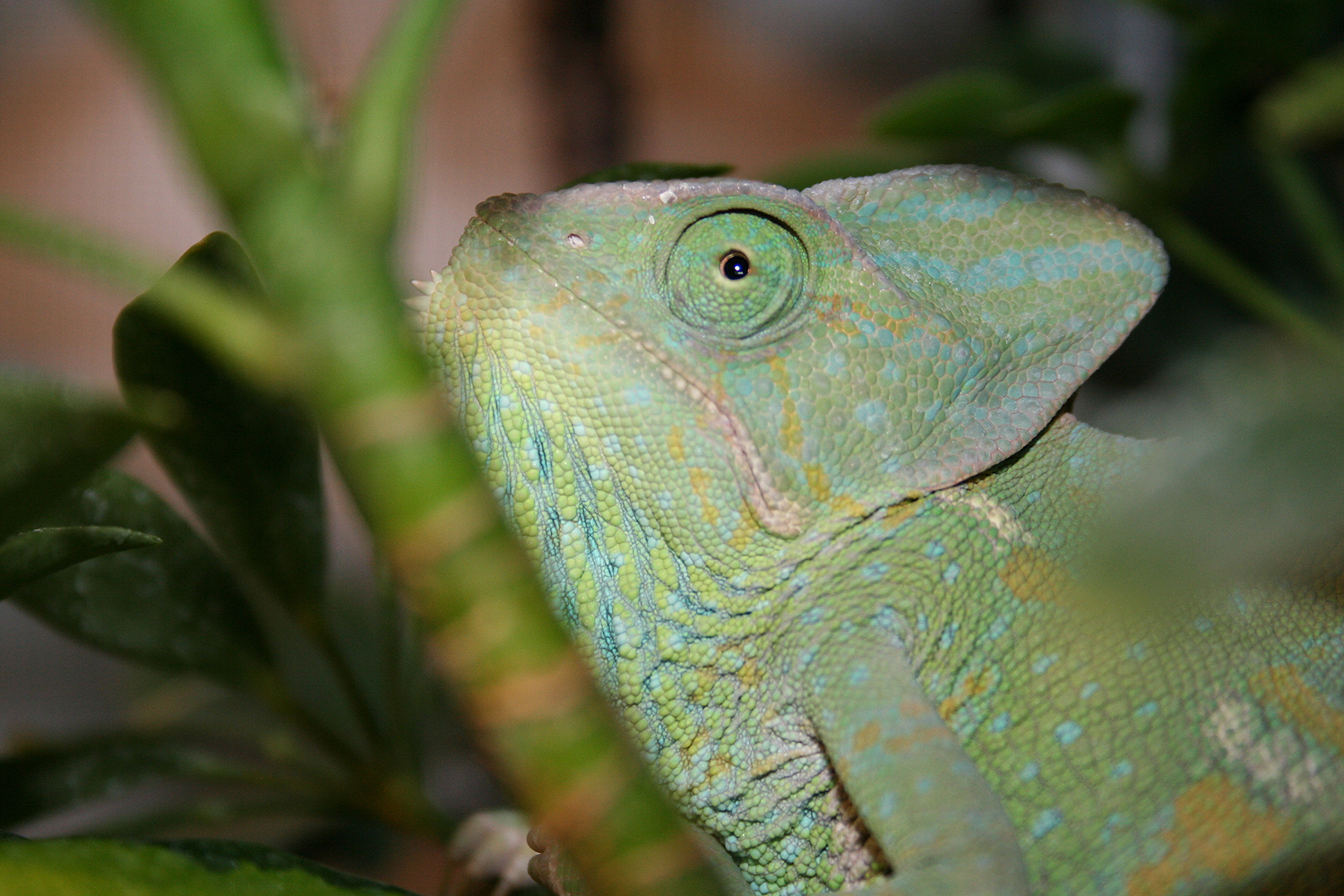

try setting your ISO down to 100. your shutter speed will be slower, so tripod is a must for night shots. and try shooting in RAW. you can only open image in cs3 im not sure about cs4 but you can fix mistakes you made.. i.e. too dark, too bright, white balance, etc. hope this helps.


There will always be noise in your Shadows & Blacks.
Hi-Rez depends on alot of factors:
- What size chip is it ?
-What ASA did you shoot at ?
- Can you capture images in a RAW format ?
- What software are you using to import the images ?
- How large are you making them ?
I shoot with very large size chips at work and there will always be some noise. You will just want to minimize it as best as possible by shooting at a lower ASA and Try not having a long exposure as well. The software that it is exported from will make a huge difference also. Some of them have really good color dynamics & others will create banding.
Hi-Rez depends on alot of factors:
- What size chip is it ?
-What ASA did you shoot at ?
- Can you capture images in a RAW format ?
- What software are you using to import the images ?
- How large are you making them ?
I shoot with very large size chips at work and there will always be some noise. You will just want to minimize it as best as possible by shooting at a lower ASA and Try not having a long exposure as well. The software that it is exported from will make a huge difference also. Some of them have really good color dynamics & others will create banding.
There will always be noise in your Shadows & Blacks.
Hi-Rez depends on alot of factors:
- What size chip is it ?
-What ASA did you shoot at ?
- Can you capture images in a RAW format ?
- What software are you using to import the images ?
- How large are you making them ?
I shoot with very large size chips at work and there will always be some noise. You will just want to minimize it as best as possible by shooting at a lower ASA and Try not having a long exposure as well. The software that it is exported from will make a huge difference also. Some of them have really good color dynamics & others will create banding.
Hi-Rez depends on alot of factors:
- What size chip is it ?
-What ASA did you shoot at ?
- Can you capture images in a RAW format ?
- What software are you using to import the images ?
- How large are you making them ?
I shoot with very large size chips at work and there will always be some noise. You will just want to minimize it as best as possible by shooting at a lower ASA and Try not having a long exposure as well. The software that it is exported from will make a huge difference also. Some of them have really good color dynamics & others will create banding.
Thread Starter
Registered User
Joined: Feb 2006
Posts: 4,134
Likes: 0
From: Atlanta, Georgia
as for the information needed,
i always shoot in RAW, and i always use a tripod.
when i have a low-light situation, i try to use a higher ISO..but with sunny lights and daylight, i use the lowest 100.
as for transferring RAW, i used aperture 2.
i already ordered a circular polarizer.
but for size chip..i have 4gb sandisk extreme 111.
i didnt like the program that Canon gave me. i have a mac and i like the aperture 2 program, it works well with photoshop cs4 as an external editor.
maybe im missing some setting or function in the menu settings in the XTI?
and what is ASA?
i always shoot in RAW, and i always use a tripod.
when i have a low-light situation, i try to use a higher ISO..but with sunny lights and daylight, i use the lowest 100.
as for transferring RAW, i used aperture 2.
i already ordered a circular polarizer.
but for size chip..i have 4gb sandisk extreme 111.
i didnt like the program that Canon gave me. i have a mac and i like the aperture 2 program, it works well with photoshop cs4 as an external editor.
maybe im missing some setting or function in the menu settings in the XTI?
and what is ASA?
You chip size has to do with the Mega-Pixels in your camera.
8 megapixel
10
12 16 or even higher
Your 4gb sandisk refers to the amount of storage you can keep on it. Not the actual size of each image.
8 megapixel
10
12 16 or even higher
Your 4gb sandisk refers to the amount of storage you can keep on it. Not the actual size of each image.
Trending Topics
Thread Starter
Registered User
Joined: Feb 2006
Posts: 4,134
Likes: 0
From: Atlanta, Georgia
A Polarizer will only cut the amount of light down from a certain angle. It will
polarize reflections from water or windows at certain angles. Meaning if you rotate it from a 90* to 180* it will cut the reflections down or even eliminate them.
You can actually use a Polarizer as a Neutral density filter. All it does is cut the light down in certain angles.
polarize reflections from water or windows at certain angles. Meaning if you rotate it from a 90* to 180* it will cut the reflections down or even eliminate them.
You can actually use a Polarizer as a Neutral density filter. All it does is cut the light down in certain angles.
Thread Starter
Registered User
Joined: Feb 2006
Posts: 4,134
Likes: 0
From: Atlanta, Georgia
A Polarizer will only cut the amount of light down from a certain angle. It will
polarize reflections from water or windows at certain angles. Meaning if you rotate it from a 90* to 180* it will cut the reflections down or even eliminate them.
You can actually use a Polarizer as a Neutral density filter. All it does is cut the light down in certain angles.
polarize reflections from water or windows at certain angles. Meaning if you rotate it from a 90* to 180* it will cut the reflections down or even eliminate them.
You can actually use a Polarizer as a Neutral density filter. All it does is cut the light down in certain angles.
hmm ok. i just want to try and achieve that blue sky thingy.
but my main concern is trying to achieve a hi-res picture quality like those we have on wallpaper and such.
Well the polarizer will help to darken the sky, thus add blue. But be careful it can go really dark in some instances.
just do some testing with it if you get one. Hold it up to a shiny surface and rotate it to see what it will do once you get it.
just do some testing with it if you get one. Hold it up to a shiny surface and rotate it to see what it will do once you get it.
Oh yeah,....by the way your lenses on that camera are NOT actually the focal length that you think they are.
Because that the chip size is NOT a Full Frame chip, the conversion is whatever your manuel will say....Depending on the size of the chip.
So a 18mm length lens will actually be like a 35mm on a full frame camera with a full frame chip.
Because that the chip size is NOT a Full Frame chip, the conversion is whatever your manuel will say....Depending on the size of the chip.
So a 18mm length lens will actually be like a 35mm on a full frame camera with a full frame chip.

Originally Posted by fithamoto
Your lens has nothing to do with the results of your images.
Oh yeah,....by the way your lenses on that camera are NOT actually the focal length that you think they are.
Because that the chip size is NOT a Full Frame chip, the conversion is whatever your manuel will say....Depending on the size of the chip.
So a 18mm length lens will actually be like a 35mm on a full frame camera with a full frame chip.
Because that the chip size is NOT a Full Frame chip, the conversion is whatever your manuel will say....Depending on the size of the chip.
So a 18mm length lens will actually be like a 35mm on a full frame camera with a full frame chip.
Desi, basically what that means is since you have a 1.6x crop on your camera, where an 18-55mm on a full frame camera (5D, 1D, etc.) would truly be an 18-55mm, you multiply that focal length by 1.6x. That makes it the eqivalent of about a 28-88mm on your camera.
In relevance to your original post, like erickim said, make sure your ISO is set from AUTO to 100 or 200. In terms of digital photography, ISO is the sensitivity of your sensor in relation to the amount of light that is present. When you have low light situations you either have to keep the shutter open longer or you can make the sensor more sensitive to light. The negative part of a higher ISO is that the sensor picks up a lot more noise at a higher sensitivity. If you try to keep the ISO around 100, shoot the pictures in RAW mode (very little image editing is done on the camera which leaves more room for editing on your computer), and get some good editing software, you will see a HUGE difference in quality. Other than that, find a friend with nice Canon lenses or go to a lens rental website and play around with some L glass. As opposed to the actual acrylic or plastic "glass" inside your lens and the other consumer lenses, Canon's L series uses actual high quality glass thus producing MUCH better images.
If you have any more questions, shoot me a PM and I'll be glad to help out


New Member
Joined: Feb 2005
Posts: 2,149
Likes: 0
From: East Texas (Tyler Area)
The XTi is a 1.6x crop.
Desi, basically what that means is since you have a 1.6x crop on your camera, where an 18-55mm on a full frame camera (5D, 1D, etc.) would truly be an 18-55mm, you multiply that focal length by 1.6x. That makes it the eqivalent of about a 28-88mm on your camera.
I was very confused with this concept when I first got into photography. Here is what fixed it: I was able to get my hands on a full-frame camera (I also have an XTi, which has the 1.6 crop like mentioned above) and play around with the same lens on the two cameras. At the same zoom (50 mm for example), the amount of zoom in each picture is identical. The subject will be the same size looking through the view finder of both cameras. The difference, is the "crop factor"; or rather, the area of usable image that the CMOS chip in the camera can use to make a picture. The lens in letting the same amount of light into the camera, no matter what camera you have. However, not all cameras can use all of the available light. Our XTi's can not use as much of the light as a Mark VIII so the image area is less, end of story.
What confuses people is when they say the zoom of a 50 mm is really 80 mm on an XTi. They are really misspoken (in my opinion). What they mean is, the angle of the image in the 50 mm on a 1.6 sensor is the same as an 80 mm on a full size sensor.
Picture to illustrate:
http://www.dolcepics.com/wp/wp-conte...s_aps-csvg.png
Now, to your original question: You will always have noise. There are varying degrees of noise like others have mentioned, but with this camera, and that lens, there will be noise (I have the exact same camera and lens, and I am getting pretty good at post processing, and noise is a factor).
I went to a professional photographer in Dallas a few weeks ago to have some family portraits done. We were discussing things, and noise in images came up. She had just bought a Nikon D700, and right there we took a test image. She put the camera at ISO 3200 and shutter speed of 60, and there was no noise in that picture on the computer screen in her office (that I could see). Under the same conditions with the XTi, well, it is not comparable. Admittedly, I do not know what lens she was using, but still that camera cost 5x the XTi, and the lens was probably just as much.
Quality of equipment is what cuts out a lot of noise, quality of photographer cuts out most of the rest.
Sorry for the long post, but I couldn't really compress most of that without it no longer making sense.
RxZ(is an amateur, but learning)
Thread Starter
Registered User
Joined: Feb 2006
Posts: 4,134
Likes: 0
From: Atlanta, Georgia
hmm so its all on the lens and the camera body..
i thought it has to do little bit of postprocessing...
well i had a pleasant conversation with autiger and showed him some pics..as far as quality goes, mine isnt that as bad as i thought it would be.
pretty good for a kit lens on an xti....
i thought it has to do little bit of postprocessing...
well i had a pleasant conversation with autiger and showed him some pics..as far as quality goes, mine isnt that as bad as i thought it would be.
pretty good for a kit lens on an xti....
New Member
Joined: Feb 2005
Posts: 2,149
Likes: 0
From: East Texas (Tyler Area)
I never said it was bad quality, just not as good as spending 10x as much 
You can get some exceedingly great shots out of the little canon and kit lens, its just easier with better equipment.
Have you got the 50 mm yet? I think I saw that you were going to order one (although I can't remember, is it the 75$ 1.8, or the 300$ 1.4). If/when you get it, take a shot with it, and a shot with the kit lens of the same thing, from the same distance, with the same lighting, at the same zoom (50 mm). Tell me what you think the difference is after you are done.
You can get some exceedingly great shots out of the little canon and kit lens, its just easier with better equipment.
Have you got the 50 mm yet? I think I saw that you were going to order one (although I can't remember, is it the 75$ 1.8, or the 300$ 1.4). If/when you get it, take a shot with it, and a shot with the kit lens of the same thing, from the same distance, with the same lighting, at the same zoom (50 mm). Tell me what you think the difference is after you are done.