Notices
Photoshop Make request or post your chops here.

Photoshop pros!

Thread Tools
 
Search this Thread
 
Old Aug 18, 2003 | 04:28 PM
  #1  
kitkos's Avatar
kitkos
Thread Starter
Registered User
iTrader: (1)
 
Joined: Jan 2003
Posts: 438
Likes: 0
From: NW ArkanZaZ
Default Photoshop pros!

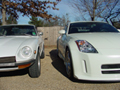
Can you make this car Pikes Peak White?
I knew that you could.
Attached Thumbnails Photoshop pros!-nismokit.jpg  
Reply
Old Aug 18, 2003 | 11:24 PM
  #2  
nbdyfcnsqnc's Avatar
nbdyfcnsqnc
350Z-holic
Premier Member
 
Joined: Aug 2002
Posts: 21,377
Likes: 0
From: SoCal
Default

I'm no pro, but here's my LeMan's Sunset interpretation of Pike's Peak White:
Attached Thumbnails Photoshop pros!-lemans.jpg  
Reply
Old Aug 18, 2003 | 11:26 PM
  #3  
nbdyfcnsqnc's Avatar
nbdyfcnsqnc
350Z-holic
Premier Member
 
Joined: Aug 2002
Posts: 21,377
Likes: 0
From: SoCal
Default

And here's my Pike's Peak intepretation of that same Z, but in Brickyard:
Attached Thumbnails Photoshop pros!-ppw.jpg  
Reply
Old Aug 19, 2003 | 04:51 AM
  #4  
kitkos's Avatar
kitkos
Thread Starter
Registered User
iTrader: (1)
 
Joined: Jan 2003
Posts: 438
Likes: 0
From: NW ArkanZaZ
Default

now that's what i'm talkin' 'bout!
THANK YOU
Reply
Old Aug 19, 2003 | 07:32 AM
  #5  
HokieZ's Avatar
HokieZ
Registered User
iTrader: (1)
 
Joined: Jul 2003
Posts: 1,170
Likes: 0
From: Richmond, VA
Default

I'm impressed! Mind me asking how you do that? I thought I was decent with photoshop till I saw that.
Reply
Old Aug 19, 2003 | 07:34 AM
  #6  
MY350Z.COM's Avatar
MY350Z.COM
iTrader: (2)
 
Joined: Nov 2002
Posts: 579
Likes: 2
Default

Originally posted by kitkos
now that's what i'm talkin' 'bout!
THANK YOU
if that is your plans, then

SWEET!!!!!!!
Reply
Old Aug 19, 2003 | 07:39 AM
  #7  
yobri's Avatar
yobri
350Z-holic
Premier Member
iTrader: (2)
 
Joined: Jun 2001
Posts: 17,685
Likes: 0
From: teh interwebnets
Thumbs up Niiiiiiiice!

You're a pro if you can do something like that, nbdy! Props.

I am an avid PSer, but I still have problems with color changes, such as you have facilely demonstrated.
Reply
Old Aug 19, 2003 | 09:00 AM
  #8  
longbowe's Avatar
longbowe
Registered User
 
Joined: Aug 2003
Posts: 14,954
Likes: 0
From: Cerritos, CA
Default

Originally posted by HokieZ
I'm impressed! Mind me asking how you do that? I thought I was decent with photoshop till I saw that.
Use a mask to select exactly what you want to alter color balance on, then go to Image->Adjust->Color Balance (or Ctrl-B). At least, that's how I would've done it.
Reply
Old Aug 19, 2003 | 09:04 AM
  #9  
tk952's Avatar
tk952
Registered User
 
Joined: Jul 2003
Posts: 86
Likes: 0
From: Orlando, FL
Default

Houw about Redline Red? All the colors if you are truly bored, but red would be greatly appreciated!!

Thanks,

t.
Reply
Old Aug 19, 2003 | 09:42 AM
  #10  
kitkos's Avatar
kitkos
Thread Starter
Registered User
iTrader: (1)
 
Joined: Jan 2003
Posts: 438
Likes: 0
From: NW ArkanZaZ
Default

Originally posted by Mike Wazowski
if that is your plans, then

SWEET!!!!!!!
Yes it is exactly what I am doing.
The full Nismo Kit and the Silver Nismo 19" should be at Gruppe-S in the next week and then shipped to my eagerly awaiting hands.
Can't friggin' WAIT!!!

Thanks again nbdyfcnsqnc!

Last edited by kitkos; Aug 19, 2003 at 10:47 AM.
Reply
Old Aug 19, 2003 | 11:14 AM
  #11  
DruDragzOn's Avatar
DruDragzOn
Registered User
 
Joined: Jul 2003
Posts: 584
Likes: 0
From: Elizabeth NJ
Default

I want to see that in Super Black .
Reply
Old Aug 19, 2003 | 12:16 PM
  #12  
nbdyfcnsqnc's Avatar
nbdyfcnsqnc
350Z-holic
Premier Member
 
Joined: Aug 2002
Posts: 21,377
Likes: 0
From: SoCal
Default

Geez, thanks everyone. But if you think compliments are all it takes to make me do your bidding, well, that's about right. Now that I've got it down to the assembly line, here are some other colors...
Reply
Old Aug 19, 2003 | 12:16 PM
  #13  
nbdyfcnsqnc's Avatar
nbdyfcnsqnc
350Z-holic
Premier Member
 
Joined: Aug 2002
Posts: 21,377
Likes: 0
From: SoCal
Default

Attached Thumbnails Photoshop pros!-blue.jpg  
Reply
Old Aug 19, 2003 | 12:19 PM
  #14  
nbdyfcnsqnc's Avatar
nbdyfcnsqnc
350Z-holic
Premier Member
 
Joined: Aug 2002
Posts: 21,377
Likes: 0
From: SoCal
Default

Attached Thumbnails Photoshop pros!-red.jpg  
Reply
Old Aug 19, 2003 | 12:20 PM
  #15  
nbdyfcnsqnc's Avatar
nbdyfcnsqnc
350Z-holic
Premier Member
 
Joined: Aug 2002
Posts: 21,377
Likes: 0
From: SoCal
Default

Attached Thumbnails Photoshop pros!-black.jpg  
Reply
Old Aug 19, 2003 | 12:22 PM
  #16  
wren57's Avatar
wren57
Banned
iTrader: (34)
 
Joined: Apr 2003
Posts: 8,663
Likes: 0
From: I'm A Gypsy
Default

ooo red is purty:-D
Reply
Old Aug 19, 2003 | 12:24 PM
  #17  
djkern's Avatar
djkern
Banned
 
Joined: Jan 2003
Posts: 2,996
Likes: 0
From: boston
Default

any way you can do that without changing the color of the rotors every time? they match the color of the car though. haha.
Reply
Old Aug 19, 2003 | 12:50 PM
  #18  
2wheels's Avatar
2wheels
Registered User
 
Joined: Aug 2003
Posts: 2
Likes: 0
From: west coast
Default

Originally posted by nbdyfcnsqnc
And here's my Pike's Peak intepretation of that same Z, but in Brickyard:
lighting characteristics of white are slightly different than metallic colors, so here's my version:
Attached Thumbnails Photoshop pros!-nismokit_white.jpg  

Last edited by 2wheels; Aug 19, 2003 at 12:54 PM.
Reply
Old Aug 19, 2003 | 01:35 PM
  #19  
nbdyfcnsqnc's Avatar
nbdyfcnsqnc
350Z-holic
Premier Member
 
Joined: Aug 2002
Posts: 21,377
Likes: 0
From: SoCal
Default

Yeah, 2wheels, that does look more realistic, although I'd still like to see a little more atmospheric blue in the reflections, like in the glass.

>> any way you can do that without changing the color of the rotors every time? they match the color of the car though. haha.

Of course! I just did that for the fun of it.
Reply
Old Aug 19, 2003 | 01:47 PM
  #20  
LithossZ's Avatar
LithossZ
Registered User
 
Joined: Jun 2002
Posts: 90
Likes: 0
From: Vancouver, BC
Default

looks great, nice job nbdy and 2wheels.. i especially like the blue one :-)
Reply


All times are GMT -8. The time now is 12:05 PM.