


USA Spec PA11-NIS iPod smooth install on 2006 Non-bose radio.


 USA Spec PA11-NIS iPod smooth install on 2006 Non-bose radio.
Install was was extremely smooth and easy. Music sounds nice and clean. Here are some pics and specs.
Charging the iPod's™ internal battery.
» Control of iPod™ playback by using the CD Changer buttons on the radio (Playlist mode) or operate the iPod from the iPod buttons (Direct Mode)
» Direct audio connection for optimal sound quality
» Steering wheel controls functions (if so equipped)
» Direct access and control of up to 5 different Playlist (in Playlist mode)
» Playback functions include: Track up/down, Fast Track (increments of 10), Fast Forward/Rewind etc.
» Access unlimited song per each Playlist
» Auto skip 10+ songs in each play list with FF button
» Auto maintain current Playlist when migrating from portable to in car use
» Auto Charge feature charges iPod™ battery and auto stops after 1 the iPod is paused
» Includes a single Auxiliary input for DVD, game, Satellite Radio etc. Note: The Aux. option works with or without the iPod.
» Compatible with iPod™ 3G, 4G, Mini, Nano, Photo, Video, iPhone [not compatible with 1st & 2nd Generation (10GB/15GB), iPod shuffle ]
» Plug-n-play harnesses are included for easy installation [no additional parts or cables required ]
» Also includes a comprehensive installation and user manual
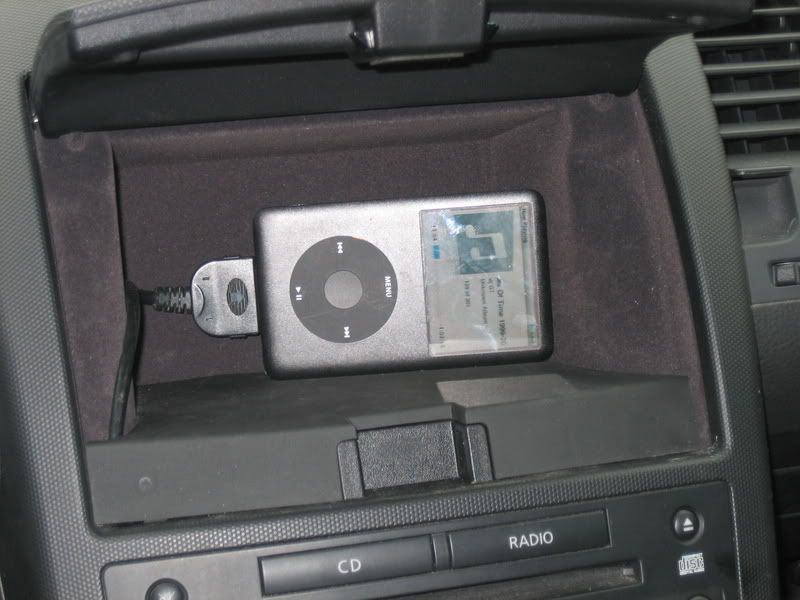
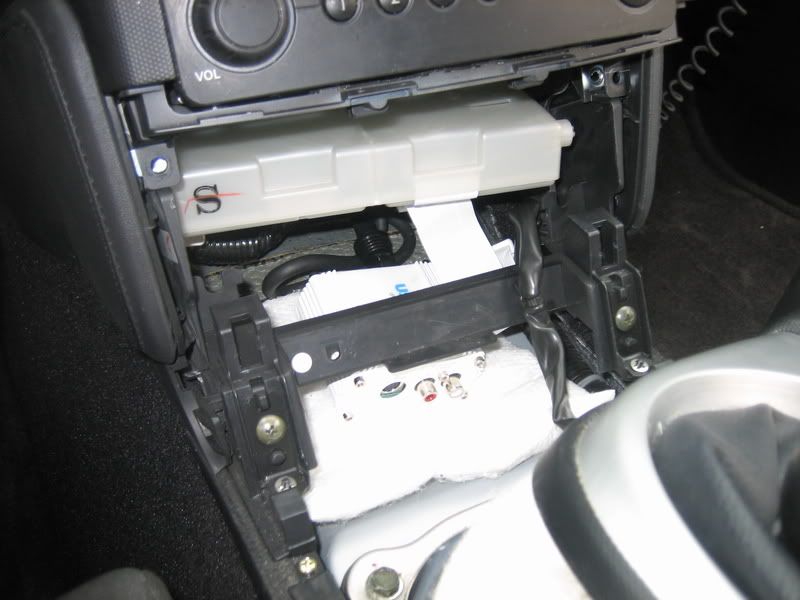
Charging the iPod's™ internal battery.
» Control of iPod™ playback by using the CD Changer buttons on the radio (Playlist mode) or operate the iPod from the iPod buttons (Direct Mode)
» Direct audio connection for optimal sound quality
» Steering wheel controls functions (if so equipped)
» Direct access and control of up to 5 different Playlist (in Playlist mode)
» Playback functions include: Track up/down, Fast Track (increments of 10), Fast Forward/Rewind etc.
» Access unlimited song per each Playlist
» Auto skip 10+ songs in each play list with FF button
» Auto maintain current Playlist when migrating from portable to in car use
» Auto Charge feature charges iPod™ battery and auto stops after 1 the iPod is paused
» Includes a single Auxiliary input for DVD, game, Satellite Radio etc. Note: The Aux. option works with or without the iPod.
» Compatible with iPod™ 3G, 4G, Mini, Nano, Photo, Video, iPhone [not compatible with 1st & 2nd Generation (10GB/15GB), iPod shuffle ]
» Plug-n-play harnesses are included for easy installation [no additional parts or cables required ]
» Also includes a comprehensive installation and user manual
Last edited by Diesel350; Feb 9, 2008 at 12:04 PM.


Nice, that's right where i put my box too, under the AC controls. I ran the ipod connector back to the center console/armrest box though. do you have it set on the direct mode or where you can control it on the ipod too?

I recently just installed the same thing but i have an 06 bose with Nav. IT was a pain in the *** seriously due to the nav being there but once i figure out how to get the nav controlls out, then it was a piece of cake cept for trying to take the clips of the wires behind the stock radio it was hard to get it off. Im using an iphone 3g so i needed to add an aux cable to those red and white audio holes. I found a hole thats goes from inside the dash to the side of the passenger leg area so no drilling needed and just ran the wire out there. +1 on this product also, it works great.
Last edited by krazi3m3; Mar 4, 2009 at 09:45 AM.
Trending Topics
I have it set where I can control it from the Head unit or from the Ipod.

Thread
Thread Starter
Forum
Replies
Last Post
