


Backup camera installed


 Backup camera installed
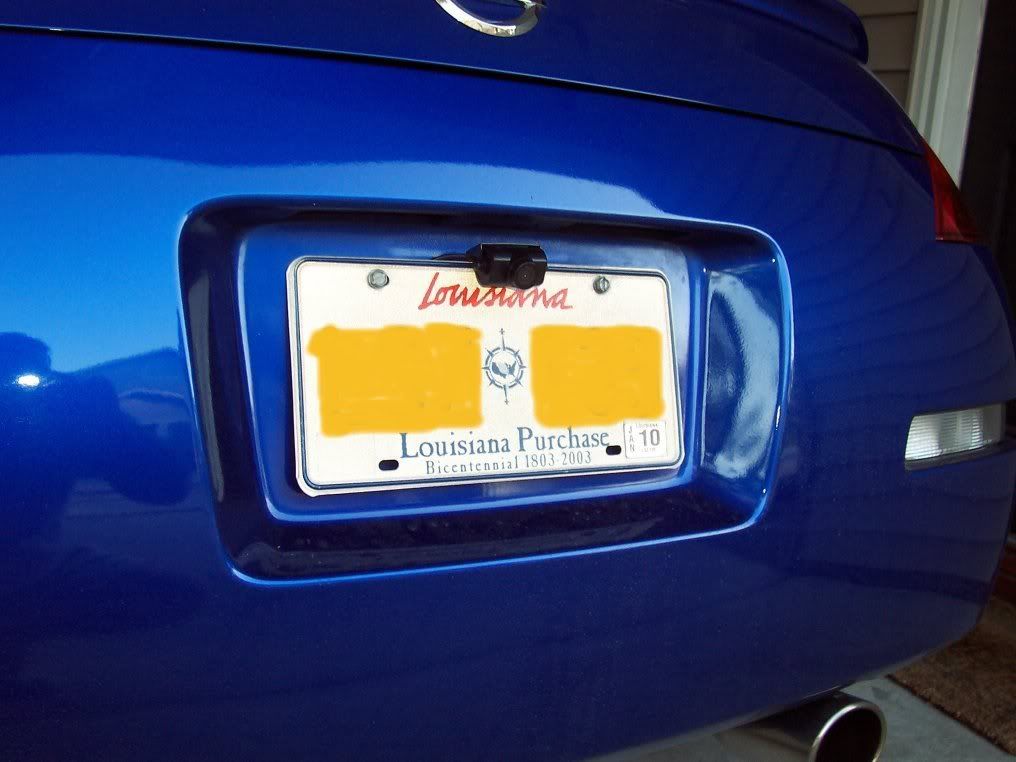
I just received a mini backup camera this weekend and installed it Sunday evening.
It's an Audiovox model ACA200W, came from Amazon for around $70. It comes with all wiring and a long video cable plus two mounting brackets. I'm using the "behind the plate" bracket right now but I may move it to a different location with the regular mounting bracket.
Here it is installed...
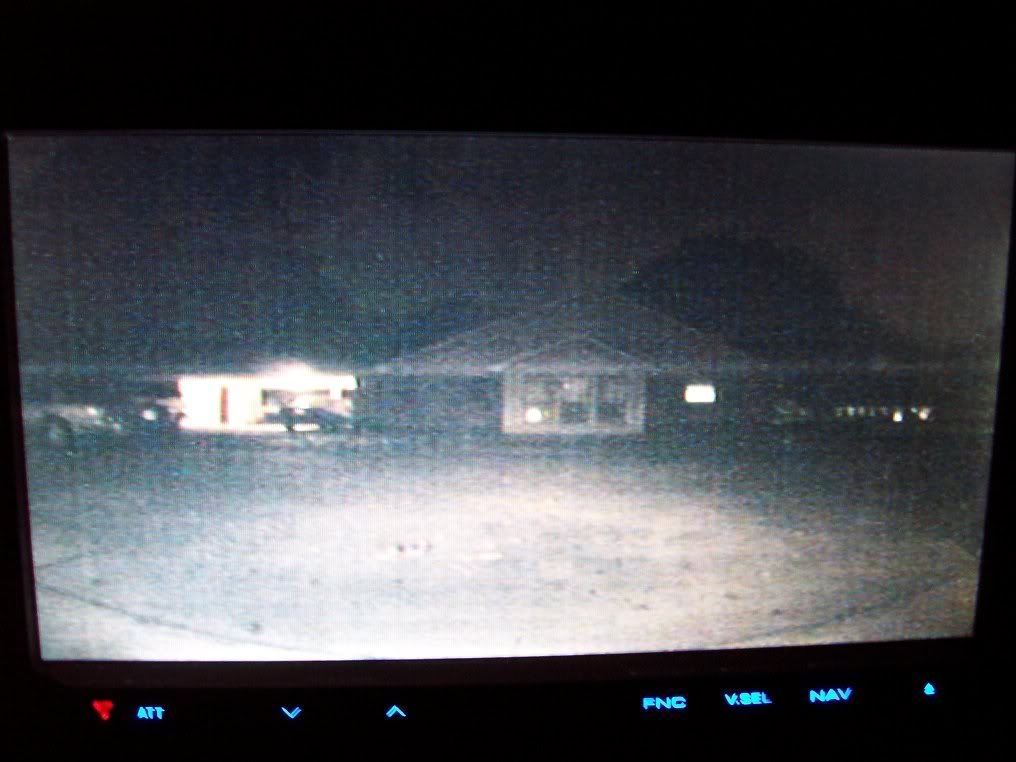
Pic of in-car image at night...
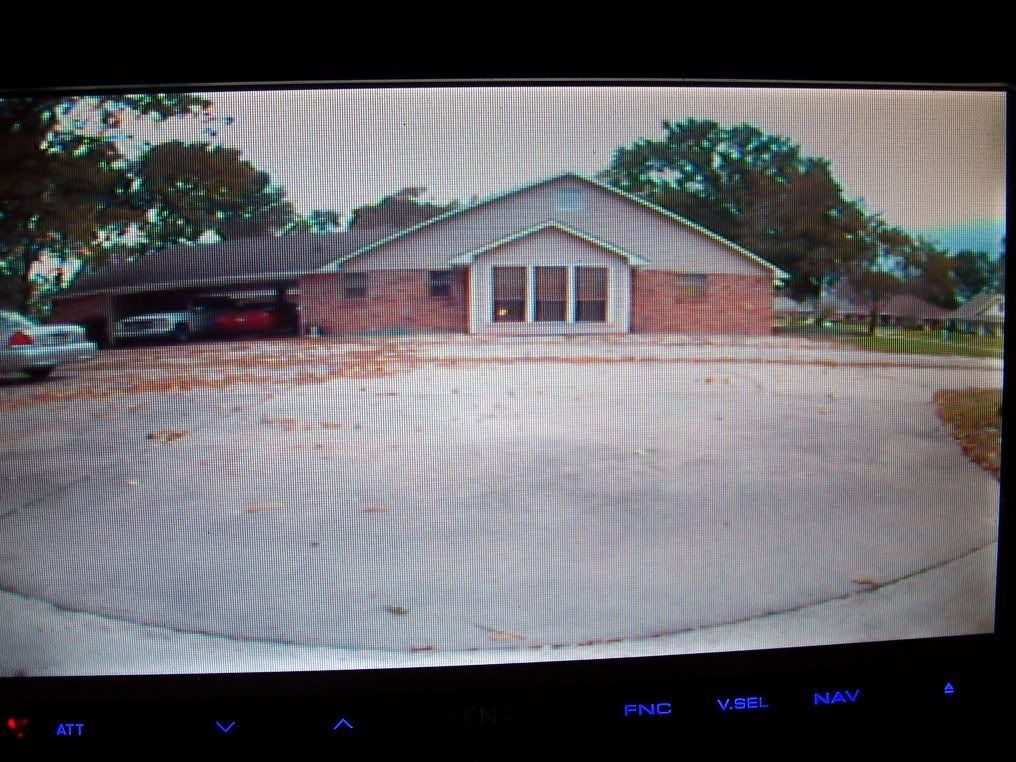
At dusk...
In afternoon sunlight...
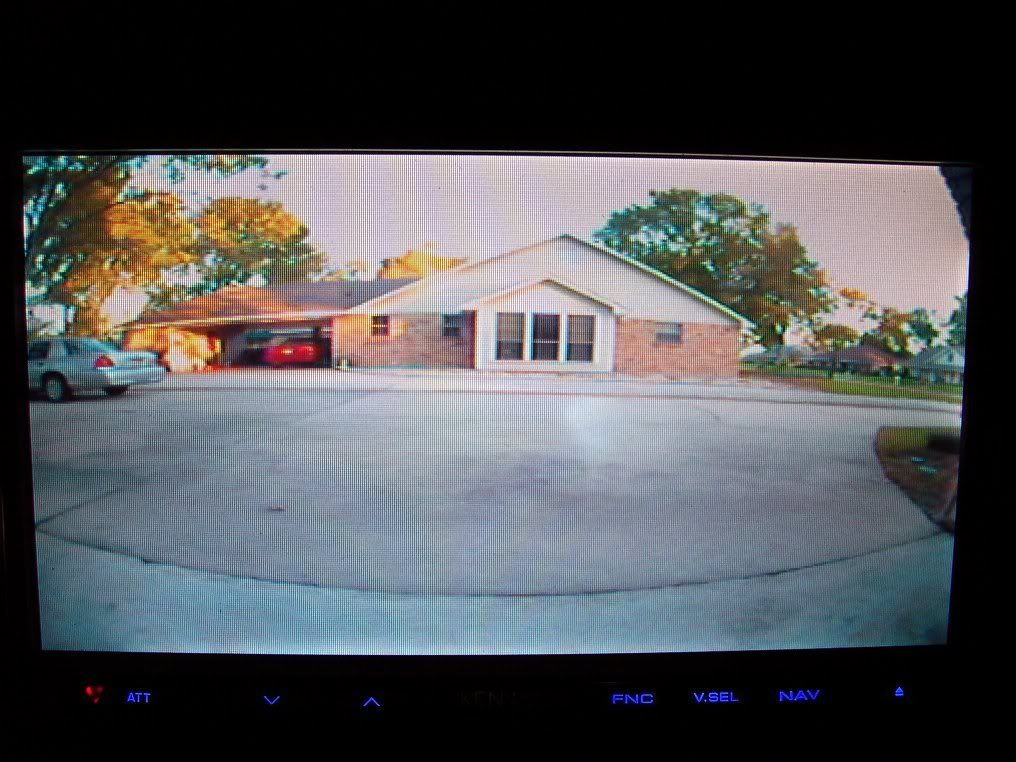
I wish these aftermarket units had the ability to overlay "parking guides" like some of the OEM setups do. I figure I'll have to put some marks around the frame of my screen to serve as guides for the left/right edges of the cars path.
As you can see, it has a very wide field of view. Pretty impressive little unit, here's the specs for those interested...
1. Voltage: DC12V
2. Operating Current:
_a. Transmitter: 130 mA
_b. Receiver: 180mA
3. Signal System: NTSC
4. Image Sensor: ¼” CMOS Sensor
5. Horizontal Resolution: 480 lines
6. Viewing Angle: 130 degrees
7. Minimum Illumination: 0.3Lux
8. Image Display: Selectable Normal/Reverse Image
9. Wireless Transmission Operating Frequency: 2.4GHz
10. Operating temperature: 0°C-50°C
11. Adjustable Viewing Angle
12. Camera Outer Dimensions: 25mm (W) x 30mm (H) x 62mm (D)
It's an Audiovox model ACA200W, came from Amazon for around $70. It comes with all wiring and a long video cable plus two mounting brackets. I'm using the "behind the plate" bracket right now but I may move it to a different location with the regular mounting bracket.
Here it is installed...
Pic of in-car image at night...
At dusk...
In afternoon sunlight...
I wish these aftermarket units had the ability to overlay "parking guides" like some of the OEM setups do. I figure I'll have to put some marks around the frame of my screen to serve as guides for the left/right edges of the cars path.
As you can see, it has a very wide field of view. Pretty impressive little unit, here's the specs for those interested...
1. Voltage: DC12V
2. Operating Current:
_a. Transmitter: 130 mA
_b. Receiver: 180mA
3. Signal System: NTSC
4. Image Sensor: ¼” CMOS Sensor
5. Horizontal Resolution: 480 lines
6. Viewing Angle: 130 degrees
7. Minimum Illumination: 0.3Lux
8. Image Display: Selectable Normal/Reverse Image
9. Wireless Transmission Operating Frequency: 2.4GHz
10. Operating temperature: 0°C-50°C
11. Adjustable Viewing Angle
12. Camera Outer Dimensions: 25mm (W) x 30mm (H) x 62mm (D)


New Member


Joined: Dec 2006
Posts: 7,337
Likes: 204
From: Edina, Minnesota
Dave, The setup and camera looks good.
Question: “9. Wireless Transmission Operating Frequency: 2.4GHz.”
Does the camera have capability to broadcast its image wirelessly?
I’ve been planning a rearview camera installation and this looks like it might work for me. I will be hooking the rearview camera to my 7” LCD screen in the upper/forward cubby using NTSC with composite video.
--Spike
Question: “9. Wireless Transmission Operating Frequency: 2.4GHz.”
Does the camera have capability to broadcast its image wirelessly?
I’ve been planning a rearview camera installation and this looks like it might work for me. I will be hooking the rearview camera to my 7” LCD screen in the upper/forward cubby using NTSC with composite video.
--Spike
The "dark" shot actually looks worse than it really is on the screen. Most of the haze there is from my cheap camera trying to take a picture of the dark screen. The big white spot in the image is what the reverse lights of the Z throw out there. I can see stuff pretty clearly in that 20-25' range.
Dave, The setup and camera looks good.
Question: “9. Wireless Transmission Operating Frequency: 2.4GHz.”
Does the camera have capability to broadcast its image wirelessly?
I’ve been planning a rearview camera installation and this looks like it might work for me. I will be hooking the rearview camera to my 7” LCD screen in the upper/forward cubby using NTSC with composite video.
--Spike
Question: “9. Wireless Transmission Operating Frequency: 2.4GHz.”
Does the camera have capability to broadcast its image wirelessly?
I’ve been planning a rearview camera installation and this looks like it might work for me. I will be hooking the rearview camera to my 7” LCD screen in the upper/forward cubby using NTSC with composite video.
--Spike
I see that Amazon has the wireless one for $150. It didn't make any difference to me because I was going to have to run one wire from the HU to the backup lights to trigger it so it was no big deal to run the RCA cable from the camera to the HU at the same time. BTW - taking the trunk apart is a PITA.
New Member
Joined: Dec 2006
Posts: 7,337
Likes: 204
From: Edina, Minnesota
^^ Thanks for the reply and more info.
The wireless option is interesting; but like you did and for the reason you mention, I’m going to run an RCA line for my rearview camera since I think that will provide a better image.
Agreed! However, since I have decided to run the wiring from the camera to the front LCD screen to insure a better image, I will take advantage of the disassembly to install some serious sound-deadening from the rear to cover at least the cargo space, rear wheel wells, and the structure behind the driver and passenger seat. I’m tired of listening to pebbles bouncing from the tires into the rear wheel wells and undercarriage.
--Spike
The wireless option is interesting; but like you did and for the reason you mention, I’m going to run an RCA line for my rearview camera since I think that will provide a better image.
Agreed! However, since I have decided to run the wiring from the camera to the front LCD screen to insure a better image, I will take advantage of the disassembly to install some serious sound-deadening from the rear to cover at least the cargo space, rear wheel wells, and the structure behind the driver and passenger seat. I’m tired of listening to pebbles bouncing from the tires into the rear wheel wells and undercarriage.
--Spike
Trending Topics

Question when you back up now will you just look at the screen or still look over your shoulder and mirrors also. Ive been planning to do the same thing but a camera on such a small car idk. Good job though
New Member
Joined: Dec 2006
Posts: 7,337
Likes: 204
From: Edina, Minnesota
It’s “nice to have” on your Z, and it’s “need to have” on my Jeep Commander (which has little visibility when backing-up).
--Spike
It also takes some getting used to but that's to be expected.
The reason I got it is simple - I getting old. When I drive the car wearing my glasses, the limited field of view through them makes it difficult to see over my shoulder. With contacts, it's no problem. I figure the backup camera gives me a better look at what's behind me than I can ever see over my shoulder or in the rear view mirrors. I've just got to train myself to trust it.
One more note - I track my car regularly. With a helmet on, you can't turn to look over your shoulder so the camera will come in real handy there. I'm also thinking about hooking up a switch to allow me to manually turn on the camera instead of having the backup lights drive them. That would allow me to see what's behind me either on the road or on the track.
Last edited by DavesZ#3; Nov 10, 2009 at 05:22 PM.
New Member
Joined: Dec 2006
Posts: 7,337
Likes: 204
From: Edina, Minnesota
^^ I did the same thing you mention on my off-road vehicle. I have a switch allowing me to toggle the rearview camera to either always on, or on only and automatically when in reverse gear.
I like the always on when towing (allows me to see my trailer and a little behind). Even when I don’t have a trailer, the “always on” look is very useful. It opens a new dimension that we are not accustomed to viewing. I really like having this in traffic where I can see a lot more around the car that I don’t have without a rearview camera.
--Spike
I like the always on when towing (allows me to see my trailer and a little behind). Even when I don’t have a trailer, the “always on” look is very useful. It opens a new dimension that we are not accustomed to viewing. I really like having this in traffic where I can see a lot more around the car that I don’t have without a rearview camera.
--Spike

I picked this up for my mom last week... Scheduled delivery date this Friday. Looks like I picked a pretty decent camera. One question though, How do you change the view from normal to reverse via camera alone?
There's a jumper in the wiring harness, you can clip it to reverse the view.


Registered User
Joined: Aug 2008
Posts: 95
Likes: 0
From: NC
With this particular Audiovox model, does the image appear automatically when you go into reverse? I was wodering if it would override any other functions, i.e. Nav screen, Radio display, etc. I am strongly considering this model. I know it says it is universal, but I am concerned how it will interface with my head unit. I must say after reading this review, I am sold on it.
That's actually a function of the headunit, not the camera. The camera is powered from the backup light so when you put the car in reverse, it starts working and sending out the video signal. My Kenwood unit has a wire that you also tie to the backup light. That is what triggers the HU to switch to the video mode and show the camera image.
The universal part of the interface is really the RCA connector and NTSC video signal. What you need to find out is if the HU has a "backup light" wire/input. Not all HUs may be able to automatically switch to that input, you may have to manually select the input source.
The universal part of the interface is really the RCA connector and NTSC video signal. What you need to find out is if the HU has a "backup light" wire/input. Not all HUs may be able to automatically switch to that input, you may have to manually select the input source.

Yes, DNX7100. I believe it will work on any of the Kenwood HUs. The video input is generic. As long as the HU has the wire for the reverse connect, then it probably has the mode that will switch to it automatically.