Notices
Media Share Z Related Photos and Video

Masters of Photoshop: Please Chime In! =)

Thread Tools
 
Search this Thread
 
Old Jan 13, 2007 | 04:58 PM
  #1  
ahero4eternity's Avatar
ahero4eternity
Thread Starter
Vendor - Former Vendor
iTrader: (3)
 
Joined: Jul 2006
Posts: 1,268
Likes: 0
From: LA/SD
Default Masters of Photoshop: Please Chime In! =)

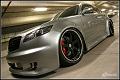
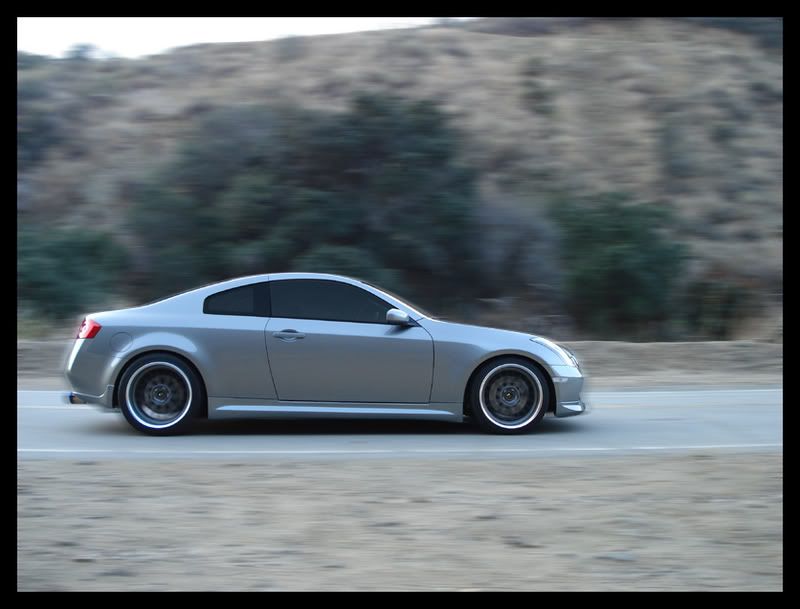
so as you can see, i'm trying to learn how to do motion shots with photoshop. any helpful tips would be appreciated!


Last edited by ahero4eternity; Jan 13, 2007 at 05:42 PM.
Reply
Old Jan 13, 2007 | 05:00 PM
  #2  
sabrefanpc's Avatar
sabrefanpc
Registered User
iTrader: (4)
 
Joined: Sep 2005
Posts: 437
Likes: 0
From: SoFla
Default

here is one way...

http://www.digimods.co.uk/tutorials/tutorials.htm
Reply
Old Jan 13, 2007 | 05:10 PM
  #3  
rookie's Avatar
rookie
Registered User
iTrader: (10)
 
Joined: Feb 2006
Posts: 725
Likes: 0
From: OC
Default

Originally Posted by ahero4eternity
Maters of Photoshop: Please Chime In! =)
Mater as in tamater without the ta?


Sorry I had to, your thread title called for it.
Reply
Old Jan 13, 2007 | 05:42 PM
  #4  
ahero4eternity's Avatar
ahero4eternity
Thread Starter
Vendor - Former Vendor
iTrader: (3)
 
Joined: Jul 2006
Posts: 1,268
Likes: 0
From: LA/SD
Default

whoops

fixed it
Reply
Old Jan 13, 2007 | 05:58 PM
  #5  
VoKaL's Avatar
VoKaL
Registered User
 
Joined: Oct 2006
Posts: 540
Likes: 0
From: Orlando
Default

u shud motion blur the bg moreso then the actul car...and try u overdid it on certain areas of the car if that was all u wanted...the wheels looked fcuked
Reply
Old Jan 13, 2007 | 07:45 PM
  #6  
ahero4eternity's Avatar
ahero4eternity
Thread Starter
Vendor - Former Vendor
iTrader: (3)
 
Joined: Jul 2006
Posts: 1,268
Likes: 0
From: LA/SD
Default

some more attempts


Reply
Old Jan 13, 2007 | 08:31 PM
  #7  
ahero4eternity's Avatar
ahero4eternity
Thread Starter
Vendor - Former Vendor
iTrader: (3)
 
Joined: Jul 2006
Posts: 1,268
Likes: 0
From: LA/SD
Default


Reply
Old Jan 13, 2007 | 09:13 PM
  #8  
ahero4eternity's Avatar
ahero4eternity
Thread Starter
Vendor - Former Vendor
iTrader: (3)
 
Joined: Jul 2006
Posts: 1,268
Likes: 0
From: LA/SD
Default

last one for the night...

Reply
Old Jan 13, 2007 | 09:14 PM
  #9  
plumpzz's Avatar
plumpzz
New Member
iTrader: (10)
 
Joined: May 2005
Posts: 7,146
Likes: 0
From: Jersey, New
Default

Use motion blur..but seperate the car from the backgrond. usually a camera focuses on the car so the car isnt blurred.
Reply
Old Jan 13, 2007 | 09:15 PM
  #10  
Sean's Avatar
Sean
Registered User
 
Joined: Jan 2006
Posts: 8,719
Likes: 2
From: nj
Default

much better, you need one of you standing on the roof so you can tell people you were Urban Surfing
Reply
Old Jan 13, 2007 | 09:41 PM
  #11  
AlexBG's Avatar
AlexBG
Registered User
iTrader: (4)
 
Joined: Sep 2006
Posts: 742
Likes: 0
From: St.Louis, MO
Default

Originally Posted by sabrefanpc
good place to learn how to photoshop stuff.
that is where i learn to photoshop cars and such.
Reply
Old Jan 13, 2007 | 09:44 PM
  #12  
AlexBG's Avatar
AlexBG
Registered User
iTrader: (4)
 
Joined: Sep 2006
Posts: 742
Likes: 0
From: St.Louis, MO
Default

Originally Posted by ahero4eternity
looks like your going sideways.
but there is no one in the car
and if you added a little bit of smoke it would look awesome.

im at a hotel right now in my laptop because i have no power at home and my computer with all my programs are at home.
Reply
Old Jan 13, 2007 | 10:10 PM
  #13  
ahero4eternity's Avatar
ahero4eternity
Thread Starter
Vendor - Former Vendor
iTrader: (3)
 
Joined: Jul 2006
Posts: 1,268
Likes: 0
From: LA/SD
Default

^^that pic was done for practice purposes only

i'm not advanced enough to make that one more realistic yet...lol

so who wants to add smoke?
Reply
Old Jan 13, 2007 | 10:13 PM
  #14  
AmateuRN's Avatar
AmateuRN
Registered User
iTrader: (7)
 
Joined: Oct 2004
Posts: 1,299
Likes: 0
From: Texas
Default

I was gonna say...! Some could fool me for moving..except no driver...
Reply
Old Jan 13, 2007 | 10:38 PM
  #15  
AlexBG's Avatar
AlexBG
Registered User
iTrader: (4)
 
Joined: Sep 2006
Posts: 742
Likes: 0
From: St.Louis, MO
Default

Originally Posted by ahero4eternity
^^that pic was done for practice purposes only

i'm not advanced enough to make that one more realistic yet...lol

so who wants to add smoke?
ill give it a try .. once i get power back at my house.


oh also on Digimods Tutorials.
go under Burnout... if you wanna give it a try for yourself.

Last edited by AlexBG; Jan 13, 2007 at 10:41 PM.
Reply
Old Jan 14, 2007 | 12:33 AM
  #16  
josephchihweilu's Avatar
josephchihweilu
Registered User
iTrader: (10)
 
Joined: Dec 2004
Posts: 1,102
Likes: 0
From: N/A
Default

nice shots calvin.

btw, could you get some info on those high-flow cats for me again?
Reply
Old Jan 14, 2007 | 09:27 AM
  #17  
ahero4eternity's Avatar
ahero4eternity
Thread Starter
Vendor - Former Vendor
iTrader: (3)
 
Joined: Jul 2006
Posts: 1,268
Likes: 0
From: LA/SD
Default

Originally Posted by josephchihweilu
nice shots calvin.

btw, could you get some info on those high-flow cats for me again?
which ones? you want 300 cell metallic or 400 cell ceramic?
Reply
Old Jan 14, 2007 | 03:16 PM
  #18  
ctwentytwo's Avatar
ctwentytwo
Registered User
iTrader: (9)
 
Joined: Dec 2003
Posts: 2,069
Likes: 1
From: Waipahu HI; Phoenix AZ
Default

Originally Posted by ahero4eternity
so as you can see, i'm trying to learn how to do motion shots with photoshop. any helpful tips would be appreciated!

1. Mask you car to isolate it from the background.
2. Create an object of you car with the mask.
3. Working on the background layer, use the motion blur effect, and choose the direction of the blur.
4. Feather the edges of the car object.
5. Flatten.
6. Save as JPEG.

You might want to save the file after you make an object of your car, so you can try and play with other blur, color, 3d effects.


Reply
Old Jan 14, 2007 | 03:43 PM
  #19  
AlexBG's Avatar
AlexBG
Registered User
iTrader: (4)
 
Joined: Sep 2006
Posts: 742
Likes: 0
From: St.Louis, MO
Default

Originally Posted by ctwentytwo
1. Mask you car to isolate it from the background.
2. Create an object of you car with the mask.
3. Working on the background layer, use the motion blur effect, and choose the direction of the blur.
4. Feather the edges of the car object.
5. Flatten.
6. Save as JPEG.

You might want to save the file after you make an object of your car, so you can try and play with other blur, color, 3d effects.


Nice ... some pretty cool stuff right there.
Reply
Old Jan 14, 2007 | 04:18 PM
  #20  
usmanasif's Avatar
usmanasif
Registered User
iTrader: (4)
 
Joined: Aug 2005
Posts: 4,046
Likes: 1
From: Mile High City
Default

Excellent example above!

Here's another. OP, what you need to remember is that good actual 'in motion' shots do NOT blur the actual moving object. Think about it; if the camera is moving at the same speed as the car, both will be stationary to each other. What will be in motion is the background and of course the wheels and those are enough to show the viewer that the object is in motion.

Original:


Photoshopped:

Reply


All times are GMT -8. The time now is 03:07 AM.