


photoshop color change


Thread Starter
Registered User
Joined: Nov 2003
Posts: 39
Likes: 0
From: Huntsville, Alabama
 photoshop color change
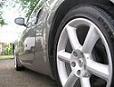
Hey guys, can someone change this to silverstone please. This is the last one I need changed. I hope ACP doesn't mind me using his car.
Thanks in advance
Thanks in advance


Trending Topics


Registered User
Joined: Aug 2003
Posts: 1,612
Likes: 0
From: Massillon, OH
Smarta$$
Originally posted by cantoda
I don't know how you missed it, it's right here...
I don't know how you missed it, it's right here...
Unfortunately I don't have the 350Z Limited Edition version of Photoshop... just version 6.5.
I do like that menu though.

Can you possibly shed some light on it for me.... purty pa-lease?
-Chris
Registered User
Joined: Jan 2004
Posts: 105
Likes: 0
From: Cherry Hill, NJ
Okay, since you said please...
Selection is the most time consuming part of the process. Use your lasso tool to select your rough area then use Quick mask to refine the area. Quick mask allows you to 'paint' your selection so you can define it with more detail. Once you have your selection, save it (Select/Save Selection) this way if you deselect accidently you won't have to do the selection process over again.
Now, go to Image/Adjust/Hue Saturation and start moving the Hue slider. You will notice the color of your selection change. To intensify the color move the Saturation slider to the right, move it to the left to desaturate or remove the color so that only gray tones remain. Once you have the color you are looking for you can further refine it by using Image/Adjust/Color Balance. To darken or lighten your image use Levels.
This is a very brief explaination and there are many ways to acheive similar results but this should at least get you started.
Selection is the most time consuming part of the process. Use your lasso tool to select your rough area then use Quick mask to refine the area. Quick mask allows you to 'paint' your selection so you can define it with more detail. Once you have your selection, save it (Select/Save Selection) this way if you deselect accidently you won't have to do the selection process over again.
Now, go to Image/Adjust/Hue Saturation and start moving the Hue slider. You will notice the color of your selection change. To intensify the color move the Saturation slider to the right, move it to the left to desaturate or remove the color so that only gray tones remain. Once you have the color you are looking for you can further refine it by using Image/Adjust/Color Balance. To darken or lighten your image use Levels.
This is a very brief explaination and there are many ways to acheive similar results but this should at least get you started.
Registered User
Joined: Aug 2003
Posts: 1,612
Likes: 0
From: Massillon, OH
 Thanks!
Originally posted by cantoda
Okay, since you said please...
Okay, since you said please...
Just to ask... those options you have on the picture you posted are not real... correct? I mean is there a way to set up some type of "macro" or something to save a specific color range to a name? I assume it was just a clever image that you created, but I just though I'd ask... you know, just to be sure
Thanks again,
-Chris
