


Double Din that Looks stock


Thread Starter
Registered User
Joined: Jul 2006
Posts: 1,289
Likes: 0
From: California
 Double Din that Looks stock
Looking for a double din head unit that really looks like it could be stock down to the orange LCD. Doesn't need to be fancy just sound as good as stock with stock speakers but have an additional auxiliary input. Don't need satellite radio or cassette or even a cd player if I have aux input.



I think pretty much all aftermarket double-DIN's allow for color choice on the illumination. Anything with a flat screen is going to look different from OEM, but some are more stealthy than others.
I've got an extra Kenwood DDX516 I just took out of my '08. If you've got an '06+ the wiring harness will plug right into your car's original wiring. You would need to buy the dash trim kit, though, which is ~$15. Shoot me a PM if you're interested, and I can send some pics. I've got the Kenwood iPhone/iPod cable, too.
I've got an extra Kenwood DDX516 I just took out of my '08. If you've got an '06+ the wiring harness will plug right into your car's original wiring. You would need to buy the dash trim kit, though, which is ~$15. Shoot me a PM if you're interested, and I can send some pics. I've got the Kenwood iPhone/iPod cable, too.

New Member


Joined: Dec 2006
Posts: 7,337
Likes: 204
From: Edina, Minnesota
As dcains states, double-din H/U’s from better manufacturers can match the Z’s color screen.
Nissan uses Clarion as an OEM provider. I have a Clarion H/U in my 350z, and the color match is exact. The color is “Warm Amber.” Go with a Clarion H/U if you demand an exact color match.
--Spike
Nissan uses Clarion as an OEM provider. I have a Clarion H/U in my 350z, and the color match is exact. The color is “Warm Amber.” Go with a Clarion H/U if you demand an exact color match.
--Spike
Last edited by Spike100; Nov 19, 2013 at 03:57 PM.
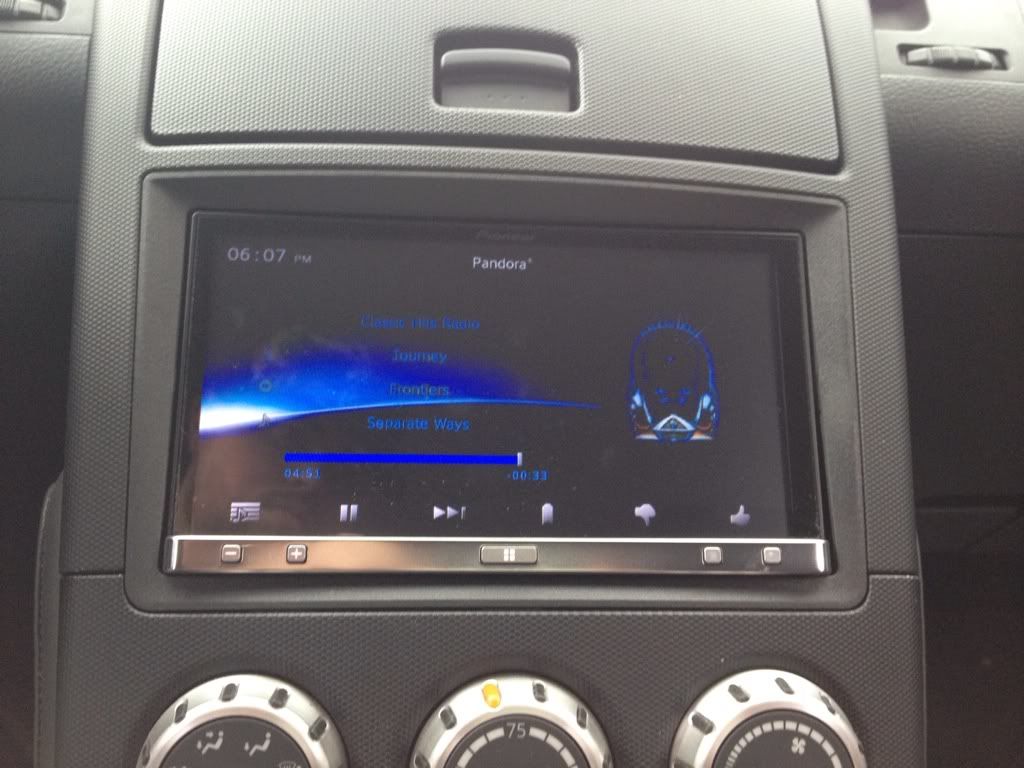
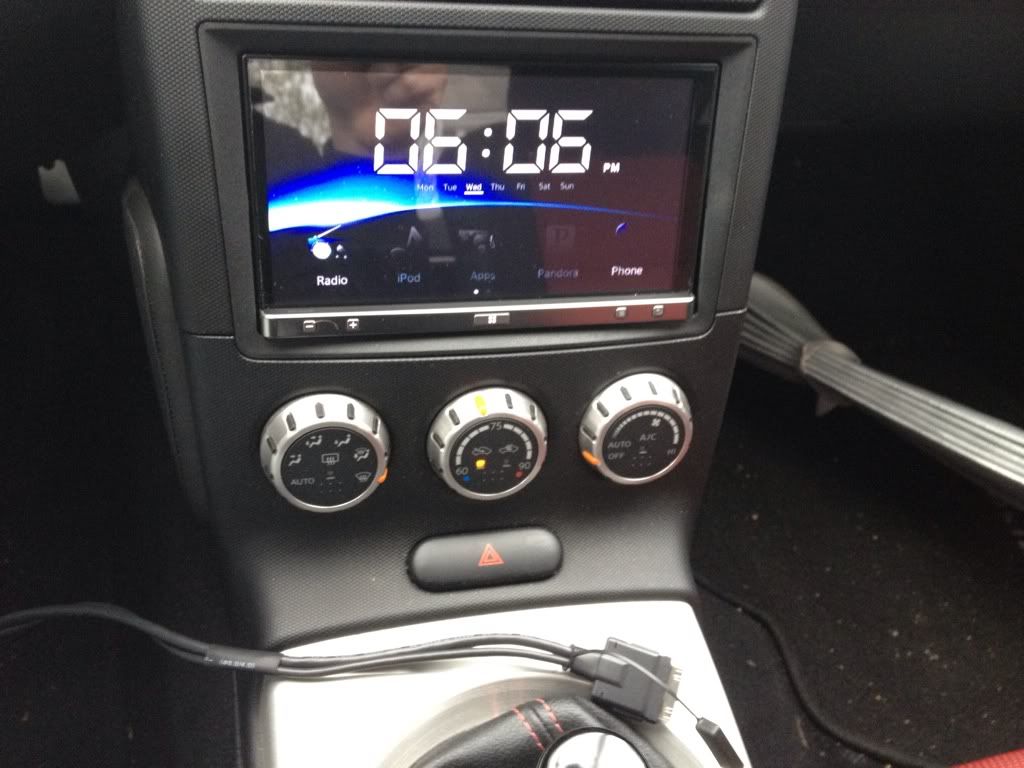
Both the Kenwood's I've had (the aforementioned DDX516, and now the DDX470) can be adjusted to a near exact match, too. There are a bunch of preset colors, but then also manual/custom control of the individual RGB levels. I don't know if these pictures show it well enough, but first the DDX516 and then the DDX470 (you can even change the background image):


Trending Topics

Be careful what you pick though. If you have one with a motorized face the dash kit trim ring thing will not fit. You have to cut the top part out to clear it and it looks like poo....... I'll post some pics of mine tonight when I get home for you.
Sorry for the crappy quality.

I'd say the color of the buttons match fairly well on my Pioneer.
The flash makes my dash look horrible. It is starting to mess up around the fan speed **** pretty bad though.


There you can see I had to cut the top strip out to make enough room for the face to move.
I'd say the color of the buttons match fairly well on my Pioneer.
The flash makes my dash look horrible. It is starting to mess up around the fan speed **** pretty bad though.
There you can see I had to cut the top strip out to make enough room for the face to move.


New Member

Joined: Jul 2012
Posts: 157
Likes: 1
From: CT
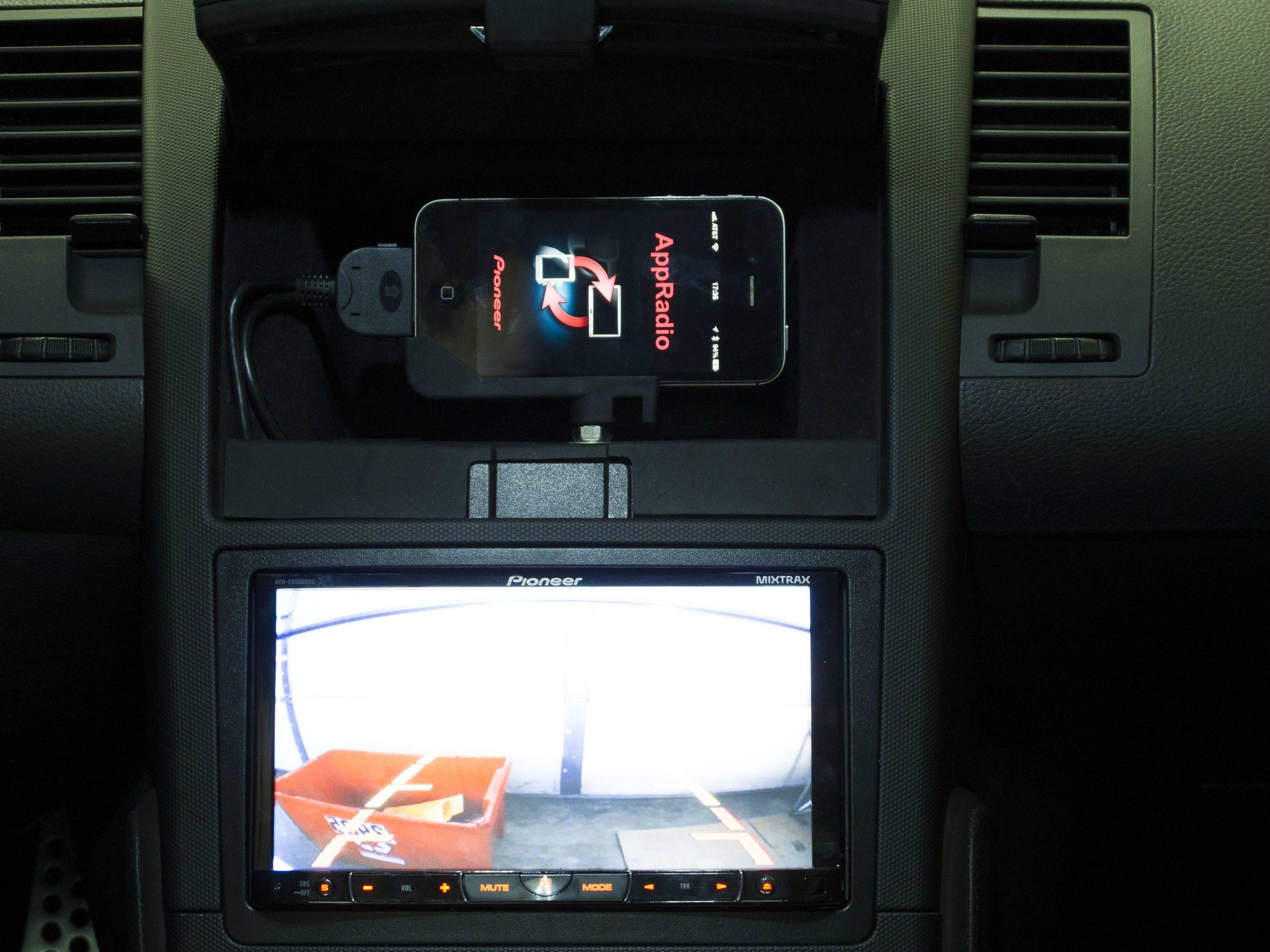
I think you can find the stock unit on ebay or something that is modified to have an aux port in it. If you're looking for another solution though I would highly recommend the Pioneer Appradio. With a little bit of work you can fully integrate your smartphone with your system. It can give you the ability to display your smartphone on the unit and interact with the unit on it's large screen and have access to everything you normally would on your phone. I've completed my install which looks very much like the one below. It's almost like a carputer, but it's far more useful and flexible.
I have the appradio mode in my head, but I can't figure out how to get it to play music off the usb or SD while I'm using nav on my phone...
The only way I can get it to play music at the same time is to use pandora.
The only way I can get it to play music at the same time is to use pandora.
New Member
Joined: Jul 2012
Posts: 157
Likes: 1
From: CT
I rooted my Android phone and use ARliberator to see exactly what I see on my phone, if you have an iPhone I believe you have to jailbreak it and figure however that works out. But once you can do that, you can just load your music onto your phone and play it locally on there.

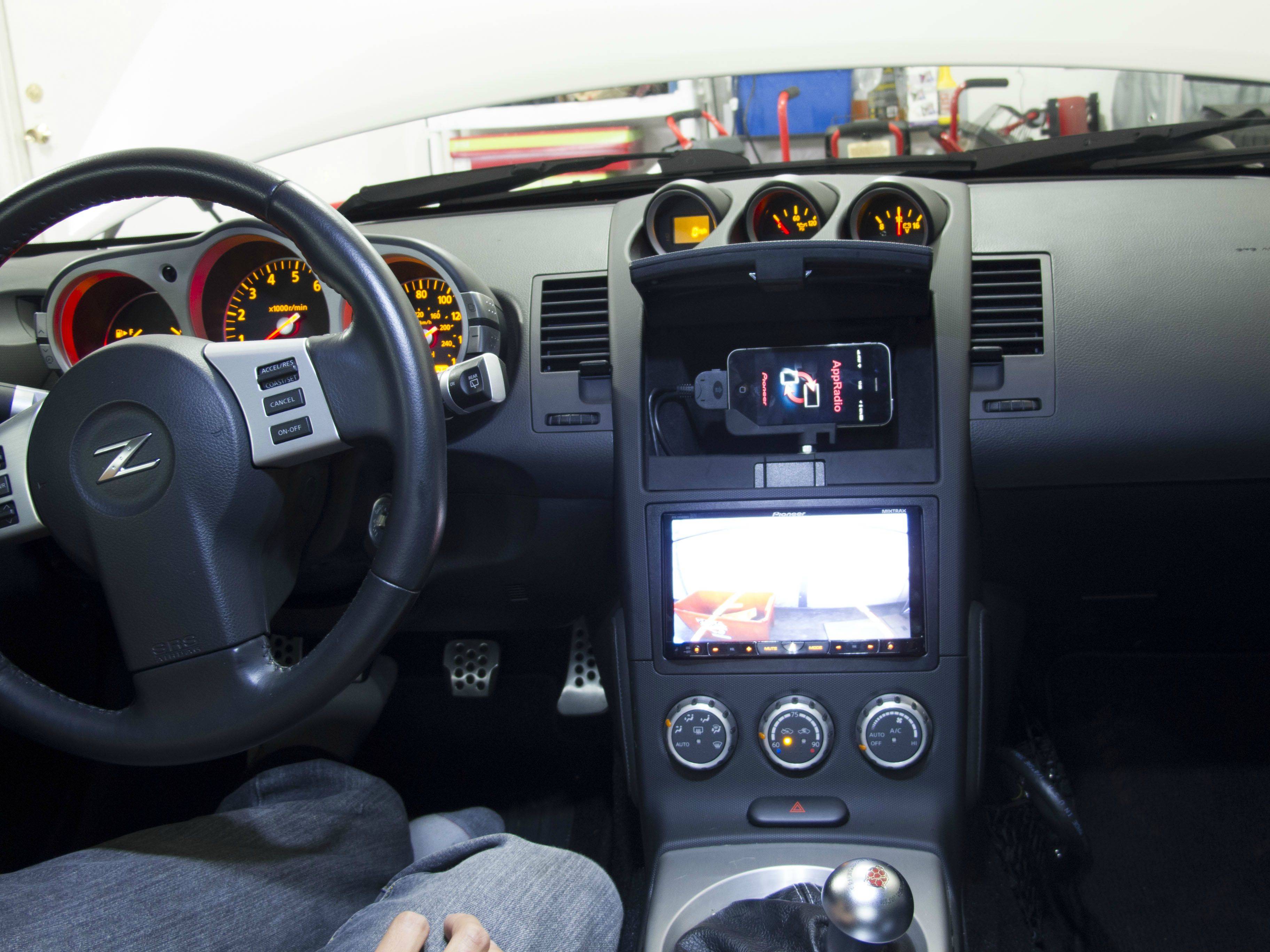
I rooted my Android phone and use ARliberator to see exactly what I see on my phone, if you have an iPhone I believe you have to jailbreak it and figure however that works out. But once you can do that, you can just load your music onto your phone and play it locally on there.
I have that and it still wont do it...
And I don't have any music on my phone. I have a 16gb phone and about 100gb of music. It wont all fit. So if I want to listen to music on my phone I use webaccess to my HDD at home or I listen to Pandora.
Otherwise I use the SD card and a couple USB sticks in the car.
And I don't have any music on my phone. I have a 16gb phone and about 100gb of music. It wont all fit. So if I want to listen to music on my phone I use webaccess to my HDD at home or I listen to Pandora.
Otherwise I use the SD card and a couple USB sticks in the car.
I have that and it still wont do it...
And I don't have any music on my phone. I have a 16gb phone and about 100gb of music. It wont all fit. So if I want to listen to music on my phone I use webaccess to my HDD at home or I listen to Pandora.
Otherwise I use the SD card and a couple USB sticks in the car.
And I don't have any music on my phone. I have a 16gb phone and about 100gb of music. It wont all fit. So if I want to listen to music on my phone I use webaccess to my HDD at home or I listen to Pandora.
Otherwise I use the SD card and a couple USB sticks in the car.
There's a setting under system called "App Sound Mixing." You need to turn it on in order to get music playing in app mode.

Thread
Thread Starter
Forum
Replies
Last Post
