
Notices
Photoshop Make request or post your chops here.

Just a lil something.

Thread Tools
 
Search this Thread
 
Old Oct 16, 2005 | 06:42 PM
  #1  
MyV6IsFast3r's Avatar
MyV6IsFast3r
Thread Starter
New Member
20 Year Member
Liked
iTrader: (38)
 
Joined: Sep 2004
Posts: 5,348
Likes: 4
From: Ohio
Default Just a lil something.

So I havent had photoshop that long and I been slowly learning. Here's is something i did. I can't figure out how to isolate an object like, just the car so I had to use a bruch thing on all of that to get just the background black and white. I like little changes, so nothing i do is going to be all out. Can someone tell me how to just isolate an object though so I dont have to use a brush around everything...
Attached Thumbnails Just a lil something.-100_19369.jpg  
Reply
Old Oct 16, 2005 | 08:44 PM
  #2  
MyV6IsFast3r's Avatar
MyV6IsFast3r
Thread Starter
New Member
20 Year Member
Liked
iTrader: (38)
 
Joined: Sep 2004
Posts: 5,348
Likes: 4
From: Ohio
Default

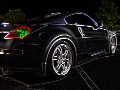
Here's 2 of my car. I like the black and white theme with some color. One thing I hate is how the PICS get messed up when I resize them. Grrr, anyways I like the one with the yellow lines the best.
Attached Thumbnails Just a lil something.-picture-082a.jpg   Just a lil something.-picture-127a.jpg   Just a lil something.-picture-086a.jpg  

Last edited by MyV6IsFast3r; Oct 16, 2005 at 09:00 PM.
Reply
Old Oct 16, 2005 | 09:07 PM
  #3  
Vamos_Rafael's Avatar
Vamos_Rafael
Registered User
iTrader: (18)
 
Joined: Aug 2005
Posts: 1,072
Likes: 0
From: Villanova University
Default

Originally Posted by MyV6IsFaster
Here's 2 of my car. I like the black and white theme with some color. One thing I hate is how the PICS get messed up when I resize them. Grrr, anyways I like the one with the yellow lines the best.
nice
the yellow line one is nice
u photo shop the rims?
gfg
Reply
Old Oct 16, 2005 | 10:52 PM
  #4  
hndumafia's Avatar
hndumafia
New Member
iTrader: (10)
 
Joined: Mar 2003
Posts: 3,965
Likes: 5
From: Miami
Default

you can isolate an object by using the magic wand or the lasso tools. once you have selected the car, inverse and then make the selected portion (everything except what you originally selected) b&w. i'm no ps expert, so there may be a better way, but that is how i have done it.
Reply
Old Oct 16, 2005 | 11:08 PM
  #5  
MyV6IsFast3r's Avatar
MyV6IsFast3r
Thread Starter
New Member
20 Year Member
Liked
iTrader: (38)
 
Joined: Sep 2004
Posts: 5,348
Likes: 4
From: Ohio
Default

Hey, thanks, but I don't think I have the lasso tool on the PS. I don't think I did too bad for not working with PS for like 7 years.
Reply
Old Oct 17, 2005 | 05:18 AM
  #6  
hndumafia's Avatar
hndumafia
New Member
iTrader: (10)
 
Joined: Mar 2003
Posts: 3,965
Likes: 5
From: Miami
Default

no lasso tool? what version of ps are you working with? i know it has been around since at least version 5, and i'd suspect even before that. do you have the magic wand? if so you can use that to isolate an image also, it's just more difficult to select what you want.
Reply
Old Oct 17, 2005 | 04:21 PM
  #7  
need Z's Avatar
need Z
Registered User
 
Joined: Mar 2005
Posts: 1,176
Likes: 0
From:
Default

Originally Posted by hndumafia
you can isolate an object by using the magic wand or the lasso tools. once you have selected the car, inverse and then make the selected portion (everything except what you originally selected) b&w. i'm no ps expert, so there may be a better way, but that is how i have done it.
+1

That's how I always do it. Don't forget to zoom in as well.
Reply
Old Oct 18, 2005 | 06:34 AM
  #8  
MyV6IsFast3r's Avatar
MyV6IsFast3r
Thread Starter
New Member
20 Year Member
Liked
iTrader: (38)
 
Joined: Sep 2004
Posts: 5,348
Likes: 4
From: Ohio
Default

JASC Paint SHop Pro 8. Does that help?
Reply
Old Oct 18, 2005 | 10:37 AM
  #9  
hndumafia's Avatar
hndumafia
New Member
iTrader: (10)
 
Joined: Mar 2003
Posts: 3,965
Likes: 5
From: Miami
Default

oh okay. i thought you were working with Adobe Photoshop.
Reply
Old Oct 23, 2005 | 09:17 AM
  #10  
need Z's Avatar
need Z
Registered User
 
Joined: Mar 2005
Posts: 1,176
Likes: 0
From:
Default

Can you take a screenshot of the tools it gives you to work with?
Reply
Old Oct 23, 2005 | 02:48 PM
  #11  
MyV6IsFast3r's Avatar
MyV6IsFast3r
Thread Starter
New Member
20 Year Member
Liked
iTrader: (38)
 
Joined: Sep 2004
Posts: 5,348
Likes: 4
From: Ohio
Default

^^ I don't have any idea how to do that or I would. I found the lasso, but it only does sections, not the whole car.
Reply
Old Oct 23, 2005 | 02:54 PM
  #12  
need Z's Avatar
need Z
Registered User
 
Joined: Mar 2005
Posts: 1,176
Likes: 0
From:
Default

there should be a "prntsc" button on your keyboard. Usually pressing Ctrl + printscreen will copy it....

go to MS paint or somewhere and paste it

lasso is what we all use... not sure i follow the question
Reply
Old Oct 27, 2005 | 05:14 PM
  #13  
MyV6IsFast3r's Avatar
MyV6IsFast3r
Thread Starter
New Member
20 Year Member
Liked
iTrader: (38)
 
Joined: Sep 2004
Posts: 5,348
Likes: 4
From: Ohio
Default

There. That's what happens when I try to use that tool, it wont do the whole car.
Attached Thumbnails Just a lil something.-untitled.jpg  
Reply
Old Oct 27, 2005 | 06:47 PM
  #14  
hndumafia's Avatar
hndumafia
New Member
iTrader: (10)
 
Joined: Mar 2003
Posts: 3,965
Likes: 5
From: Miami
Default

is that tool the magic wand or lasso? either way you have to make sure to select all the parts. it doesn't just select the entire car at once.
Reply
Old Oct 27, 2005 | 09:23 PM
  #15  
MyV6IsFast3r's Avatar
MyV6IsFast3r
Thread Starter
New Member
20 Year Member
Liked
iTrader: (38)
 
Joined: Sep 2004
Posts: 5,348
Likes: 4
From: Ohio
Default

Yeah I tried, there is always something I miss, you have to click like a million parts of the car and even then sometimes it goes outside of the car... I hate it.
Reply
Old Oct 31, 2005 | 10:44 AM
  #16  
need Z's Avatar
need Z
Registered User
 
Joined: Mar 2005
Posts: 1,176
Likes: 0
From:
Default

That is the Magic Wand. I don't see a lasso tool on there, though.

Using the Magic Wand, you'll have to adjust the tolerance. Making the number smaller will allow less of the colors close (around the one you clicked on) to it to be selected.

...if that makes sense. If not I'll try to explain it a bit better later on. Dealing with the wake of Wilma right now... no power.... Checking in and out at work when I can.
Reply
Related Topics
Thread
Thread Starter
Forum
Replies
Last Post
dboyzalter
North East Marketplace
15
May 6, 2018 09:41 AM
416blueZ
New Owners
10
Sep 25, 2015 10:00 AM
roadmax
Exterior & Interior
3
Sep 12, 2015 05:55 PM
Daniel_dh
Maintenance & Repair
3
Sep 7, 2015 12:56 PM
SoCalKid86
Intake Exhaust
126
Jul 24, 2003 11:20 PM


All times are GMT -8. The time now is 01:03 PM.