Notices
Photoshop Make request or post your chops here.

Tranparent / See thru hood

Thread Tools
 
Search this Thread
 
Old Mar 24, 2006 | 08:59 PM
  #1  
Ed 718's Avatar
Ed 718
Thread Starter
BRAVEHEART
Premier Member
iTrader: (32)
 
Joined: Feb 2004
Posts: 8,830
Likes: 3
From: PRODUCT OF BROOKLYN 718 USA
Default Tranparent / See thru hood

Can someone walk me thru the steps to PS a see thru hood.I already have the two pics taken with the hood open and closed. I also want PS a side pic of the Z with the door closed and opened to see the ZR ventilated seats.
Reply
Old Mar 24, 2006 | 09:52 PM
  #2  
Bubble's Avatar
Bubble
-REPLICA ARMY-
Premier Member
iTrader: (50)
 
Joined: Oct 2004
Posts: 10,067
Likes: 1
From: Yorba Linda, CA
Default

open the "open hood". Paste the "close hood" then erase the "close hood". i think it should be the same concept with this

http://www.digimods.co.uk/tutorials/...edgraphics.htm

but do the step reverse?
Reply
Old Mar 24, 2006 | 09:58 PM
  #3  
xziteme's Avatar
xziteme
Registered User
iTrader: (3)
 
Joined: Mar 2004
Posts: 282
Likes: 0
From: cRuz'N da hiLLz oF aNahEim!
Default

Goes a 'lil something like dis...

1. Using the "Rectangular marquee tool" block out the pic of the hood closed and press CTRL-C.
2. Open the pic w/ the hood open and create a new layer (SHIFT-CTRL-N).
3. Paste the pic of the hood closed onto the new layer (CTRL-V).
4. Using the "Eraser tool", start off w/ the opacity set @ 50% and start erasing the hood. You'll see the engine bay coming through.
5. Play around w/ the opacity and different brushes until you get the effect you want.
6. Pop open a cold one and enjoy!

Do the same with the side pic of the Z to show the ventilated seats!
Reply
Old Mar 24, 2006 | 10:02 PM
  #4  
Ed 718's Avatar
Ed 718
Thread Starter
BRAVEHEART
Premier Member
iTrader: (32)
 
Joined: Feb 2004
Posts: 8,830
Likes: 3
From: PRODUCT OF BROOKLYN 718 USA
Default

Ok guys let me try the steps above......Oh wait I saw the pics of your hood like that with the chrome cover and that is what I am exactly trying to do.
Reply
Old Mar 24, 2006 | 10:13 PM
  #5  
xziteme's Avatar
xziteme
Registered User
iTrader: (3)
 
Joined: Mar 2004
Posts: 282
Likes: 0
From: cRuz'N da hiLLz oF aNahEim!
Default

Post up the pics when your done!
Reply
Old Mar 24, 2006 | 10:18 PM
  #6  
Ed 718's Avatar
Ed 718
Thread Starter
BRAVEHEART
Premier Member
iTrader: (32)
 
Joined: Feb 2004
Posts: 8,830
Likes: 3
From: PRODUCT OF BROOKLYN 718 USA
Default

Ahhhh I tried it but it looked nothing like the ones you posted....grrrrr. The one you posted looked like the blending was just perfect but mine looked crappy. I should just post the pics and maybe you can do the magic....
Reply
Old Mar 24, 2006 | 10:35 PM
  #7  
Ed 718's Avatar
Ed 718
Thread Starter
BRAVEHEART
Premier Member
iTrader: (32)
 
Joined: Feb 2004
Posts: 8,830
Likes: 3
From: PRODUCT OF BROOKLYN 718 USA
Default

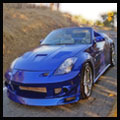
Ok here is the two shots I have to work with. Although this will not be a final shot as the hood will be painted lemans soon I want to get a idea on how to do this

Reply
Old Mar 24, 2006 | 10:43 PM
  #8  
Ed 718's Avatar
Ed 718
Thread Starter
BRAVEHEART
Premier Member
iTrader: (32)
 
Joined: Feb 2004
Posts: 8,830
Likes: 3
From: PRODUCT OF BROOKLYN 718 USA
Default

The pics are kinda crappy ( I'm at work ) but when I get the hood painted Lemans I really want to learn how to do this.
Reply
Old Mar 24, 2006 | 11:14 PM
  #9  
trehlo's Avatar
trehlo
Registered User
 
Joined: Nov 2005
Posts: 26
Likes: 0
From: Jersey/TN.
Default


Open Photoshop.

Open both files.

Drag the closed hood photo into the open hood file.

Line up the images. Snap to document bounds works nicely for this.

Adjust the opacity accordingly.

Duplicate the closed hood layer

Turn the opacity back up to 100%

Erase the area inside the hood to cover up any open hood parts that are showing through the first layer because of the lower opacity

Save As

Done


Seems like more than it is. Shouldn't take more than a minute max.

-Dennis

Last edited by trehlo; Mar 24, 2006 at 11:22 PM.
Reply
Old Mar 24, 2006 | 11:18 PM
  #10  
Ed 718's Avatar
Ed 718
Thread Starter
BRAVEHEART
Premier Member
iTrader: (32)
 
Joined: Feb 2004
Posts: 8,830
Likes: 3
From: PRODUCT OF BROOKLYN 718 USA
Default

Thanks Dennis
Reply
Old Mar 25, 2006 | 12:21 AM
  #11  
Vick781's Avatar
Vick781
Registered User
 
Joined: Aug 2005
Posts: 4,585
Likes: 2
From: Anaheim Hills, CA
Default

here is my try


Last edited by Vick781; Mar 25, 2006 at 01:43 AM.
Reply
Old Mar 25, 2006 | 01:32 AM
  #12  
bhk1004's Avatar
bhk1004
Registered User
iTrader: (6)
 
Joined: Oct 2003
Posts: 1,653
Likes: 0
From: New Jersey
Default

wow... thats awesome... a residual hood when you open the hood up. =P u need ps lessons but then again I wouldnt even be able to do what you just did so ill shut up now.
Reply
Old Mar 25, 2006 | 02:56 AM
  #13  
Netko350Z's Avatar
Netko350Z
Registered User
iTrader: (8)
 
Joined: Dec 2004
Posts: 10,033
Likes: 7
From: Pennsylvania
Default

vick--

you need to switch the layers. Lock the one with the hood open as the bottom one.
Reply
Old Mar 25, 2006 | 07:33 AM
  #14  
xziteme's Avatar
xziteme
Registered User
iTrader: (3)
 
Joined: Mar 2004
Posts: 282
Likes: 0
From: cRuz'N da hiLLz oF aNahEim!
Default

Here you go Ed,


Keep on playing around w/ the opacity and the brushes...you'll get it.
Reply
Old Mar 25, 2006 | 07:36 AM
  #15  
Bubble's Avatar
Bubble
-REPLICA ARMY-
Premier Member
iTrader: (50)
 
Joined: Oct 2004
Posts: 10,067
Likes: 1
From: Yorba Linda, CA
Default

nice. I'll try mine later. Thanks for all the tips guys.
Reply
Old Mar 25, 2006 | 07:37 AM
  #16  
Netko350Z's Avatar
Netko350Z
Registered User
iTrader: (8)
 
Joined: Dec 2004
Posts: 10,033
Likes: 7
From: Pennsylvania
Default

swap a Viper motor??

Reply
Old Mar 25, 2006 | 08:38 AM
  #17  
Bubble's Avatar
Bubble
-REPLICA ARMY-
Premier Member
iTrader: (50)
 
Joined: Oct 2004
Posts: 10,067
Likes: 1
From: Yorba Linda, CA
Default

Reply
Old Mar 25, 2006 | 12:50 PM
  #18  
Ed 718's Avatar
Ed 718
Thread Starter
BRAVEHEART
Premier Member
iTrader: (32)
 
Joined: Feb 2004
Posts: 8,830
Likes: 3
From: PRODUCT OF BROOKLYN 718 USA
Default

Originally Posted by xziteme
Here you go Ed,
Keep on playing around w/ the opacity and the brushes...you'll get it.
Wow that looks great...
Reply
Related Topics
Thread
Thread Starter
Forum
Replies
Last Post
BEBO'S ZEE
SoCal Marketplace
12
Jun 7, 2016 07:48 AM
EnjukuRacing
Misc.
0
Sep 23, 2015 07:27 AM
jdmctrek
Exterior
2
Sep 17, 2015 03:13 PM
Wu-Watt
East Canada
0
Sep 12, 2015 07:31 AM


All times are GMT -8. The time now is 07:12 AM.