


couple questions post-sub/amps install


 couple questions post-sub/amps install
I just installed a sub and 2 amps into my Z, one amp for the sub and one for the front door speakers, everything works great except I have 2 questions/issues. First, I built a little shelf thing to stack my amps on and placed them in the compartment behind the drivers seat, there is about a 2 inch gap between the amps to try to help with getting some air between them from getting too hot, but do you think they will overheat in there since there isn't really any circulation back there? Also, my drivers side door speaker (only) is whining and I'm pretty sure that it's because there must be power running along side the speaker wire causing interference, I ran the wires from the door then behind the little rubber molding at the front of the door opening and under the carpet along drivers side door sill then up behind the plastic panel that covers the seat belt stuff and into the compartment where my amps are behind the drivers seat. Anyone know of any wires along that path that would cause interference or do you think it could be my power wire getting too close to the speaker wire behind the amp? I have my power wire run through the center console along with the RCA's and the remote wire, does that sound OK?
sorry for it being kinda long in description, just trying to create the best mental picture i can for you since i don't have any actual pics taken and wont have time till at least tuesday to get any.
sorry for it being kinda long in description, just trying to create the best mental picture i can for you since i don't have any actual pics taken and wont have time till at least tuesday to get any.


The whine is not being introduced into your speaker level cables - have a look at your line level ones. A quick check is to flip the left and right RCA cables to see if the problem follows or stays in that same door.
Speaker level signals are way too big to pick up interference.
The amplifiers ought to be just fine. I did the math for the enclosed cubby and came up with something stupid loud like 750 watts continous before the thing would hit 140 degrees. I've had mine stuffed in the stock subwoofer location for three years now - there's a tiny fan (60 mm) which blows just a bit of air out the old speaker grill just fine.

Mine are very close to each other.

Bling bling lighting.

Speaker level signals are way too big to pick up interference.
The amplifiers ought to be just fine. I did the math for the enclosed cubby and came up with something stupid loud like 750 watts continous before the thing would hit 140 degrees. I've had mine stuffed in the stock subwoofer location for three years now - there's a tiny fan (60 mm) which blows just a bit of air out the old speaker grill just fine.
Mine are very close to each other.
Bling bling lighting.

I tried flipping the cables like you said and the noise switched sides, so it must be how i have the RCA's running along the power cable in my center console, i didn't think it would be that because it seems wierd that it would only affect one side and not the other since my RCA's are bundled together. I guess first step to trying to get that resolved is going to be taking off the center console and running my RCA's down the opposite side from the power and see if that helps, thanks for the troubleshooting tip.
As for the amps, thanks for the answer to whether or not they will overheat, at full power my amps would be putting out roughly 650 watts RMS combined, you think i should wire in a fan to help keep the air circulating in there or just wait to see what happens with em?
As for the amps, thanks for the answer to whether or not they will overheat, at full power my amps would be putting out roughly 650 watts RMS combined, you think i should wire in a fan to help keep the air circulating in there or just wait to see what happens with em?
Well this weekend I took the car back apart and looked into the whining noise a little more, moved some wires around, nothing seemed to help much though. Now my RCA's are along the drivers side of the center console, passenger speaker wire are along the passenger side of the center console, driver speaker wire is along driver side door floor, power is along passenger side floor, and nothing is next to each other for more than a couple inches. I also cleaned up the wires behind my HU because they were a mess before, is there anything else that could be causing this whine in my left channel RCA? a bad ground somewhere? I have no idea, any other suggestions? I'm using the Kicker 05ck44 wiring kit and using 2 of the channels for my sub and 2 for my front door speakers, could the sub signal be interfering with the door speaker signal or something?

Can you take a pic of your amp ground location?
What RCA set are you using? It does seem odd that it's only in 1 channel. Did you have the power disconnected at the battery while running your RCA's?
What RCA set are you using? It does seem odd that it's only in 1 channel. Did you have the power disconnected at the battery while running your RCA's?
I'm using the kicker 05ck44 RCA's from the kit, not sure if i had the power disconnected while connecting the RCA's, but the amp wasn't on when i connected them, i know that for sure. My amp ground location is back in that cubby behind the drivers seat, i just punched a small hole in the metal, sanded away the primer, and screwed in a wood screw with a washer, It shuoldn't be too hard to get a pic for ya, i'll post a few up asap.
Trending Topics
OK, the RCA's may be cheapy ones, meaning not very well shielded. Or they may be real nice. Does it say on the sheathing what the shield % is? Sometimes it's stamped on there.
The ground of the amps sound like you did a pretty good job by your description. Maybe snap a pic if it's not a big deal anyway just so I can get a better visual.
The ground of the amps sound like you did a pretty good job by your description. Maybe snap a pic if it's not a big deal anyway just so I can get a better visual.
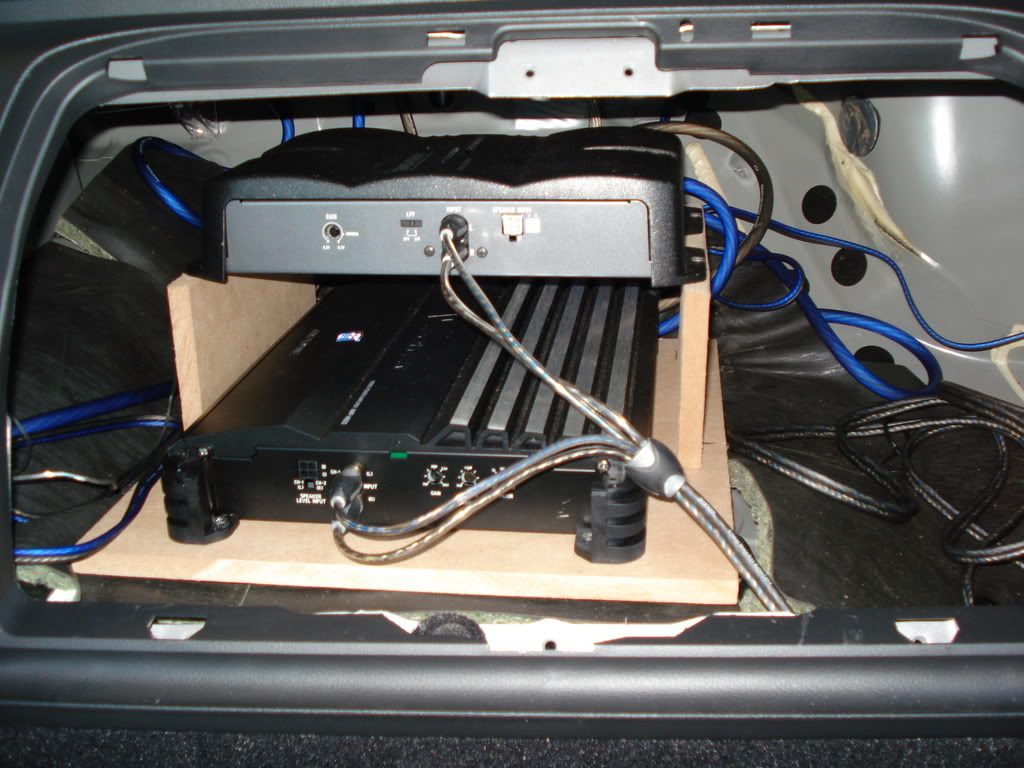
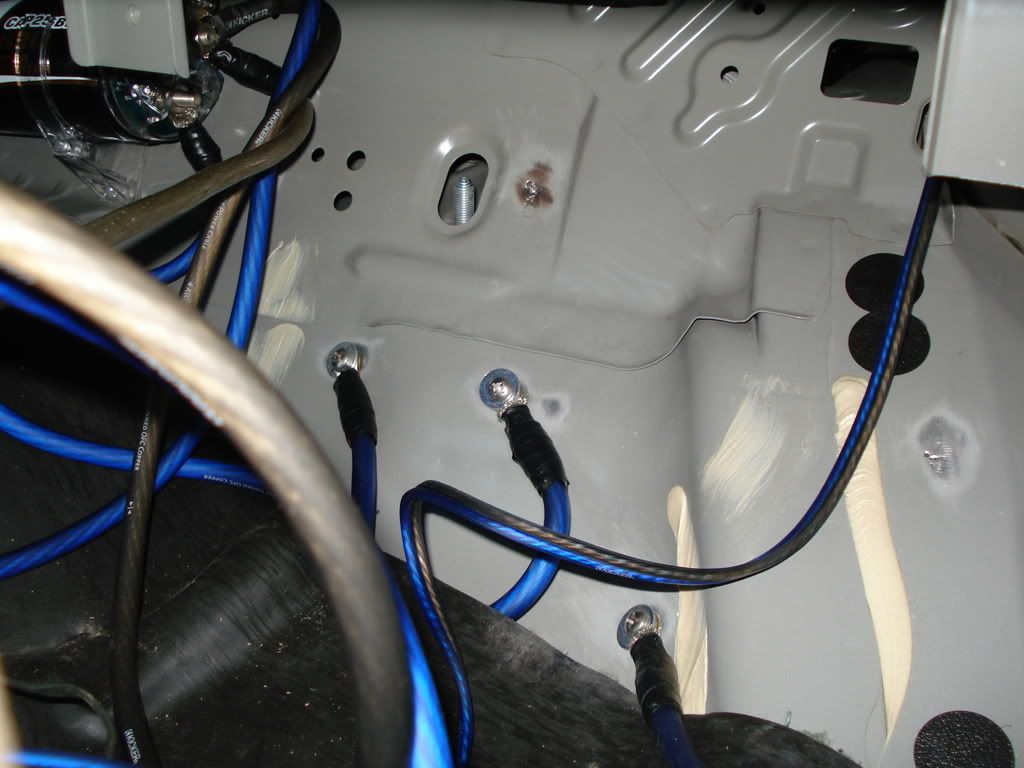
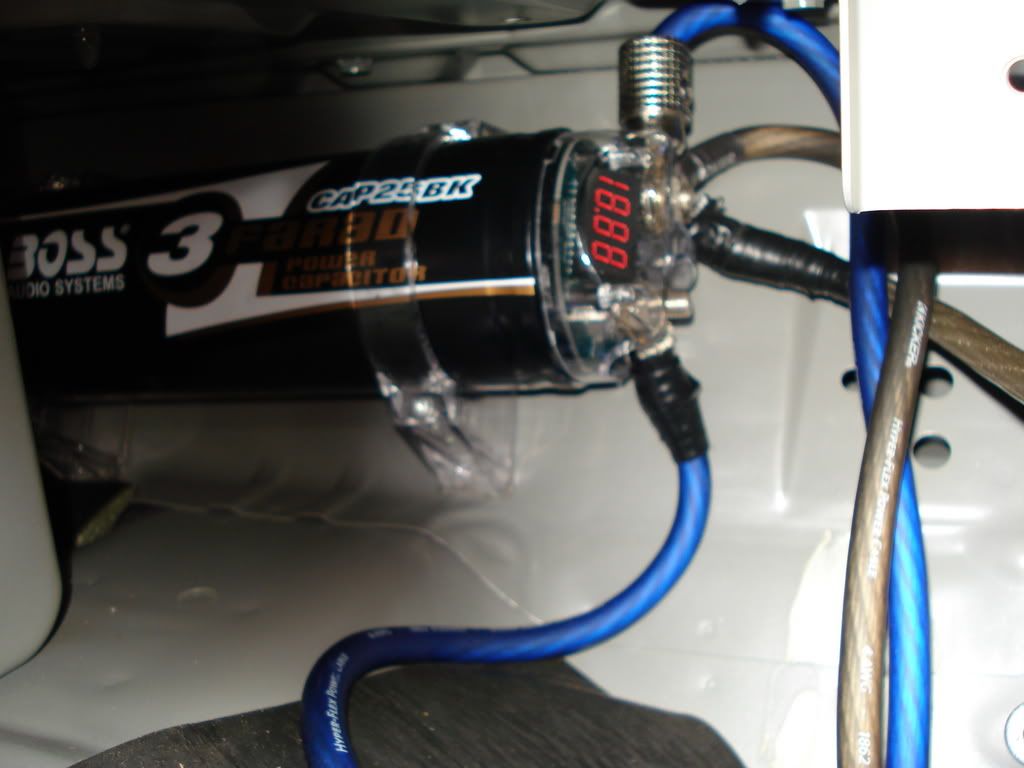
I had the RCA's completely out of the compartment over the weekend and away from any other wires and still had the whine in the left channel, that can't be the cause, I did have them a lot more organized back there but messing with it over the weekend it got a little messy back there.
hmmmm.....
If you switched the rca's and the problem did NOT move, I would have said you probably grounded out your speaker wire.....but since the problem moved it is definitely in either the rca's or the headunit. I know it would be a pain in the a$$ but can you switch the left and right channels behind the headinut? see if the problem moves then. that will eliminate either the headunit or the rca's as the problem.
If you switched the rca's and the problem did NOT move, I would have said you probably grounded out your speaker wire.....but since the problem moved it is definitely in either the rca's or the headunit. I know it would be a pain in the a$$ but can you switch the left and right channels behind the headinut? see if the problem moves then. that will eliminate either the headunit or the rca's as the problem.
actually, my headunit is taken out right now and i'm getting a replacement due to a scratch i put on the screen during the install (helps to have friends with connections  ) so tomorrow when i get the new one i'll check what happens with the RCA's if i switch them around from the HU.
) so tomorrow when i get the new one i'll check what happens with the RCA's if i switch them around from the HU.
Well if the problem was in the headunit, the noise should go away with the new unit. If the noise is still there then you are definitely picking up noise in your rca's. Keep us posted with your findings when the new unit is installed.

well I got the new HU today and installed everything, and it's still doing it so i guess Driven1 has about the most logical response as to what is wrong, pretty much totally narrowed it down to being the RCA's and they have no other wires near them, so it must just be a bad RCA cable i guess.

Thread
Thread Starter
Forum
Replies
Last Post


