


first time editing...


 first time editing...
whats up, i recently took some pics and attmpted to edit them lol. tell me what you think! unfortunately they look way better in photoshop than they do on here, any ideas why?? the third one doesn't have too much editing, but i was messing around with some effects and came up with the fourth one, i like em both. anyway, thanks for looking.

Registered User
Joined: Oct 2005
Posts: 4,554
Likes: 2
From: TEXAS
not bad, can you view a histogram on your camera, it would be wise to see what the graph shows, so you can avoid those underexposures.
It would also be useful while editing.
You did good with the 3rd one, just a bit of defining lines is missing
It would also be useful while editing.
You did good with the 3rd one, just a bit of defining lines is missing
Originally Posted by MagicPie
not bad, can you view a histogram on your camera, it would be wise to see what the graph shows, so you can avoid those underexposures.
It would also be useful while editing.
You did good with the 3rd one, just a bit of defining lines is missing
It would also be useful while editing.
You did good with the 3rd one, just a bit of defining lines is missing
 on the first one i tried to mess with the histogram in curves on photoshop, but like i said i dont know what im doing so it was kinda my experiment haha.
i thought the same about the fourth one, probably why i like it too lol.
Last edited by blackz7887; Sep 27, 2007 at 09:15 PM.
Registered User
Joined: Oct 2005
Posts: 4,554
Likes: 2
From: TEXAS
When it comes to editing, I dont know too much, prehaps you have a color profile for your program loaded, I believe you want a internet color profile running to avoid a difference between the editor and whats posted.
The d40 does have a histogram, learn to understand it. Its helpful see what the you actually photographed, rather then a small image on the display. This will be helpful, when you try to get artsy.
I do like you pictures though
The d40 does have a histogram, learn to understand it. Its helpful see what the you actually photographed, rather then a small image on the display. This will be helpful, when you try to get artsy.
I do like you pictures though
Originally Posted by MagicPie
When it comes to editing, I dont know too much, prehaps you have a color profile for your program loaded, I believe you want a internet color profile running to avoid a difference between the editor and whats posted.
The d40 does have a histogram, learn to understand it. Its helpful see what the you actually photographed, rather then a small image on the display. This will be helpful, when you try to get artsy.
I do like you pictures though
The d40 does have a histogram, learn to understand it. Its helpful see what the you actually photographed, rather then a small image on the display. This will be helpful, when you try to get artsy.
I do like you pictures though
 i guess i better learn to read the histogram
 thanks for the responses! here's another one, i thought the location was cool. same as #2...
Registered User
Joined: Oct 2005
Posts: 4,554
Likes: 2
From: TEXAS
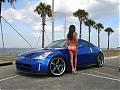
well black car, dark surroundings, kinda have to rely solely on the graph.
You found some great locations, and I like your composition, maybe could of shift more to the left to give the Z some front spacing and shown some foreground
IMO much better then most photos on here, with there pointless camera angles and all
You found some great locations, and I like your composition, maybe could of shift more to the left to give the Z some front spacing and shown some foreground
IMO much better then most photos on here, with there pointless camera angles and all
Trending Topics
does this look better, i messed with it a little more. it so hard to tell because i have no idea how it comes up on everyone else's monitors... mine only looked slightly underexposed but at work you could barely see it. i also tried some of the auto features on the second one, what do you think??
Last edited by blackz7887; Sep 29, 2007 at 01:10 AM.
Registered User
Joined: Oct 2005
Posts: 4,554
Likes: 2
From: TEXAS
The first shot, is too underexposed to give it any comment, you got the background, but missed the subject. Although if you had some soft lighting on the left of the car, it would of really come out great-- but shots like that with natural light are tough, so you did a good job considering.
Second shot is much brighter, but it looks forced and awkward-- I dont know enough about editing programs to tell whats your problem.
I do like your composition, which is far more important then exposure--that just takes time to learn. My advice is work on exposure and learn your histogram reading, then playing around with a editor will leave you more room to play around with.
Second shot is much brighter, but it looks forced and awkward-- I dont know enough about editing programs to tell whats your problem.
I do like your composition, which is far more important then exposure--that just takes time to learn. My advice is work on exposure and learn your histogram reading, then playing around with a editor will leave you more room to play around with.

Most image/photo editors have exposure and highlight/shadow adjustments. When adjusting the shadows, I try and show some of the grill and tires at the wheel well, but in the end, it's all up to you on how you process your pics. You might like the darker, moodier look of an underexposed shot, some others might disagree. But really, in the end, you may like chocolate, and I may like vanilla better.
I posted some processing threads, so you might want to go through those.
I posted some processing threads, so you might want to go through those.
Last edited by ctwentytwo; Sep 29, 2007 at 10:30 PM.

Originally Posted by ryanmac516
i really like what you did with your headlights
thanks for the comments/advice everyone, only thing to do now is practice! its fun anyway so im not complaining yet lol

I did a little of work on this one since is the one I like the most. There is some noise due to not being a high resolution pick though. A little advice. In a picture like that, try to get the car to be on the light side so it shows the details of the car also, not just a "hole" in the picture.

Thread
Thread Starter
Forum
Replies
Last Post
Colombo
Forced Induction
35
Nov 9, 2020 10:27 AM

