


NAV System Wanted????


 NAV System Wanted????
Well as the title states I would like to get some sort of NAV system in my car soon. I want to have it fitin the cubby of my 03. So what systems are available to do this type of job and what have others done? I was looking at hooking up a farenheit 7000 screen and using it to watch dvd's and stuff through a PS2. But the NAV thing intrigued me so I am looking at a system that I can hook up that would work with a screen in the cubby as well as some way to play DVD's. I just want to maintain my factory HU. I really just like the stock look of the dash.
THANX
THANX

New Member


Joined: Dec 2006
Posts: 7,337
Likes: 204
From: Edina, Minnesota
The Garmin GVN52 might be exactly what you are looking for.
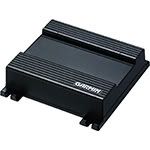
This is a hideaway unit that will fit in the rear cubby behind the driver’s seat. The unit comes with RF wireless remote control (i.e., the remote doesn’t need to “see” the Garmin box so you can hide the GVN52 box).
You can look at the unit's specifications here:
http://www.garmin.com/products/gvn52/
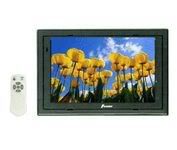
And it works great with Farenheit LCD screens.
--Spike
PS-- I am having an awful time trying to navigate this site. If you respond and I don't answer, it is only because the site isn't working as it should.
This is a hideaway unit that will fit in the rear cubby behind the driver’s seat. The unit comes with RF wireless remote control (i.e., the remote doesn’t need to “see” the Garmin box so you can hide the GVN52 box).
You can look at the unit's specifications here:
http://www.garmin.com/products/gvn52/
And it works great with Farenheit LCD screens.
--Spike
PS-- I am having an awful time trying to navigate this site. If you respond and I don't answer, it is only because the site isn't working as it should.
Wow This is a more expensive route then I wanted to take is this the only option that is available. I noticed that this would not work with a touchscreen if i wanted to upgrade to one.
THANX
THANX
New Member
Joined: Dec 2006
Posts: 7,337
Likes: 204
From: Edina, Minnesota
Originally Posted by striker27
Well as the title states I would like to get some sort of NAV system in my car soon. I want to have it fitin the cubby of my 03. So what systems are available to do this type of job and what have others done? I was looking at hooking up a farenheit 7000 screen and using it to watch dvd's and stuff through a PS2. But the NAV thing intrigued me so I am looking at a system that I can hook up that would work with a screen in the cubby as well as some way to play DVD's. I just want to maintain my factory HU. I really just like the stock look of the dash.
Originally Posted by striker27
Wow This is a more expensive route then I wanted to take is this the only option that is available. I noticed that this would not work with a touchscreen if i wanted to upgrade to one.
Re> “Wow This is a more expensive route then I wanted to take is this the only option that is available.” Actually, the Garmin GVN52 costs less than most of the alternatives. If you shop, you can buy this unit for less than $500. You can buy a Farenheit for around $100 (I bought one for $89). Comparing this cost to anything else you can get (and the fact that it is stealth and looks totally OEM), it is an incredible value that looks great and works as good or better than anything else you can buy.
I think I may have missed what you were asking. --Spike

I never looked at the price other then the msrp. SO it did look expensive. I am trying to decide between a few things and have been looking at getting a car pc but am not sure I will use it much. I am minutes from work really so I dont see the benefit of it with the boot up time. Still if I went that route I would probably eventually buy a touch screen. It would be nice to have a gps device that would operate from one as well.
I notice that this system uses some sort of a remote device, is it a relatively easy to use system or is it problematic. I have used garmin products alot in the boat as well as a few hand helds, but dont know how they work by way of a remote. Any ideas??? I havent been able to find many reviews..
This does look like a steathy install though!!!!
I notice that this system uses some sort of a remote device, is it a relatively easy to use system or is it problematic. I have used garmin products alot in the boat as well as a few hand helds, but dont know how they work by way of a remote. Any ideas??? I havent been able to find many reviews..
This does look like a steathy install though!!!!

Trending Topics
New Member
Joined: Dec 2006
Posts: 7,337
Likes: 204
From: Edina, Minnesota
Originally Posted by BootieMAN
Any feedback on this unit? Good? Bad?
Actually, the fact that the GVN52 is based in the Nuvi could have been a compromise since the Nuvi series goes from a 3.5”screen to 4.3” screen while the GVN is meant for a 5.6” to 7” screen. Providing support for this wide a range of screen sizes is a challenge to the programmers, but the Garmin folks did a good job. The software allows you to set preferences for the amount of detail in map displays. That’s a tricky feat, but it works well and is almost seamless in Garmin’s interface.
Alpine accomplishes this as well. They have the hide-away unit (NVE-N872A) designed to operate on 5.6” – 7” monitors, and the Blackbird (with a 3.6” screen). You can dock the Blackbird and run its navigation on a larger external screen. The Alpine programmers did a great job as well providing preferences to handle various screen sizes.
The double-din flip screen navigation units (examples are Pioneer and Eclipse) are a fixed screen size (7”) so the programmers were not faced with providing the degree of flexibility needed when supporting various screen sizes that was a requirement for Garmin and Alpine products.
I really do not see that much difference in any of the navigation products (Garmin, Kenwood-OEM Garmin, Alpine, Eclipse, and Pioneer). They all use the same database, and IMO all work quite well. The biggest difference (advantage) I see is devices using an SD slot vs. DVD based units. The SD slot devices (Garmin and Kenwood, OEM is Garmin) have no moving parts, and you can update these devices by downloading from the manufacturer’s website instead of ordering and waiting for delivery of a DVD.
--Spike
I didnt know that the garmin units were that easy to upgrade. How does the units remote control work?? Is it a simple to use device or one that is overly complicated in some way?

Registered User
Joined: Feb 2003
Posts: 41
Likes: 0
From: Houston
im putting my avic 9 in the cubby behind the seats. it can be operated with a remote. i ordered a farenheit screen, and i will hook up the pioneer rear view camera i already have. i just put in the Pioneer 980BT and it is awesome as a headunit. Only problem is i dont have the updated nav disk cndv 40R!! does any one want to sell me theirs? i can pay via paypal
New Member
Joined: Dec 2006
Posts: 7,337
Likes: 204
From: Edina, Minnesota
Originally Posted by striker27
I didnt know that the garmin units were that easy to upgrade. How does the units remote control work?? Is it a simple to use device or one that is overly complicated in some way?
It has a miniature trackball that you use with your thumb to move the map pointer around on the screen and then depress to select items. It takes a little bit of practice. I like this arrangement better than the joystick function you see on remotes from other manufacturers.
There are only eight dedicated buttons that provide shortcuts, zooming, volume changes and muting, and toggling various displays.
The remote also has a numeric/alpha set of keys (9 keys) that look like what you have on your cell phone. You can type numbers and characters using this physical keypad, but you can use the virtual keyboard on the screen that appears automatically whenever you need to input data (e.g., street address, city, etc.). I think it is easier to use the thumb-driven trackball to select numbers and characters on the screen’s virtual keyboard. --Spike


New Member
Joined: Dec 2006
Posts: 7,337
Likes: 204
From: Edina, Minnesota
This post is similar to one I put on another site last week when my350z.com went down for a couple of days. But now it’s back.
This certainly is not a complete list or description, but hopefully it brings some of the loose ends together.
There are three different ways to put navigation into the Z.
1) Portable navigation products (examples are the Garmin Nuvi, the Alpine Blackbird, Magellan Roadmate, etc.). These units fit inside the upper/forward cubby in the Z. You can hardwire power to the units, and you have the advantage of taking the device with you when you leave the car and are on foot and need guidance. This is probably the least expensive way to install navigation in the Z. The downside is the small screen (3.5” to 4.5”).
2) “All-in-one” products that fit into the double-din space and provide just about everything: radio (regular, satellite, and HD), DVD/CD, iPod connection, navigation, and more. Examples are Pioneer and Eclipse. These units pack a lot of components into a small space. They have an internal fan and flip a comparatively large LCD screen (both of which carry some potential for failure). Since these units are “all-in-one,” a failure of one component can take down the entire device.
3) Component navigation systems that use a hideaway unit (the “brain” or processor box) that connects to a remote LCD screen. Examples are Alpine, Garmin, and Kenwood. This arrangement provides some advantages since you can mix and match the components that meet your requirements. You can use the upper/forward cubby space, which gives you a better line of view from the road to the screen (safer viewing angle) than glancing farther down to the double-din space in the Z. You can also use a single-din HU with a motorized screen with this type of navigation system.
(1) Portables and (2) “Double-Dins above are pretty straight forward. With the portable, you simply place it into the cubby space (hardwire it if you want) and you are ready to go. Same is true for (2): You simply install the “all-in-one” device into the Z’s double-din space.
The component systems provide more choices. Here are some solutions from Garmin, Kenwood, and Alpine.
==========================================================
GARMIN
Garmin GVN 52
http://www.garmin.com/products/gvn52/
Farenheit T-7000MHR (This is just an example. You can connect to any NTSC monitor)
Cost: Low (less than $800, and much less if you shop)
Advantages:
1) It is very easy to install and wire. Connecting six wires (plus an audio mute if your HU supports this) is all it requires to get you going. There is no silly parking brake sensor to worry about.
2) It can use any LCD screen since it does not require or support touch-screens.
3) The GVN52 uses a RF remote control so you do not need “line-of-sight.” You can mount the navigation box in the rear/cubby space, under the seat, or just about anywhere in the car.
4) This device uses an SD slot for application and data updates. The SD slot eliminates the mechanical problems that are inherent to DVD and HD devices, and allows downloading new software from Garmin’s website for instantaneous update (i.e., no waiting to receive a DVD).
Disadvantages:
1) It does not support touch-screen. You operate this unit with a hand-held remote control.
2) There is no support for a Speed Sensor. If you lose satellite contact (e.g., you are driving through a tunnel or you are otherwise blocked from viewing the satellites), the GPS returns an error (unknown position) until you regain direct satellite view.
==========================================================
KENWOOD
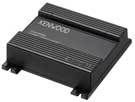
Kenwood KNA-G520
http://www.kenwoodusa.com/products/L...k3=150&pr=2354
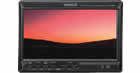
Kenwood LZ-702W Touch-Screen Monitor
http://www.kenwoodusa.com/products/L...k3=149&pr=2278
Cost: Medium (less than $1000, and much less if you shop)
Advantages:
1) It is moderately easy to install and wire. There is a wiring harness that connects the navigation unit to the monitor, and the monitor has a hide-away box (necessary for touch-screen support). The Kenwood KNA-G520 must be connected to a Kenwood touch-screen monitor. A list of supported Kenwood monitors is on the Kenwood website.
2) This device uses an SD slot for application and data updates. The SD slot eliminates the mechanical problems that are inherent to DVD and HD devices, and allows downloading new software from Garmin’s (or a redirect from Kenwood’s website) website for instantaneous update (i.e., no waiting to receive a DVD).
Disadvantages:
1) Kenwood KNA-G520 has a proprietary connection harness and only works with a limited selection of Kenwood monitors (see the Kenwood website for a list of these monitors).
2) There is no support for a Speed Sensor. If you lose satellite contact (e.g., you are driving through a tunnel or you are otherwise blocked from viewing the satellites), the GPS returns an error (unknown position) until you regain direct satellite view.
Notes:
This is basically the same unit as the Garmin GVN52. The OEM supplier is Garmin. The only real difference is that the Kenwood KNA-G520 supports touch-screen functions on limited Kenwood LCD screens. (NOTE: The Garmin GVN52 does not support touch-screen functions.)
==========================================================
ALPINE

Alpine NVE-N872A Navigation Unit
http://www.alpine-usa.com/US-en/prod...odel=NVE-N872A
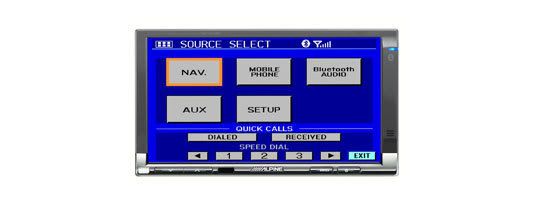
Alpine TME-M740BT Touch-Screen Monitor
http://www.alpine-usa.com/US-en/prod...del=TME-M740BT
Cost: High (around $1600 depending upon where you shop)
Advantages:
1) Supports voice commands (Garmin and Kenwood do not)
2) The Alpine navigation unit is very feature rich. For example, when the view is set to under 300 meters, the Alpine can show buildings in a 3D view.
Disadvantages:
1) Complicated installation (not necessarily a bad thing since it has so many features)
2) DVD based system, and thus has mechanical parts that can fail more easily than SD based equipment.
3) Map and application updates require a DVD disk instead of downloading and updating an SD (as is the case with Garmin and Kenwood).
===================================================
Additional Notes:
--- Garmin is the OEM supplier for Kenwood’s navigation box. Alpine uses a different navigation application. Both companies use the same GPS database supplier, so it is the application software that differentiates the products. Alpine’s software is very feature-rich and has a very detailed graphical display.
--- Installing the Kenwood LZ-702W Touch-Screen Monitor in the upper/forward cubby space is a custom job requiring surgery and expert fabrication so that it doesn’t look like a “pig-boat.” The same is true when installing an Alpine monitor in the Z’s upper/forward cubby space. If you don’t have the means to do this yourself, it will be moderately expensive to have a fabrication shop do the work for you. Since the Garmin GVN (which does not support touch-screen function) works with just about any LCD screen, you can select a screen that fits making installation relatively easy and inexpensive.
--- Any of these component navigation boxes (Garmin, Kenwood, or Alpine) will also connect to a DVD/CD double-din unit you can fit into the Z’s double-din space, or you can connect to a single-din HU with a motorized screen. The Garmin unit (which does not support touch-screen function) can connect to just about any LCD screen. When connecting the Kenwood or the Alpine navigation box to a double-din DVD/CD LCD device or a single-din HU with a motorized screen; you probably should stay in the same product line using a recommended device of the manufacturer. Kenwood’s and Alpine’s websites have a list of compatible products for their hideaway navigation devices.
For example, you can connect the Kenwood KNA-G520 (the navigation box) to the Kenwood double-din device Kenwood DDX8017 (now replaced by a newer model: Kenwood DDX8019) that you mount in the lower double-din space.
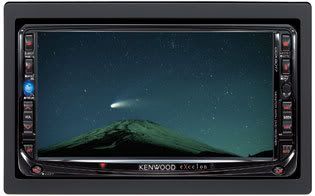
Another example is connecting the Alpine NVE-N872A navigation unit to the Alpine IVA-W200

--Spike
But now it’s back. This certainly is not a complete list or description, but hopefully it brings some of the loose ends together.
There are three different ways to put navigation into the Z.
1) Portable navigation products (examples are the Garmin Nuvi, the Alpine Blackbird, Magellan Roadmate, etc.). These units fit inside the upper/forward cubby in the Z. You can hardwire power to the units, and you have the advantage of taking the device with you when you leave the car and are on foot and need guidance. This is probably the least expensive way to install navigation in the Z. The downside is the small screen (3.5” to 4.5”).
2) “All-in-one” products that fit into the double-din space and provide just about everything: radio (regular, satellite, and HD), DVD/CD, iPod connection, navigation, and more. Examples are Pioneer and Eclipse. These units pack a lot of components into a small space. They have an internal fan and flip a comparatively large LCD screen (both of which carry some potential for failure). Since these units are “all-in-one,” a failure of one component can take down the entire device.
3) Component navigation systems that use a hideaway unit (the “brain” or processor box) that connects to a remote LCD screen. Examples are Alpine, Garmin, and Kenwood. This arrangement provides some advantages since you can mix and match the components that meet your requirements. You can use the upper/forward cubby space, which gives you a better line of view from the road to the screen (safer viewing angle) than glancing farther down to the double-din space in the Z. You can also use a single-din HU with a motorized screen with this type of navigation system.
(1) Portables and (2) “Double-Dins above are pretty straight forward. With the portable, you simply place it into the cubby space (hardwire it if you want) and you are ready to go. Same is true for (2): You simply install the “all-in-one” device into the Z’s double-din space.
The component systems provide more choices. Here are some solutions from Garmin, Kenwood, and Alpine.
==========================================================
GARMIN
Garmin GVN 52
http://www.garmin.com/products/gvn52/
Farenheit T-7000MHR (This is just an example. You can connect to any NTSC monitor)
Cost: Low (less than $800, and much less if you shop)
Advantages:
1) It is very easy to install and wire. Connecting six wires (plus an audio mute if your HU supports this) is all it requires to get you going. There is no silly parking brake sensor to worry about.
2) It can use any LCD screen since it does not require or support touch-screens.
3) The GVN52 uses a RF remote control so you do not need “line-of-sight.” You can mount the navigation box in the rear/cubby space, under the seat, or just about anywhere in the car.
4) This device uses an SD slot for application and data updates. The SD slot eliminates the mechanical problems that are inherent to DVD and HD devices, and allows downloading new software from Garmin’s website for instantaneous update (i.e., no waiting to receive a DVD).
Disadvantages:
1) It does not support touch-screen. You operate this unit with a hand-held remote control.
2) There is no support for a Speed Sensor. If you lose satellite contact (e.g., you are driving through a tunnel or you are otherwise blocked from viewing the satellites), the GPS returns an error (unknown position) until you regain direct satellite view.
==========================================================
KENWOOD
Kenwood KNA-G520
http://www.kenwoodusa.com/products/L...k3=150&pr=2354
Kenwood LZ-702W Touch-Screen Monitor
http://www.kenwoodusa.com/products/L...k3=149&pr=2278
Cost: Medium (less than $1000, and much less if you shop)
Advantages:
1) It is moderately easy to install and wire. There is a wiring harness that connects the navigation unit to the monitor, and the monitor has a hide-away box (necessary for touch-screen support). The Kenwood KNA-G520 must be connected to a Kenwood touch-screen monitor. A list of supported Kenwood monitors is on the Kenwood website.
2) This device uses an SD slot for application and data updates. The SD slot eliminates the mechanical problems that are inherent to DVD and HD devices, and allows downloading new software from Garmin’s (or a redirect from Kenwood’s website) website for instantaneous update (i.e., no waiting to receive a DVD).
Disadvantages:
1) Kenwood KNA-G520 has a proprietary connection harness and only works with a limited selection of Kenwood monitors (see the Kenwood website for a list of these monitors).
2) There is no support for a Speed Sensor. If you lose satellite contact (e.g., you are driving through a tunnel or you are otherwise blocked from viewing the satellites), the GPS returns an error (unknown position) until you regain direct satellite view.
Notes:
This is basically the same unit as the Garmin GVN52. The OEM supplier is Garmin. The only real difference is that the Kenwood KNA-G520 supports touch-screen functions on limited Kenwood LCD screens. (NOTE: The Garmin GVN52 does not support touch-screen functions.)
==========================================================
ALPINE
Alpine NVE-N872A Navigation Unit
http://www.alpine-usa.com/US-en/prod...odel=NVE-N872A
Alpine TME-M740BT Touch-Screen Monitor
http://www.alpine-usa.com/US-en/prod...del=TME-M740BT
Cost: High (around $1600 depending upon where you shop)
Advantages:
1) Supports voice commands (Garmin and Kenwood do not)
2) The Alpine navigation unit is very feature rich. For example, when the view is set to under 300 meters, the Alpine can show buildings in a 3D view.
Disadvantages:
1) Complicated installation (not necessarily a bad thing since it has so many features)
2) DVD based system, and thus has mechanical parts that can fail more easily than SD based equipment.
3) Map and application updates require a DVD disk instead of downloading and updating an SD (as is the case with Garmin and Kenwood).
===================================================
Additional Notes:
--- Garmin is the OEM supplier for Kenwood’s navigation box. Alpine uses a different navigation application. Both companies use the same GPS database supplier, so it is the application software that differentiates the products. Alpine’s software is very feature-rich and has a very detailed graphical display.
--- Installing the Kenwood LZ-702W Touch-Screen Monitor in the upper/forward cubby space is a custom job requiring surgery and expert fabrication so that it doesn’t look like a “pig-boat.” The same is true when installing an Alpine monitor in the Z’s upper/forward cubby space. If you don’t have the means to do this yourself, it will be moderately expensive to have a fabrication shop do the work for you. Since the Garmin GVN (which does not support touch-screen function) works with just about any LCD screen, you can select a screen that fits making installation relatively easy and inexpensive.
--- Any of these component navigation boxes (Garmin, Kenwood, or Alpine) will also connect to a DVD/CD double-din unit you can fit into the Z’s double-din space, or you can connect to a single-din HU with a motorized screen. The Garmin unit (which does not support touch-screen function) can connect to just about any LCD screen. When connecting the Kenwood or the Alpine navigation box to a double-din DVD/CD LCD device or a single-din HU with a motorized screen; you probably should stay in the same product line using a recommended device of the manufacturer. Kenwood’s and Alpine’s websites have a list of compatible products for their hideaway navigation devices.
For example, you can connect the Kenwood KNA-G520 (the navigation box) to the Kenwood double-din device Kenwood DDX8017 (now replaced by a newer model: Kenwood DDX8019) that you mount in the lower double-din space.
Another example is connecting the Alpine NVE-N872A navigation unit to the Alpine IVA-W200
--Spike

Registered User
Joined: Jul 2006
Posts: 885
Likes: 0
From: orange,ca
Originally Posted by Spike100
It’s a nice unit: Fast acquisition, very accurate, and durable. The Garmin GVN52 is about identical to the Garvin Nuvi series in map display and application function. There are a lot of happy Nuvi users.
Actually, the fact that the GVN52 is based in the Nuvi could have been a compromise since the Nuvi series goes from a 3.5”screen to 4.3” screen while the GVN is meant for a 5.6” to 7” screen. Providing support for this wide a range of screen sizes is a challenge to the programmers, but the Garmin folks did a good job. The software allows you to set preferences for the amount of detail in map displays. That’s a tricky feat, but it works well and is almost seamless in Garmin’s interface.
Alpine accomplishes this as well. They have the hide-away unit (NVE-N872A) designed to operate on 5.6” – 7” monitors, and the Blackbird (with a 3.6” screen). You can dock the Blackbird and run its navigation on a larger external screen. The Alpine programmers did a great job as well providing preferences to handle various screen sizes.
The double-din flip screen navigation units (examples are Pioneer and Eclipse) are a fixed screen size (7”) so the programmers were not faced with providing the degree of flexibility needed when supporting various screen sizes that was a requirement for Garmin and Alpine products.
I really do not see that much difference in any of the navigation products (Garmin, Kenwood-OEM Garmin, Alpine, Eclipse, and Pioneer). They all use the same database, and IMO all work quite well. The biggest difference (advantage) I see is devices using an SD slot vs. DVD based units. The SD slot devices (Garmin and Kenwood, OEM is Garmin) have no moving parts, and you can update these devices by downloading from the manufacturer’s website instead of ordering and waiting for delivery of a DVD.
--Spike
Actually, the fact that the GVN52 is based in the Nuvi could have been a compromise since the Nuvi series goes from a 3.5”screen to 4.3” screen while the GVN is meant for a 5.6” to 7” screen. Providing support for this wide a range of screen sizes is a challenge to the programmers, but the Garmin folks did a good job. The software allows you to set preferences for the amount of detail in map displays. That’s a tricky feat, but it works well and is almost seamless in Garmin’s interface.
Alpine accomplishes this as well. They have the hide-away unit (NVE-N872A) designed to operate on 5.6” – 7” monitors, and the Blackbird (with a 3.6” screen). You can dock the Blackbird and run its navigation on a larger external screen. The Alpine programmers did a great job as well providing preferences to handle various screen sizes.
The double-din flip screen navigation units (examples are Pioneer and Eclipse) are a fixed screen size (7”) so the programmers were not faced with providing the degree of flexibility needed when supporting various screen sizes that was a requirement for Garmin and Alpine products.
I really do not see that much difference in any of the navigation products (Garmin, Kenwood-OEM Garmin, Alpine, Eclipse, and Pioneer). They all use the same database, and IMO all work quite well. The biggest difference (advantage) I see is devices using an SD slot vs. DVD based units. The SD slot devices (Garmin and Kenwood, OEM is Garmin) have no moving parts, and you can update these devices by downloading from the manufacturer’s website instead of ordering and waiting for delivery of a DVD.
--Spike
They do not use the same data base. I forgot the name, but Garmin, Alpine and a few others far, uses a Superior database. Eclipse, Pioneer and most others use something else.
Last edited by evolved326; Feb 4, 2007 at 12:23 AM.
You guys are really on top of this I think I will do with the the Garmin system and the Farenheit 7000. I really like the 7001 but you guys have got me wondering if it is as good now.
THANX
THANX


Thread
Thread Starter
Forum
Replies
Last Post
Justin100
Intake Exhaust
26
Nov 29, 2015 03:58 PM


