


Nexus 7 Custom Tablet Install (Factory Navi Look)


Thread Starter
Registered User
iTrader: (4)
Joined: Jun 2008
Posts: 87
Likes: 0
From: Orange Park FL
 Nexus 7 Custom Tablet Install (Factory Navi Look)
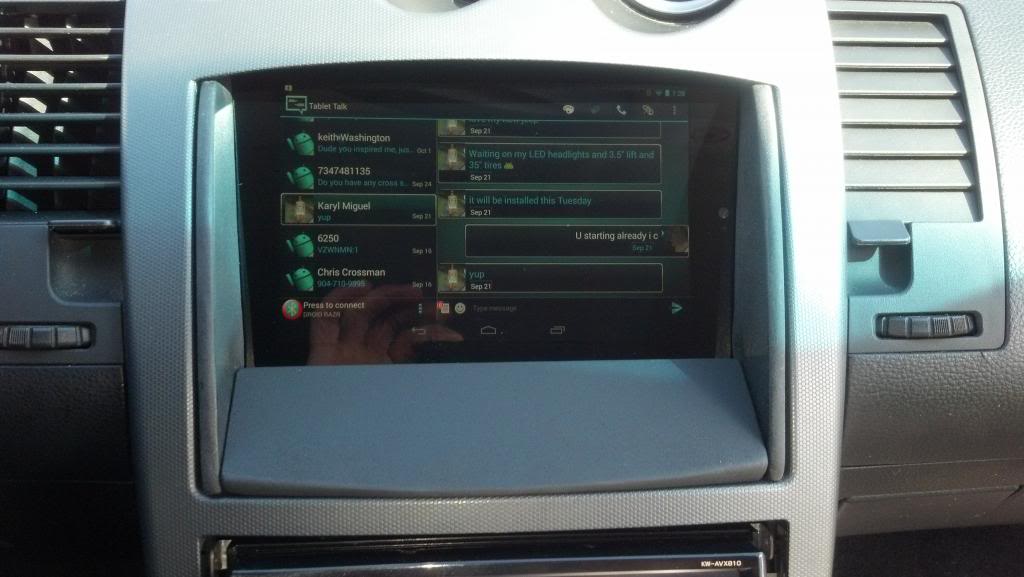
I have posted some pics up before regarding a install I did earlier this year. But I've decided to provide some insight on how to make this look and operate like a stock navigation unit. I've seen some other tablet installs in the 350z, but I felt the execution of many of these were leaving much to be desired. I'm not saying my design is best, but I personally prefer mods that aren't very noticeable to people that sit in my car. Also, with the tablet I didn't want to entice thieves to break my window. 
Many may wonder whats the point of this install? This is valid and some may not need it but, if you find yourself using your phone for all your media and navigation needs, this may be a great option.
Quick overview of how it works and what options are present:
-Cost: about $250 (far less than the headunit I have under it)
-Greets me by name when car is started
-Google Maps & Navigation with satellite view
-All Phone calls & Text from phone view-able and operational on screen
-Full internet access via Chrome browser
-Unit turns on & off with ignition key
-Torque App (OBD2 check engine codes and readiings from all engine sensors that communicate with OBD2)
-Video calling (though I never see a reason to use it)
-Voice commands: calls, texts, navigation, web search, etc.
-And pretty much anything you can think of thats present on a google tablet
If the interest is there, I can provide specifics on how I hardwired it and got everything to work. Just ask, if you need additional info. I'm thinking about doing a build thread but I'm being lazy at the moment. On to the pics.
From this:
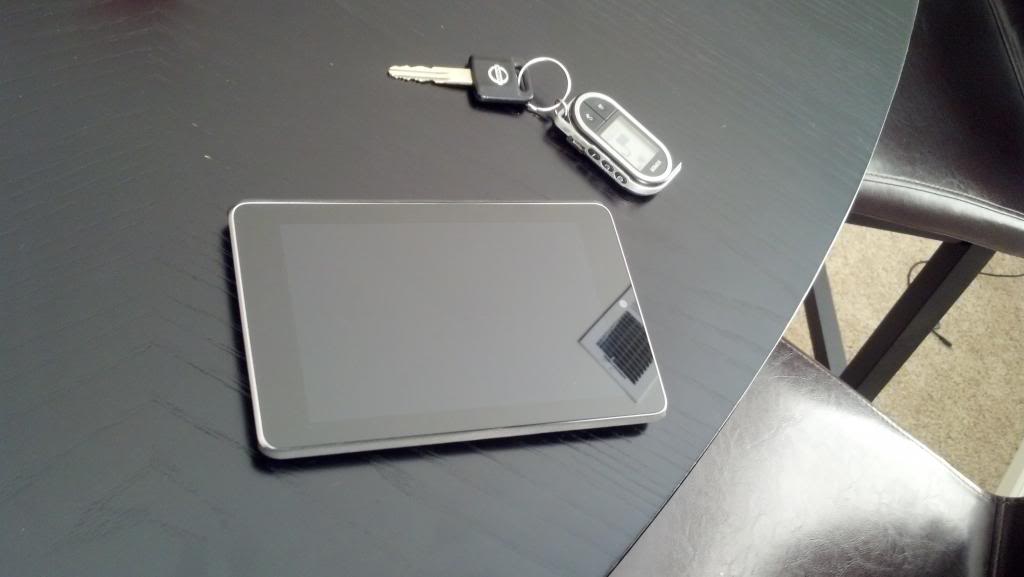
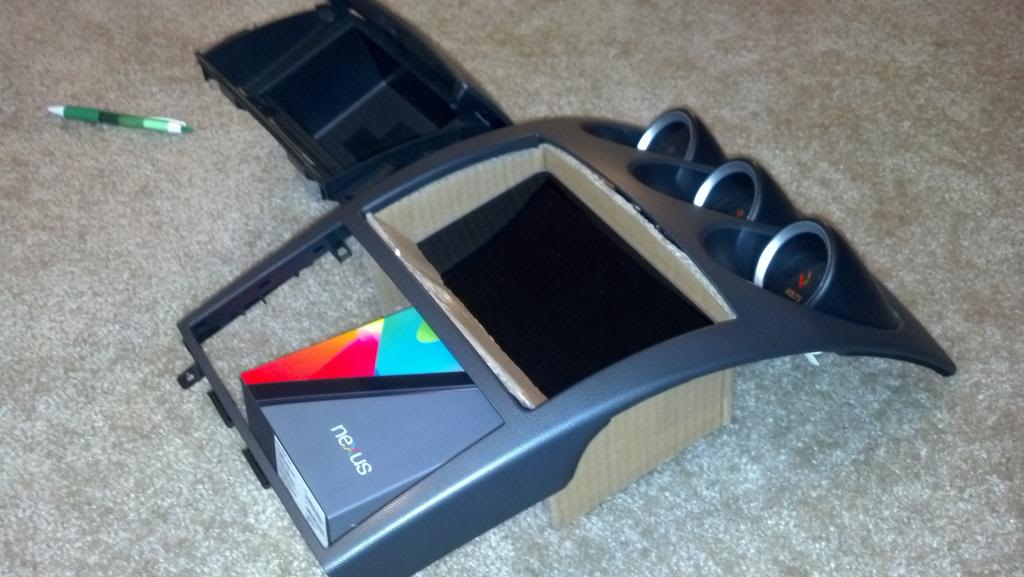
To this:
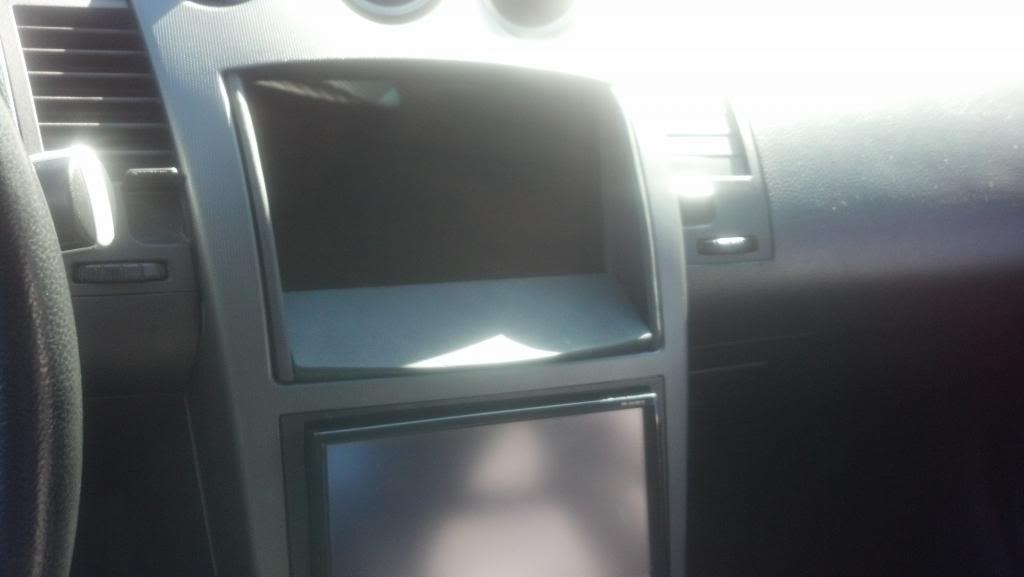
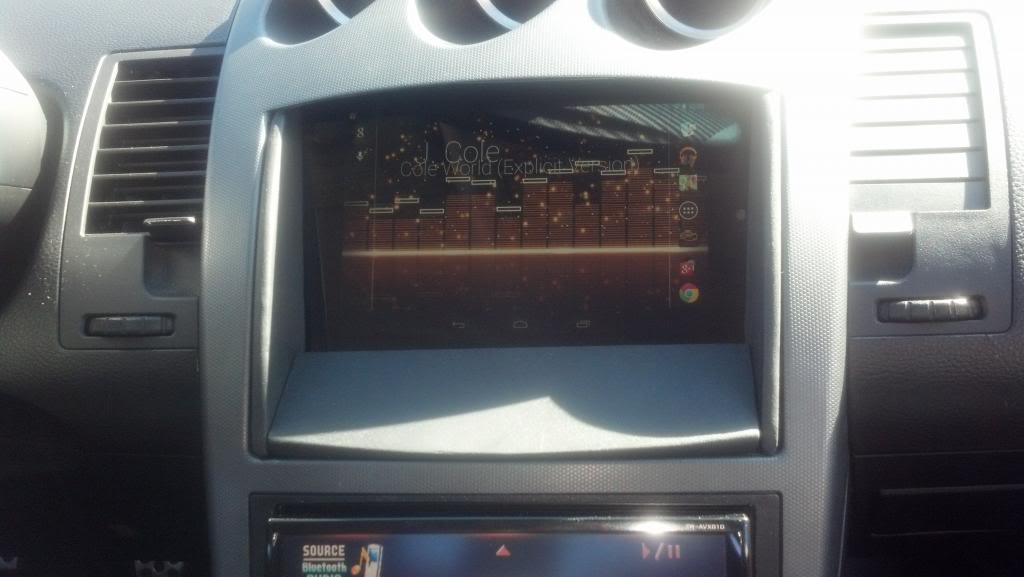
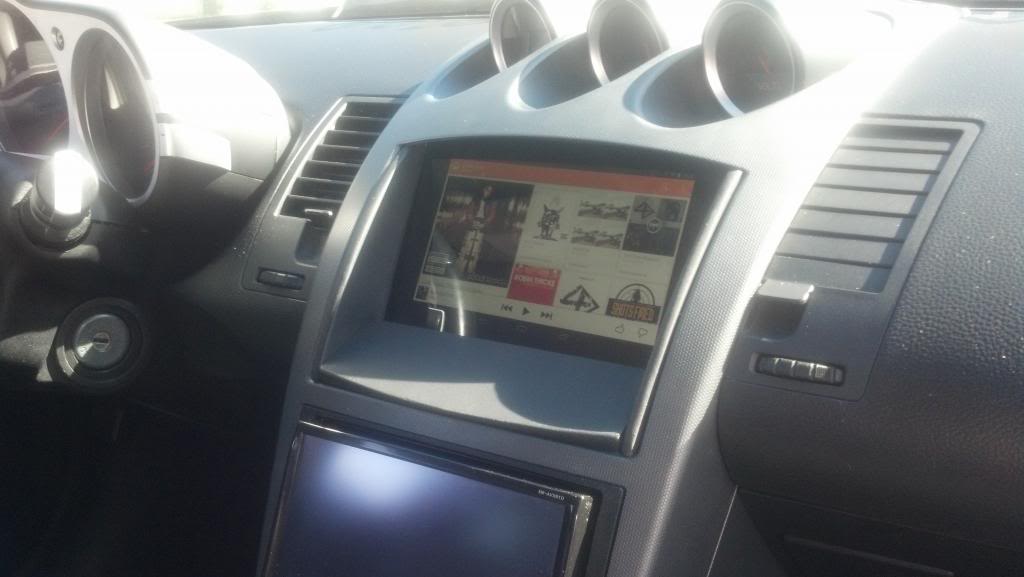
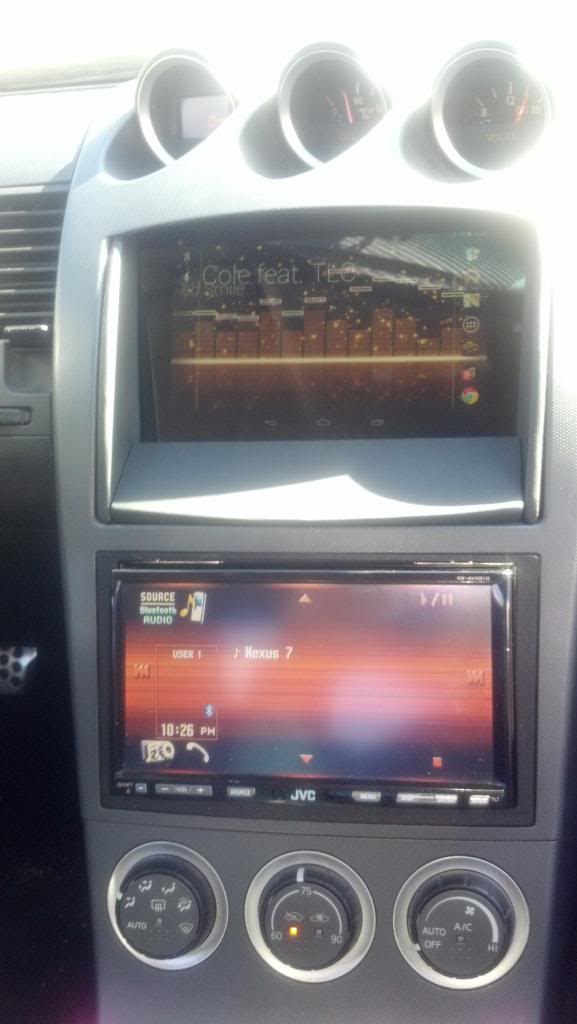
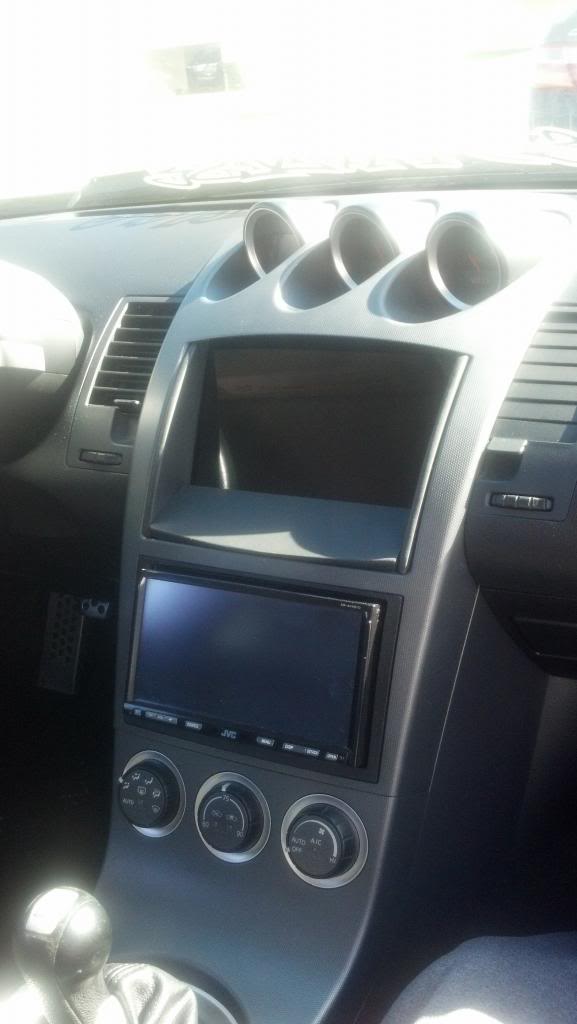
Phone Calls(surround paint not finished)
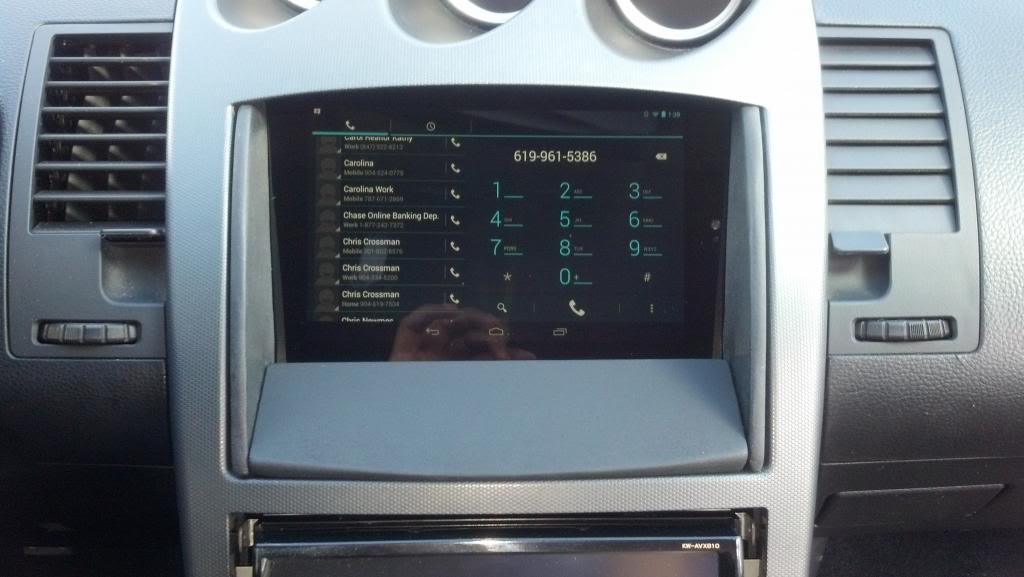
Text Messages (surround paint not finished)
Many may wonder whats the point of this install? This is valid and some may not need it but, if you find yourself using your phone for all your media and navigation needs, this may be a great option.
Quick overview of how it works and what options are present:
-Cost: about $250 (far less than the headunit I have under it)
-Greets me by name when car is started
-Google Maps & Navigation with satellite view
-All Phone calls & Text from phone view-able and operational on screen
-Full internet access via Chrome browser
-Unit turns on & off with ignition key
-Torque App (OBD2 check engine codes and readiings from all engine sensors that communicate with OBD2)
-Video calling (though I never see a reason to use it)
-Voice commands: calls, texts, navigation, web search, etc.
-And pretty much anything you can think of thats present on a google tablet
If the interest is there, I can provide specifics on how I hardwired it and got everything to work. Just ask, if you need additional info. I'm thinking about doing a build thread but I'm being lazy at the moment. On to the pics.
From this:


To this:


Phone Calls(surround paint not finished)

Text Messages (surround paint not finished)

Last edited by sincere85; Dec 1, 2013 at 12:34 AM.
Thread Starter
Registered User
iTrader: (4)
Joined: Jun 2008
Posts: 87
Likes: 0
From: Orange Park FL
Here is a video showing how the greeting works and how it operates with the ignition and my head-unit: Sorry about the low quality. I was using my cell. (You can select 780p in the settings, makes it slightly better)
This video show some of the voice commands when I was first testing it. (around the 1 min mark in video)
This video show some of the voice commands when I was first testing it. (around the 1 min mark in video)
Last edited by sincere85; Nov 30, 2013 at 11:49 PM.

Thread Starter
Registered User
iTrader: (4)
Joined: Jun 2008
Posts: 87
Likes: 0
From: Orange Park FL
I used a app called Automagic. It checks certain states, triggers, and conditions and performs actions automatically. The reason I prefer this app is because it has flow charts, so if you are not familiar with programming it makes it easier.
So for example:
When I turn on the ignition the tablet senses power, this triggers the actions I have set. Which are:
-Turn on screen and set timeout to never
-Start greeting
-Connect to headunit via bluetooth
-Connect to phones hotspot internet
-Push all calls and text to tablet
-Play music after greeting stops
-etc
Hope this helps. Also, the greeting was just a way to give my headunit time to boot up before bluetooth is connected. Turn out great so I kept it.
So for example:
When I turn on the ignition the tablet senses power, this triggers the actions I have set. Which are:
-Turn on screen and set timeout to never
-Start greeting
-Connect to headunit via bluetooth
-Connect to phones hotspot internet
-Push all calls and text to tablet
-Play music after greeting stops
-etc
Hope this helps. Also, the greeting was just a way to give my headunit time to boot up before bluetooth is connected. Turn out great so I kept it.
Last edited by sincere85; Dec 1, 2013 at 12:33 AM.

very nice work. you could probably modify the oem front surround piece to fit
That would look even nicer. Either way this looks good too
That would look even nicer. Either way this looks good too
Last edited by beezee; Dec 1, 2013 at 07:35 AM.
Thread Starter
Registered User
iTrader: (4)
Joined: Jun 2008
Posts: 87
Likes: 0
From: Orange Park FL
Thanks. Yeah that was my initial design but I needed access to the power button and I preferred the look of how the 06-08 navi looks because the door isn't there. The lower panel is magnetic and removable to give access to the power button. My next step is to wrap the dash & surround in 3m dinoc carbon fiber vinyl. I painted it because I was testing it in bear MDF, fiberglass, and bondo form and got tired of looking at it.
Trending Topics





Wow this looks promising I've been thinking about doing this for a while and you've given me some new motivation.
Would there be any way to fit this while keeping the ability to close the cubby door? Or would that be too tight of a fit?
Would there be any way to fit this while keeping the ability to close the cubby door? Or would that be too tight of a fit?



Pretty awesome install with perfect functionality. 
I opted for the Samsung Galaxy Tab 3 7.0 so that it would fit without modifying the cubby at all. It fits perfectly in the '05 cubby by just wedging in under the back edge of the cubby door (does not close with tablet in) and the little tab on the bottom for the cubby door latch. It seems to hold good as it didn't come out on the track last weekend (even with an off-track slide).
I've only got one picture to share and I'm not trying to thread jack. I just didn't want to create a whole new thread.
I opted for the Samsung Galaxy Tab 3 7.0 so that it would fit without modifying the cubby at all. It fits perfectly in the '05 cubby by just wedging in under the back edge of the cubby door (does not close with tablet in) and the little tab on the bottom for the cubby door latch. It seems to hold good as it didn't come out on the track last weekend (even with an off-track slide).
I've only got one picture to share and I'm not trying to thread jack. I just didn't want to create a whole new thread.

So I got a nexus 7 for Christmas to replicate this setup. Can you list the apps or setup procedure you used to get it to that level. Text messages, phone calls etc, GPS connections, obd2 box, Etc.
Thanks
Don
Thanks
Don

Registered User
Joined: Feb 2009
Posts: 5
Likes: 0
From: Europe
@sincere85 What do you have in the background? it is live wallpaper?
Thread Starter
Registered User
iTrader: (4)
Joined: Jun 2008
Posts: 87
Likes: 0
From: Orange Park FL
This could be possible because I look into installing it as many do with portable navi units but I wanted an 2006+ 350z look navi surround. My other motivation was keeping access to the power button for forced resets or shutdowns. Thru the measurements I made previously, the cubby is deep enough. The only problem I could foresee is the tablets width.
Thread Starter
Registered User
iTrader: (4)
Joined: Jun 2008
Posts: 87
Likes: 0
From: Orange Park FL
The Nexus 7 handles the GPS, navi, music, etc. from the factory. The list of major apps needed to complete factory like operations are as follows:
1. Automagic Automation: Allows automatic action to take place.
2. Tablet talk: Allows communication between tablet and phone via bluetooth or wifi hotspot to receive/send calls and texts.
3. Torque: This turns tablet into OBD2 scanner and can read any sensor supported by the car's OBD2 system.
4. Audio Glow Music Visualizer: Live background used to display audio info and EQ effects. Not necessary but I liked it.
Personally the Automagic app is the most important if you are like me and don't want extra steps added to your routine. It's what allows the tablet to do things automatically given the triggers and conditions I set. For example the ignition causes the tablet to sense power and turn on screen, start the greeting, connect to phones internet, push calls and text to tablet and start music. The reverse happens when the ignition is turned off.
If anyone has every taken computer programming it pretty much allows you to program without knowing any programming language (java, c++, etc). Its very easy to understand and uses flow charts to allow you to keep track of everything. It may sound somewhat complicated but trust me its not too bad. I have interned & CO-OP as a computer engineer but my knowledge is limited and this project is what landed me the job. And my wife says my car projects are useless,

Tablet Talk is the one I was missing, I am not a fan of Audio Glow because it doesnt work with Spotify. I figured all the rest out.
I Am working on a custom theme for Torque for my Z, I will have to find something I prefer as a live homescreen with music. Thanks for the responses though.
I Am working on a custom theme for Torque for my Z, I will have to find something I prefer as a live homescreen with music. Thanks for the responses though.