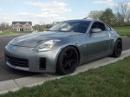
My $100 like OEM fit NAVIGATION setup


 GET the dvd from 3three5ive0zero
its has the software, it has the install pdf on it, send him 10 bucks so he can ship it and buy a beer....
it was very easy after i read all his info...
so easy a cave man can do it.. looks around, whew no cavemen around.. ok cool,,,
cheers to 350
it was very easy after i read all his info...
so easy a cave man can do it.. looks around, whew no cavemen around.. ok cool,,,
cheers to 350

Sorry for not making the question clear.
I don't have any problem with loading screen because I have all the POI's deleted except Texas, Oklahoma, and Lousiana. Ok here is what i did.
- Turned on the unit
- Selected Navigate (Nissan logo loaded, OCN8's main screen loaded)
- Selected Map which is on the bottom
The cursor didn't pickup the signal for the current location until 20min or maybe longer.
I don't have any problem with loading screen because I have all the POI's deleted except Texas, Oklahoma, and Lousiana. Ok here is what i did.
- Turned on the unit
- Selected Navigate (Nissan logo loaded, OCN8's main screen loaded)
- Selected Map which is on the bottom
The cursor didn't pickup the signal for the current location until 20min or maybe longer.
I relocated the antenna to outside which is on the dash, and the signal pickup really quick around 1-2 min after turning the unit on.
I know there are differences with the dimensions of certain parts but the process of taking off major components (plastic pieces) should be the same. Even if everything is different, the idea behind it all should be the same. You still have to take off the shifter console first, then you take the necessary screws out to get the center console out. You still undo the same connections (different connectors) to get to the navigation cubby.
That's what I was saying. I tried to quickly search for the 06+ interior gutting, but didn't really see anything on the first page of my search. Hopefully, the guy(s) who installed this in his 06+ Z can help you out. Good luck and keep us updated on your progress.
That's what I was saying. I tried to quickly search for the 06+ interior gutting, but didn't really see anything on the first page of my search. Hopefully, the guy(s) who installed this in his 06+ Z can help you out. Good luck and keep us updated on your progress.

You should, o2sys. 
I have one question regarding the audio for GPS. I currently using my Ipod adapter (PA11-NIS) for the audio, so I won't be able to hear my CD and GPS at the same time. Is there anyway I can cut the RCA wires and tap it to the door speaker wires?
Thanks.
I have one question regarding the audio for GPS. I currently using my Ipod adapter (PA11-NIS) for the audio, so I won't be able to hear my CD and GPS at the same time. Is there anyway I can cut the RCA wires and tap it to the door speaker wires?
Thanks.
You should, o2sys.
I have one question regarding the audio for GPS. I currently using my Ipod adapter (PA11-NIS) for the audio, so I won't be able to hear my CD and GPS at the same time. Is there anyway I can cut the RCA wires and tap it to the door speaker wires?
Thanks.
I have one question regarding the audio for GPS. I currently using my Ipod adapter (PA11-NIS) for the audio, so I won't be able to hear my CD and GPS at the same time. Is there anyway I can cut the RCA wires and tap it to the door speaker wires?
Thanks.
the best thing you can do is get a small amp and a small speaker, like $80 for the setup and you will have a more clear louder GPS voice
Since you have a single DIN headunit, you could get one of these:
Alpine SBS-05DC Car Audio Center Channel Speaker
http://www.sonicelectronix.com/item_...mpaign=froogle

And power it with something cheap and small like this:
Pyramid PB440X Super Blue 2x35W Amplifier
http://www.parts-express.com/pe/show...number=265-079

The amp should be small enough to tuck away under the seat for ease of installation and you will have a dedicated center channel speaker for your navigation for around $155. Worth every penny if you rely on the voice guidance a lot. The amp doesn't say it's bridgeable, but you can run just 1 channel.
hmmmmm, now you got me thinking........
<<<< also have a single DIN
Alpine SBS-05DC Car Audio Center Channel Speaker
http://www.sonicelectronix.com/item_...mpaign=froogle
And power it with something cheap and small like this:
Pyramid PB440X Super Blue 2x35W Amplifier
http://www.parts-express.com/pe/show...number=265-079
The amp should be small enough to tuck away under the seat for ease of installation and you will have a dedicated center channel speaker for your navigation for around $155. Worth every penny if you rely on the voice guidance a lot. The amp doesn't say it's bridgeable, but you can run just 1 channel.
hmmmmm, now you got me thinking........
<<<< also have a single DIN


 Just Navigation and the screen.
decided gainst the install
Just Navigation and the screen.
decided gainst the install
well i just got the droid phone and plugged it into my headphone jack for my ipod, the navi on the droid is excellent and mutes the music as the navi chirps out the directions.
this seems to be an easy decision for me.... thanks for all the help..
im willling to sell the dvd i got and the nav unit ready to go, with all the software needed, up and running for 200, i got mine for 149 off ebay and figure with all the software and rareity of these units now, just open the box and isnatll the puppy,
the unit has the new software installed, the nissan loading logo on it and all that is done, no need to program anything....
unit also has a squaretrade warranty which i will honor as long as you own the unit,, i can get the details... i think its 2 years of coverage.
ill also throw in the pdf i printed for taking the console apart
pm me for the deal and paypal. info.. .
ill post in the for sale section if anyone wants to get it before that,, pm me,
still up for sale, buyer backed out...
this seems to be an easy decision for me.... thanks for all the help..
im willling to sell the dvd i got and the nav unit ready to go, with all the software needed, up and running for 200, i got mine for 149 off ebay and figure with all the software and rareity of these units now, just open the box and isnatll the puppy,
the unit has the new software installed, the nissan loading logo on it and all that is done, no need to program anything....
unit also has a squaretrade warranty which i will honor as long as you own the unit,, i can get the details... i think its 2 years of coverage.
ill also throw in the pdf i printed for taking the console apart
pm me for the deal and paypal. info.. .
ill post in the for sale section if anyone wants to get it before that,, pm me,
still up for sale, buyer backed out...
Last edited by obrien714; Nov 21, 2009 at 03:44 PM.

Hey how do oyu mount the GPs into it like that? DYI anywhere? Also doesnt it talk, if it does then you cant hear it...
Anyone know how the magellan compares to the tomtom? Im not sure about the GPs you bought
Anyone know how the magellan compares to the tomtom? Im not sure about the GPs you bought

Not understanding your question though. How do you mount the Navi into the cubby like that? It's a perfect fit..if you have the 03 cubby hole if you got the 04+ you gotta cut the back of the cubby hole out.
dont mean to jack the thread but im gonna probably get the Magellan 1470. It has 4.7 inch screen. I havent received it yet but when I tried to fit my friends gps in the cubby, it was in but i have diffiult time when I was driving becasue it kept falling down or out when i stop..
gennosuke, i suggest you get the plenio over the magellan. the plenio sits tight within the cubby
see the pictures i took when i first got it in the mail. there is no need to cut anything, just unscrew the back of the cubby din thingy lol


What kind of GPS does your friend have that kept falling? The Plenio won't go no where. You could even zip tie it on the back just in case it does. It'll look a whole lot better / more oem'ish. Plus a heck of a lot bigger screen as well (7").