


My $100 like OEM fit NAVIGATION setup


Any way for an '05 cubby install with minor modification, even if i took it to an audio/video installation service and brought along the plenio? Don't want to go through the hassle of buying an '03 cubby with paint mismatch.

I just got my Plenio in the mail...However, I wont be doing the install for a while since the car is about to go into a paint booth.
3hree5ive0ero- Thank you for the software CD. I will hit you up if I come across any issues with the software install.
3hree5ive0ero- Thank you for the software CD. I will hit you up if I come across any issues with the software install.

Registered User
Joined: Dec 2009
Posts: 15
Likes: 0
From: Charlotte
Thought you guys might want to know...
I have an '05 and over the holidays I plan on installing my Plenio. I'm going to remove the old cubby and build my own in place to hopefully get a factory look. I'm a degreed mechanical engineer and product designer for a plastics manufacturer and have access to 3d modeling software as well as cnc machines(my boss gives me free reign to use the equipment). If everything goes smooth with my design and install, I'll consider selling kits for those with Plenios, or a modified version for those without, who want to use other screens.
I plan on:
-Removing the cubby door completely for a factory look similar to those of the '06+
-adding a rear baffle and small thru holes (on the sides of the bezel to guide the sound towards the driver) This is just to increase volume, but is still not definite.
-may add a cut-out and light pipes to show the power. This is up in the air since it's blue and does not really fit well with the orange
-will add a cutout to allow use of the remote. The remote has too many quick access buttons for me to want to tap the screen.
-Will have a secure mounting bracket for the screen to either snap in, or simply bolt into from behind.
-Assuming there is enough space, I'll try to allow for mounting of the gps antenna behind the screen.
I was going to integrate an SD extension, having the slot either in the lcd bezel, or down by the seat heater switches, but there are no extenders that I could find at a reasonable price. If anyone finds one, let me know.
So if anyone thinks they may be interested in the final product or having a kit when everything's complete, hit me up. I'm pulling everything out tonight to begin measuring and sketching before I start modeling. Wish me luck...
I plan on:
-Removing the cubby door completely for a factory look similar to those of the '06+
-adding a rear baffle and small thru holes (on the sides of the bezel to guide the sound towards the driver) This is just to increase volume, but is still not definite.
-may add a cut-out and light pipes to show the power. This is up in the air since it's blue and does not really fit well with the orange
-will add a cutout to allow use of the remote. The remote has too many quick access buttons for me to want to tap the screen.
-Will have a secure mounting bracket for the screen to either snap in, or simply bolt into from behind.
-Assuming there is enough space, I'll try to allow for mounting of the gps antenna behind the screen.
I was going to integrate an SD extension, having the slot either in the lcd bezel, or down by the seat heater switches, but there are no extenders that I could find at a reasonable price. If anyone finds one, let me know.
So if anyone thinks they may be interested in the final product or having a kit when everything's complete, hit me up. I'm pulling everything out tonight to begin measuring and sketching before I start modeling. Wish me luck...

Registered User
Joined: Dec 2009
Posts: 15
Likes: 0
From: Charlotte
 Thanks for all your help!
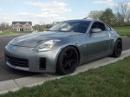
If anyone is interested, I am going to sell mine, software already loaded on it. So your good to go, PM me if you are interested.
SOLD
SOLD
Last edited by mw9; Jan 9, 2010 at 07:05 AM.

Registered User
Joined: Mar 2006
Posts: 10
Likes: 0
From: Los Angeles
Anyone who's got this to work willing to throw a guy a bone and PM me the files? I've been working on it for 2 days straight with no luck.
I get to the main screen, I select navigation, I then get a gray screen with a S-Curve background image that says "languages" on the bottom right corner of the screen.
Then get an error message "FFVIERROR: Parse error [/layer expected]".
I've got a feeling that it's because I'm trying to do this on a Mac and not a PC.
Anyone?

I get to the main screen, I select navigation, I then get a gray screen with a S-Curve background image that says "languages" on the bottom right corner of the screen.
Then get an error message "FFVIERROR: Parse error [/layer expected]".
I've got a feeling that it's because I'm trying to do this on a Mac and not a PC.
Anyone?

Anyone who's got this to work willing to throw a guy a bone and PM me the files? I've been working on it for 2 days straight with no luck.
I get to the main screen, I select navigation, I then get a gray screen with a S-Curve background image that says "languages" on the bottom right corner of the screen.
Then get an error message "FFVIERROR: Parse error [/layer expected]".
I've got a feeling that it's because I'm trying to do this on a Mac and not a PC.
Anyone?
I get to the main screen, I select navigation, I then get a gray screen with a S-Curve background image that says "languages" on the bottom right corner of the screen.
Then get an error message "FFVIERROR: Parse error [/layer expected]".
I've got a feeling that it's because I'm trying to do this on a Mac and not a PC.
Anyone?
Also my cubby rattles sometimes like crazy!!!! its driving me nuts and enough for me to think about ditching the navi just to stop the rattle!!!!!
i think the navi unit is a bit too heavy for the cubby and even though i have 3m tape all around the edges its still causing it to rattle.
im going to see if i can remove the metal piece on the back of the navi where the suction cup bracket would go to see if i can shed some weight off!
Last edited by o2sys; Dec 28, 2009 at 12:09 PM.

Registered User
Joined: Mar 2006
Posts: 10
Likes: 0
From: Los Angeles
Thank you! Whatever I was doing wrong was fixed using your links. I had an error with the Washington POI, but I don't need it so I deleted that file. Works like a charm. Can't wait to finally get this thing installed in my Z. 

Registered User
Joined: Jan 2010
Posts: 3
Likes: 0
From: USA
Thanks to the OP and quakerroatmeal for the upload. Maybe a dumb question, but I've loaded the files on the Plenio, and the GPS icon is "greyed out" on the main menu, I can't click it. Does that mean a hardware malfunction or do I maybe need to do some of the instructions in the OP's PDF?
Registered User
Joined: Jan 2010
Posts: 3
Likes: 0
From: USA
ah, i found out the problem. My file structure wasn't set up correctly. The two RAR files make a folder called SD CARD, which I copied right on the card. I needed to copy the contents of THAT folder. Probably obvious to others, but I must have missed that.
Oh, and I also had to delete the Washington POI, iGo gives an error when starting with it loaded on.
Oh, and I also had to delete the Washington POI, iGo gives an error when starting with it loaded on.